

Download and enjoy our service, 20,000+ users downloaded Cell Camera latest version on 9Apps for free every week! When you click, the app will start downloading and wait till it completes installation you can start play. This hot app was released on 2019-09-23. You can quickly get it from 9Apps!
Cell Camera is a full-featured Android camera app that turns your phone into a professional camera for a variety of models!
Features:
❤ Intelligent face detection
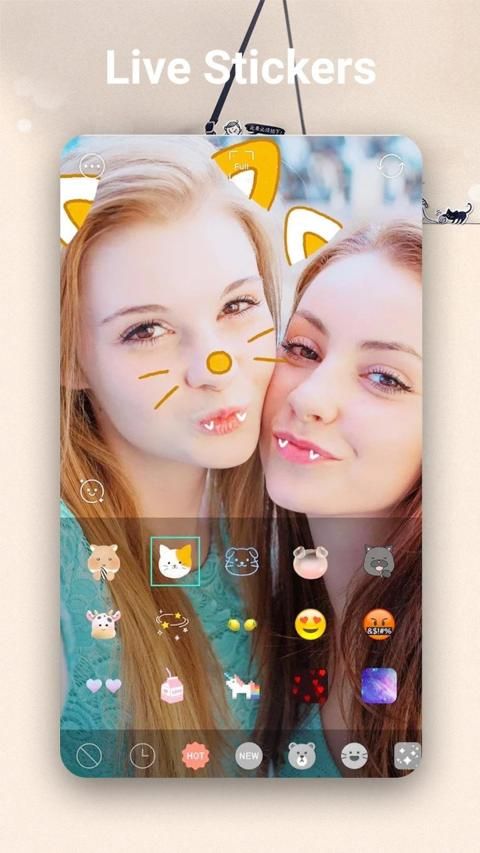
Magical effects of different styles
❤ Stylish HDR - Improves images taken in low light and backlit scenes
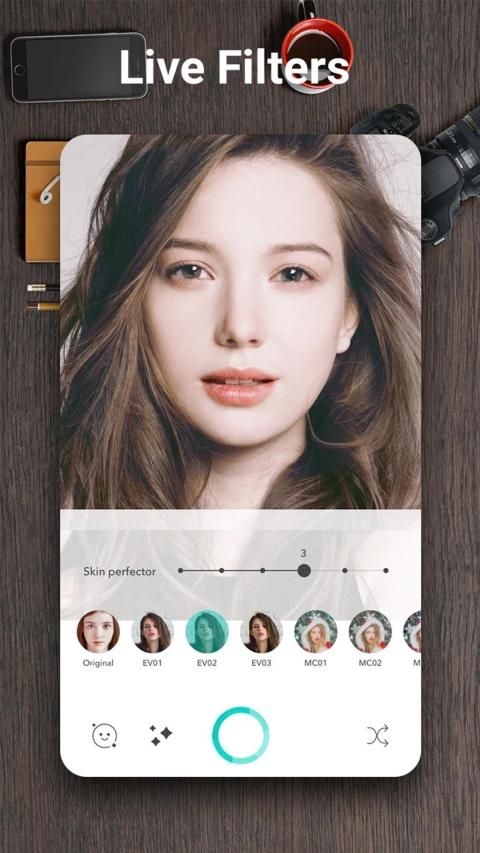
Live Filter - Preview the filter effect before taking a photo or taking a video
❤ Support focus mode, scene mode, color effect, white balance, ISO and exposure compensation/lock, flashlight
❤ Quick capture, continuous shooting, automatic stabilization
Easily adjust camera and video quality and resolution
HD video recording
* Optical / digital zoom, click focus, display focus ring
* White balance (automatic, fluorescent, white, daylight, cloudy)
* Countdown to take pictures
* Set photo size
* Exposure
* Viewing mode (sports, night scene, sunset, party)
* Front and rear camera switching
* Take and create panoramic photos for an immersive 360-degree panorama
* The viewfinder can completely display the image captured by the sensor without cropping the image
* Panorama mode requires the use of a gyro sensor
* Video capture
* Mobile phones and tablets for Android 4.0 and higher
सेल कैमरा एक पूर्ण विशेषताओं वाला एंड्रॉइड कैमरा ऐप है जो आपके फोन को विभिन्न प्रकार के मॉडल के लिए पेशेवर कैमरा में बदल देता है!
विशेषताएं:
Detection बुद्धिमान चेहरा पहचान
विभिन्न शैलियों के जादुई प्रभाव
Light स्टाइलिश HDR - कम रोशनी और बैकलिट दृश्यों में ली गई छवियों को बेहतर बनाता है
लाइव फ़िल्टर - फ़ोटो लेने या वीडियो लेने से पहले फ़िल्टर प्रभाव का पूर्वावलोकन करें
❤ समर्थन फोकस मोड, दृश्य मोड, रंग प्रभाव, सफेद संतुलन, आईएसओ और जोखिम मुआवजा / लॉक, टॉर्च
❤ त्वरित कब्जा, निरंतर शूटिंग, स्वचालित स्थिरीकरण
आसानी से कैमरा और वीडियो की गुणवत्ता और रिज़ॉल्यूशन को समायोजित करें
HD वीडियो रिकॉर्डिंग
* ऑप्टिकल / डिजिटल ज़ूम, फ़ोकस पर क्लिक करें, फ़ोकस रिंग प्रदर्शित करें
* सफेद संतुलन (स्वचालित, फ्लोरोसेंट, सफेद, दिन के उजाले, बादल)
* चित्र लेने के लिए उलटी गिनती
* फोटो का आकार निर्धारित करें
* अनावरण
* देखने का तरीका (खेल, रात का दृश्य, सूर्यास्त, पार्टी)
* फ्रंट और रियर कैमरा स्विचिंग
* एक 360 डिग्री पैनोरमा के लिए नयनाभिराम तस्वीरें लें और बनाएं
* दृश्यदर्शी पूरी तरह से छवि को क्रॉप किए बिना सेंसर द्वारा कैप्चर की गई छवि को प्रदर्शित कर सकता है
* पैनोरमा मोड में जाइरो सेंसर के उपयोग की आवश्यकता होती है
* विडियो रिकॉर्ड
* एंड्रॉयड 4.0 और उच्चतर के लिए मोबाइल फोन और टैबलेट




9Apps 4.9














