

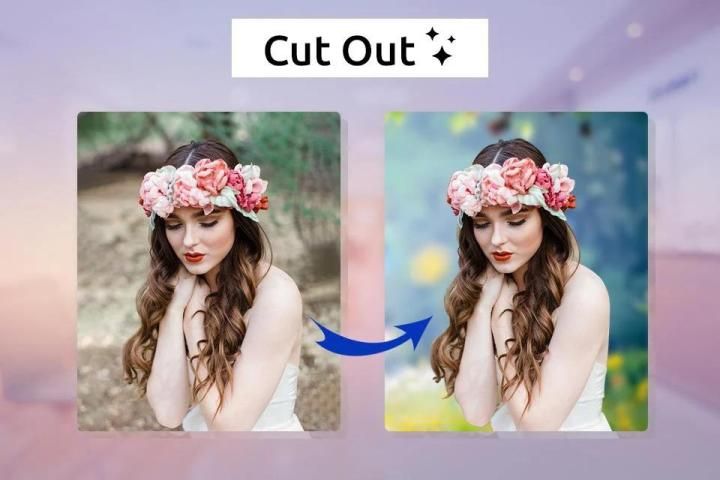
Millions of free Android apps are provide on 9apps. 20,000+ users downloaded Auto Cut Out : Remove Unwanted Background latest version on 9Apps for free every week! It is simply to learn how to use it. This hot app was released on 2020-01-28. Download and play this free app for android mobile phone now!
Auto Photo Cut-Paste: Photo Background Eraser
is a Next Generation
Auto Cut Out
- photo cut paste,
Photo Editor app
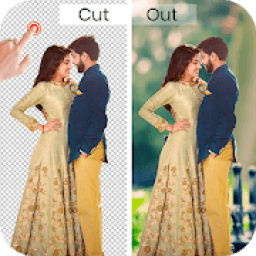
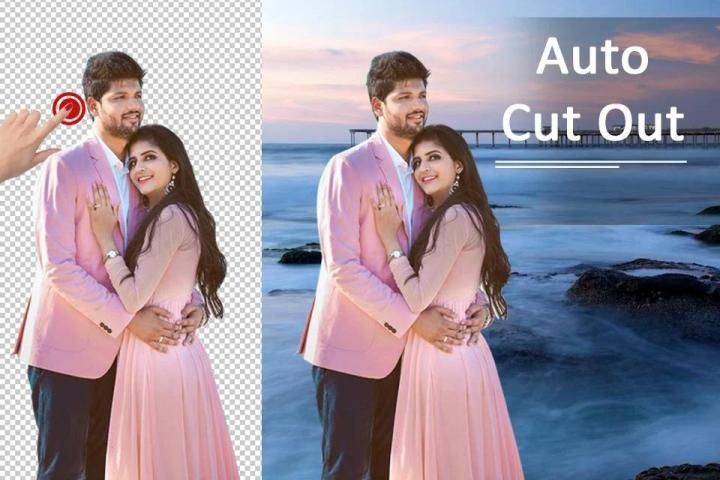
by which you can cut out smartly any part of the image automatically with Smart Auto Selection option and paste it on another photo.
Photo Background Eraser
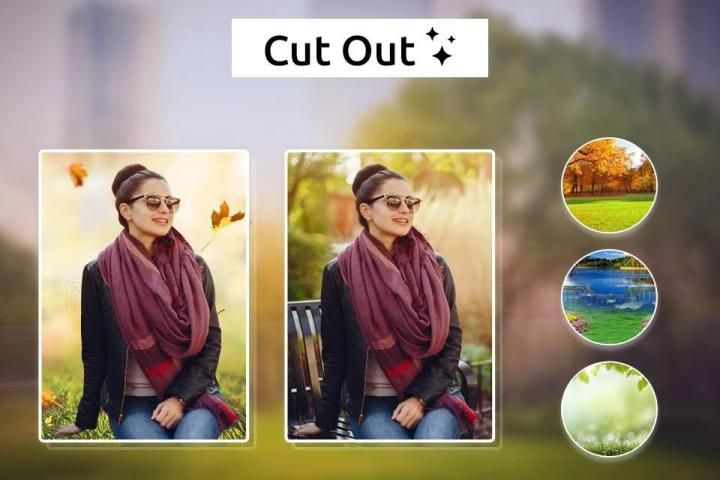
is to erase image background to transparent photos and add different beautiful backgrounds. Edit with best professional tools like custom background theme, stickers, stylist text, color font, text-shadow, text blur. Cut- Paste photo editor has so many default HD beautiful natural backgrounds for you. Also, you can select your photo from the mobile gallery and set it as a background.
Don't like unwanted objects in your photo background? Want to change the background of the photo?? Then check our best features of background remover app cut out. This
background Removal
app is very easy and can change photo background to a beautiful background. Cut Photos where you want to cut a part of Photo or Extract a person from Photo Background.
This is the best
Auto Photo Cut-Paste
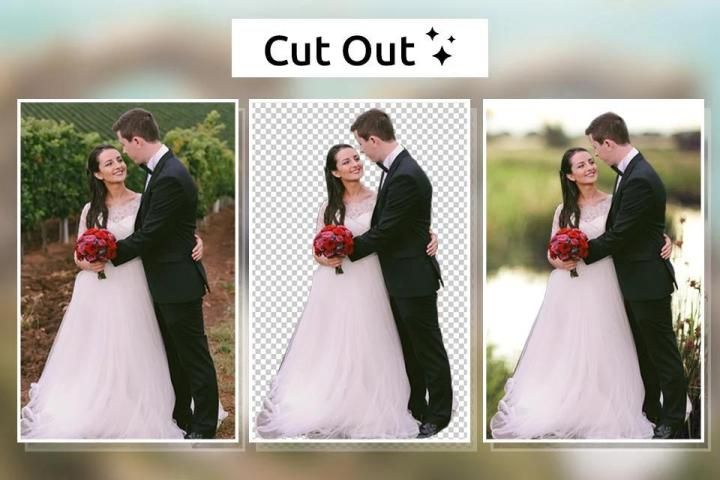
App for images, with which you can create your gorgeous custom photo by cutting the photo from one image and pasting it on another custom image. You can cut a part of an image section or whole object and paste it on other images.
Choose ratios suitable for Instagram, Facebook, Snapchat. You can freely resize your pictures with no crop by using a blur background option. Under the size editor section, pick 1:1 ratio to make it fit square size with blur.
✙ Manual Erase
➺Finger Rub Background Removal. Use your finger to erase any unwanted part
✙ Auto Removal
➺ One-Touch Removal with Shade Touch AI
✙ Manual Erase
➺Finger Rub Background Removal. Use your finger to erase any unwanted part
✙ Auto Removal
➺ One-Touch Removal with Shade Touch AI
✙ Filters for Pictures
➺ Lomo, PINK, Vignette, Natural, Warm, Dew, Dark, Cocoa...
➺ Adjust brightness, contrast, saturation, hue, warmth, etc.
✙ Move / Zoom
➺Slowly moving, rotating, dragging options on the garden frame to set the picture.
✙ Effects
➺Add Color effects make your pic wonderful and colorful
✙ Cut and Copy Collages
➺ Cut paste Photo Collages can be created by Pasting Copied photos onto 20 different Backgrounds with different themes. Pinch Zoom in / Zoom out with multi-touch gesture and single-touch control.
✙ Multiple Stickers
➺Large Free Stickers collection - Make your photos more fun mostly with stickers. Stickers Romantic, Enjoyable, Emotion, Words, Food, Festival, Cartoon, Man's Do.
✙ Stylish text
➺Add to your creation a nice and elegant font.
➺Give your text to Color, Shadow, Steel Background, etc.
➺We give background text such as candy, metal, texture, etc.
✙ Photo Filters
➺Create amazing Cut Paste Photos effects with Sepia, Black and White Photo Effects and Old Photo Effects photo filters. Cut Paste Photo Editor tools include Flip Photo Vertical and Flip Photo Horizontally transforming design features.
✦✦ How to use ✦✦
1. Select the photo from the gallery or take a picture.
2. Cut the main photo out using the numerous Photoshop-like tools.
3. You could also use the reset option or undo/redo your changes while creating a cool photo.
4. Select your own background or choose from the beautiful collection of 8 HD Wallpapers.
5. Pinch Zoom and rotate to re-size and adjust the photo to the background.
6. Add retro effect to the created Image.
7. Adjust Opacity, Contrast, and Brightness to the created Image.
8. Choose from Multiple effects to make your photo look realistic.
9. Photo background changer does not require an internet connection.
10. Photo background changer Makes you a celebrity.
11. The photo background changer is completely free to download.
Thanks & Enjoy............!!!!
ऑटो फोटो कट-पेस्ट: फोटो पृष्ठभूमि इरेज़र एक अगली पीढ़ी है
ऑटो कट आउट - फोटो कट पेस्ट,
फोटो संपादक ऐप जिसके द्वारा आप कटौती कर सकते हैं स्मार्ट रूप से स्मार्ट ऑटो चयन विकल्प के साथ छवि के किसी भी हिस्से को स्वचालित रूप से बाहर करें और इसे किसी अन्य फोटो पर पेस्ट करें।
फोटो पृष्ठभूमि इरेज़र छवि पृष्ठभूमि को पारदर्शी फ़ोटो को मिटाने और विभिन्न सुंदर पृष्ठभूमि जोड़ने के लिए है। कस्टम बैकग्राउंड थीम, स्टिकर, स्टाइलिस्ट टेक्स्ट, कलर फॉन्ट, टेक्स्ट-शैडो, टेक्स्ट ब्लर जैसे सर्वश्रेष्ठ पेशेवर टूल के साथ संपादित करें। कट- पेस्ट फोटो एडिटर में आपके लिए बहुत सारे डिफ़ॉल्ट HD सुंदर प्राकृतिक पृष्ठभूमि है। इसके अलावा, आप मोबाइल गैलरी से अपनी तस्वीर चुन सकते हैं और इसे एक पृष्ठभूमि के रूप में सेट कर सकते हैं।
आपकी फोटो पृष्ठभूमि में अवांछित वस्तुएं पसंद नहीं हैं? फोटो की पृष्ठभूमि बदलना चाहते हैं ?? फिर कट आउट बैकग्राउंड रिमूवर ऐप की हमारी सबसे अच्छी सुविधाओं की जाँच करें। यह
पृष्ठभूमि हटाना ऐप बहुत आसान है और फोटो पृष्ठभूमि को एक सुंदर पृष्ठभूमि में बदल सकता है। फ़ोटो को काटें जहाँ आप फोटो का एक हिस्सा काटना चाहते हैं या फोटो बैकग्राउंड से किसी व्यक्ति को निकालना चाहते हैं।
यह छवियों के लिए सबसे अच्छा
ऑटो फोटो कट-पेस्ट ऐप है, जिसके साथ आप एक छवि से फोटो को काटकर और दूसरी कस्टम छवि पर चिपकाकर अपनी भव्य कस्टम फोटो बना सकते हैं। आप एक छवि अनुभाग या संपूर्ण ऑब्जेक्ट का एक हिस्सा काट सकते हैं और इसे अन्य छवियों पर पेस्ट कर सकते हैं।
इंस्टाग्राम, फेसबुक, स्नैपचैट के लिए उपयुक्त अनुपात चुनें। आप ब्लर बैकग्राउंड विकल्प का उपयोग करके बिना किसी फसल के साथ अपनी तस्वीरों को स्वतंत्र रूप से आकार दे सकते हैं। आकार संपादक अनुभाग के तहत, धब्बा के साथ इसे फिट वर्ग आकार बनाने के लिए 1: 1 अनुपात चुनें।
b मैनुअल मिटा
➺फिंगर रब बैकग्राउंड रिमूवल। किसी भी अवांछित हिस्से को मिटाने के लिए अपनी उंगली का उपयोग करें
AI शेड टच AI के साथ वन-टच रिमूवल
b मैनुअल मिटा
➺फिंगर रब बैकग्राउंड रिमूवल। किसी भी अवांछित हिस्से को मिटाने के लिए अपनी उंगली का उपयोग करें
AI शेड टच AI के साथ वन-टच रिमूवल
Natural Lomo, PINK, Vignette, Natural, Warm, Dew, Dark, Cocoa ...
, चमक, इसके विपरीत, संतृप्ति, रंग, गर्मी आदि को समायोजित करें।
b मूव / जूम करें
On तस्वीर को सेट करने के लिए बगीचे के फ्रेम पर पूरी तरह से घूमना, घूमना, विकल्प खींचना।
✙ प्रभाव
.Add रंग प्रभाव आपके चित्र को अद्भुत और रंगीन बनाते हैं
b कट और कॉपी कोलाज
Asting कट पेस्ट फोटो कोलाज को अलग-अलग थीम के साथ 20 अलग-अलग बैकग्राउंड पर कॉपी की गई फोटो द्वारा बनाया जा सकता है। पिंच ज़ूम इन / ज़ूम आउट मल्टी-टच जेस्चर और सिंगल-टच कंट्रोल के साथ।
b एकाधिक स्टिकर
➺लार्ज फ्री स्टिकर संग्रह - अपनी तस्वीरों को अधिक से अधिक स्टिकर के साथ मज़ेदार बनाएं। स्टिकर रोमांटिक, आनंददायक, भावनाएं, शब्द, भोजन, त्योहार, कार्टून, मनुष्य के दोहे
Aअपने निर्माण में एक अच्छा और सुरुचिपूर्ण फ़ॉन्ट जोड़ें।
➺ अपने पाठ को कलर, शैडो, स्टील बैकग्राउंड आदि में रखें।
➺ हम पृष्ठभूमि का पाठ जैसे कैंडी, धातु, बनावट आदि देते हैं।
b फोटो फिल्टर
SepCreate अद्भुत कट पेस्ट तस्वीरें फोटो, काले और सफेद फोटो प्रभाव और पुराने फोटो प्रभाव फोटो फिल्टर के साथ प्रभाव। कट पेस्ट फोटो एडिटर टूल में फ्लिप फोटो वर्टिकल और फ्लिप फोटो क्षैतिज रूप से बदलने वाले डिजाइन फीचर शामिल हैं।
b use का उपयोग कैसे करें
1. गैलरी से फोटो का चयन करें या एक तस्वीर लें।
2. कई फोटोशॉप जैसे टूल का उपयोग करके मुख्य फोटो को काटें।
3. आप एक कूल फोटो बनाते समय अपने बदलावों को रीसेट विकल्प या पूर्ववत / पूर्ववत करें का उपयोग कर सकते हैं।
4. अपनी खुद की पृष्ठभूमि का चयन करें या 8 एचडी वॉलपेपर के सुंदर संग्रह से चुनें।
5. पिंच ज़ूम करें और फ़ोटो को बैकग्राउंड में एडजस्ट करने के लिए घुमाएँ।
6. बनाई गई छवि में रेट्रो प्रभाव जोड़ें।
7. बनाई गई छवि के लिए अस्पष्टता, कंट्रास्ट और चमक समायोजित करें।
8. अपनी तस्वीर को यथार्थवादी बनाने के लिए कई प्रभावों में से चुनें।
9. फोटो पृष्ठभूमि परिवर्तक को इंटरनेट कनेक्शन की आवश्यकता नहीं है।
10. फोटो पृष्ठभूमि परिवर्तक आपको एक सेलिब्रिटी बनाता है।
11. फोटो पृष्ठभूमि परिवर्तक डाउनलोड करने के लिए पूरी तरह से स्वतंत्र है।
धन्यवाद और आनंद ............ !!!!



9Apps 4.9














