
Here provides top Free Android Apps. 20,000+ users downloaded Arc Lighting Navigation Bar latest version on 9Apps for free every week! More functions were added in this app. This hot app was released on 2019-09-16. 9Apps has thousands of apps and updated daily!
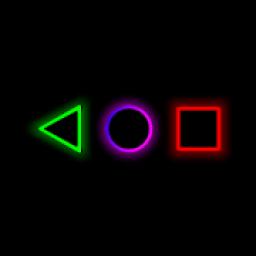
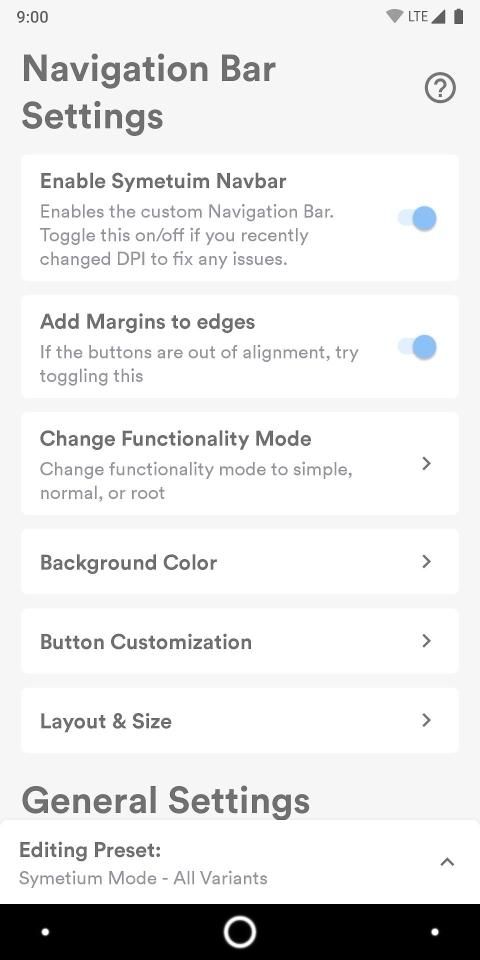
Arc Lighting Navigation Bar is the most advanced custom navigationbar on the market, you can do everything from setting a custom icon per button coloring it after your current wallpaper or app you use or move the buttons up and down both inside and outside of layers, you can apply a colored layer behind each button individually and you can curve each corner of that layer individually you can also set an outline around each layer invidually and you can curve each corner individually aswell this outline can ofcourse change color after your wallpaper or app you're using and you can ofcourse adjust transparency and color lightness as with all other layers, you can force a custom tapspace for each button individually if you feel it's too small for your finger just increase the space and it will be much easier to tap the button, you can set the each individual layer such as the navigationbar or preset icon to change color after the app you're using or after the wallpaper you have both on the homescreen and inside an app, if you prefer to have the wallpaper color even inside the app you're using you can do that too you can also adjust transparency and color lightness if you prefer a darker or lighter color, you can apply an outline to each colored layer individually you can also curve each corner of this outline individually as well as the layer itself, arc lighting custom navigationbar also features modes that you can create and delete as you wish, you can set a custom configuration for how the bar should look and behave inside an app you can set a custom configuration for how the bar should look and behave inside an app in landscape and in portrait, you can do the same on the homescreen both in landscape and in portrait, arc lighting navigationbar comes with various presets such as pc mode which is designed for mouse and keyboard use and a higher dpi setting simply edit only landscape with this mode and have a pc ui, only enable when in landscape, arc lighting navigationbar also features a lighting system that let's you make each button glow individually you can also adjust the glow or turn it off all together, you can have the home button and or back button and or recent apps button pulse when charging, you can use each button individually as a battery indicator and make them change color depending on your charge, you get all this and much more in the most advanced navigationbar app on the market, arc lighting navbarigationbar also comes with various system modes, if you want the best experience choose advanced mode or rootmode, download the simple to use enabler software to give your device the neccessary permissions for advanced mode so you don't have to mess with adb, if you don't want to do this simply choose simple mode this is slightly more limited than advanced more as it will run ontop of your current navigationbar and it doesn't support transparency, please note that arc lighting is monetized with ads, it is completely free without any limitations and no features are locked.
Features:
- Advanced color system with multiple layers of colors that can be enabled or disabled with adjustable transparency or color lightness and or change depending on wallpaper or app.
- Tap Space customization to adjust how big or small you want the Tap Space to be (smaller is better for a mouse and bigger is better for a finger)
- Movement system for each icon to move icons up and down or side to side both inside a layer or with the layer
- Full support for icon packs per icon and preset white or wallpaper/app colored icons with support for glow and lighting indicators
- Lighting system for each individual icon for notifications and various indicators
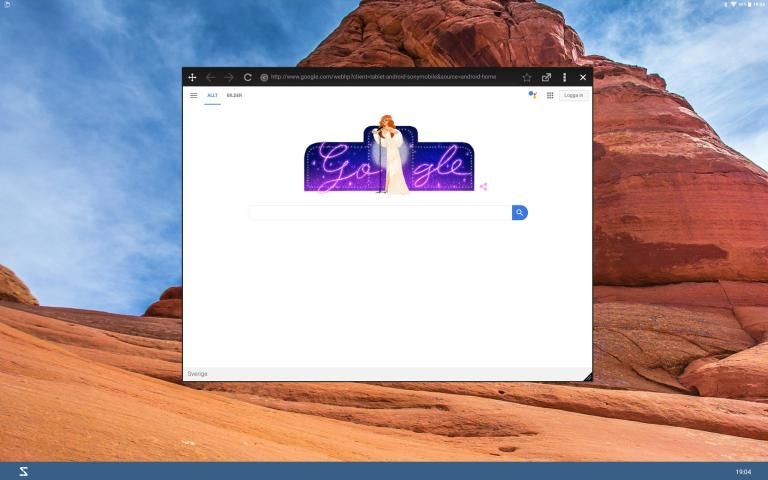
- PC mode preset for mouse and keyboard use (try to create Windows XP)
- Modes system that lets you set how the bar behaves in landscape and or portrait in-app and or the home screen by default you edit all so uncheck edit all variants to edit individually
आर्क लाइटिंग नेविगेशन बार बाजार पर सबसे उन्नत कस्टम नेविगेशनबार है, आप अपने वर्तमान वॉलपेपर या ऐप के उपयोग के बाद इसे रंगने वाले कस्टम आइकन प्रति बटन से सब कुछ कर सकते हैं या परतों के अंदर और बाहर दोनों तरफ बटन को ऊपर या नीचे ले जाते हैं, आप व्यक्तिगत रूप से प्रत्येक बटन के पीछे एक रंगीन परत लगा सकते हैं और आप उस परत के प्रत्येक कोने को व्यक्तिगत रूप से वक्र कर सकते हैं। आप प्रत्येक परत के चारों ओर बाह्य रूप से भी रूपरेखा निर्धारित कर सकते हैं और आप प्रत्येक कोने को व्यक्तिगत रूप से वक्र कर सकते हैं, यह रूपरेखा आपके वॉलपेपर या ऐप के बाद रंग बदल सकती है। ' पुन: उपयोग कर रहे हैं और आप अन्य सभी परतों के साथ पारदर्शिता और रंग लपट को समायोजित कर सकते हैं, आप प्रत्येक बटन के लिए एक कस्टम टैपस्पेस को व्यक्तिगत रूप से बाध्य कर सकते हैं यदि आपको लगता है कि यह आपकी उंगली के लिए बहुत छोटा है तो अंतरिक्ष बढ़ाएं और बटन को टैप करना बहुत आसान होगा , आप प्रत्येक व्यक्ति की परत को सेट कर सकते हैं जैसे कि आपके द्वारा उपयोग किए जा रहे ऐप या आपके द्वारा वॉलपेपर के बाद रंग बदलने के लिए नेविगेशनबार या प्रीसेट आइकन के रूप में। होमस्क्रीन और किसी ऐप के अंदर, यदि आप ऐप के अंदर भी वॉलपेपर का रंग रखना पसंद करते हैं, तो आप ऐसा कर सकते हैं कि आप भी पारदर्शिता और रंग की चमक को समायोजित कर सकते हैं यदि आप एक गहरे रंग या हल्के रंग को पसंद करते हैं, तो आप एक रूपरेखा लागू कर सकते हैं प्रत्येक रंगीन परत व्यक्तिगत रूप से आप इस रूपरेखा के प्रत्येक कोने को व्यक्तिगत रूप से और साथ ही परत को भी वक्र कर सकते हैं, आर्क लाइटिंग कस्टम नेविगेशनबार में ऐसे मोड भी हैं जो आप अपनी इच्छानुसार बना सकते हैं और हटा सकते हैं, आप बार कैसे दिखना चाहिए, इसके लिए एक कस्टम कॉन्फ़िगरेशन सेट कर सकते हैं। और एक ऐप के अंदर व्यवहार करें आप कस्टम कॉन्फ़िगरेशन सेट कर सकते हैं कि बार को परिदृश्य में और चित्र में किसी ऐप के अंदर कैसे दिखना चाहिए और व्यवहार करना चाहिए, आप परिदृश्य और पोर्ट्रेट दोनों में होमस्क्रीन पर समान कर सकते हैं, आर्क लाइटिंग नेविगेशनबार विभिन्न प्रीसेट के साथ आता है जैसे कि पीसी मोड जो माउस और कीबोर्ड उपयोग के लिए डिज़ाइन किया गया है और एक उच्च डीपीआई सेटिंग केवल इस मोड के साथ केवल परिदृश्य को संपादित करता है और एक पीसी यूआई है, केवल तभी सक्षम करें जब लैंडस्केप, आर्क लाइटिंग नेविगेशन बार में एक प्रकाश व्यवस्था भी है जो आपको प्रत्येक बटन को व्यक्तिगत रूप से चमकाने की सुविधा देता है। आप चमक को समायोजित भी कर सकते हैं या सभी को एक साथ बंद कर सकते हैं, चार्ज करने पर आपके पास होम बटन और या बैक बटन या हाल ही में ऐप बटन पल्स हो सकते हैं, आप प्रत्येक का उपयोग कर सकते हैं बैटरी इंडिकेटर के रूप में व्यक्तिगत रूप से बटन लगाएं और उन्हें अपने चार्ज के आधार पर रंग बदलें, आपको यह सब मिलता है और बाजार में सबसे उन्नत नेविगेशनबार ऐप में बहुत अधिक है, आर्क लाइटिंग नवबर्गरबार विभिन्न सिस्टम मोड के साथ आता है, यदि आप सबसे अच्छा अनुभव चाहते हैं उन्नत मोड या रूटमोड, अपने डिवाइस को उन्नत मोड के लिए आवश्यक अनुमतियाँ देने के लिए एनबलर सॉफ़्टवेयर का उपयोग करने के लिए सरल डाउनलोड करें ताकि आपको अदब के साथ गड़बड़ न करना पड़े, यदि आप ऐसा नहीं करना चाहते हैं तो बस साधारण मोड चुनें यह थोड़ा और अधिक है उन्नत से अधिक सीमित है क्योंकि यह आपके वर्तमान नेविगेशनबार के ऑनटॉप को चलाएगा और यह पारदर्शिता का समर्थन नहीं करता है, कृपया ध्यान दें कि चाप प्रकाश विज्ञापनों के साथ मुद्रीकृत है, यह बिना किसी सीमा के पूरी तरह से मुफ़्त है प्याज और कोई सुविधाएँ बंद नहीं हैं।
विशेषताएं:
- रंग की कई परतों के साथ उन्नत रंग प्रणाली जो समायोज्य पारदर्शिता या रंग लपट के साथ सक्षम या अक्षम हो सकती है और वॉलपेपर या ऐप के आधार पर बदल सकती है।
- आप कितना बड़ा या छोटा चाहते हैं, यह समायोजित करने के लिए अंतरिक्ष अनुकूलन टैप करें (टैप एक माउस के लिए बेहतर है और बड़ा आपकी उंगली के लिए बेहतर है)
- प्रत्येक आइकन के लिए मूवमेंट सिस्टम एक लेयर के अंदर या लेयर के साथ दोनों तरफ माउस को ऊपर और नीचे ले जाने के लिए
- प्रति आइकन आइकन पैक के लिए पूर्ण समर्थन और चमक और प्रकाश संकेतकों के समर्थन के साथ सफेद या वॉलपेपर / ऐप रंगीन आइकन प्रीसेट
- सूचनाओं और विभिन्न संकेतकों के लिए प्रत्येक व्यक्तिगत आइकन के लिए प्रकाश व्यवस्था
- माउस और कीबोर्ड उपयोग के लिए पीसी मोड प्रीसेट (विंडोज एक्सपी बनाने की कोशिश करें)
- मोड प्रणाली जो आपको यह निर्धारित करने देती है कि बार लैंडस्केप में कैसे व्यवहार करता है और इन-ऐप और या होम स्क्रीन डिफ़ॉल्ट रूप से आप सभी को अनचेक संपादित करते हैं सभी संस्करणों को व्यक्तिगत रूप से संपादित करने के लिए संपादित करें
Crash fixes


9Apps 4.9
















