With the updating of mobile application, 10,000+ users downloaded Easy File Manager latest version on 9Apps for free every week! Once you've used it, you'll be attracted. This hot app was released on 2013-04-20. Find out more android software you're looking for at 9apps.com
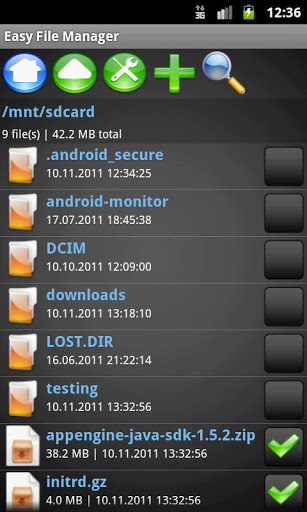
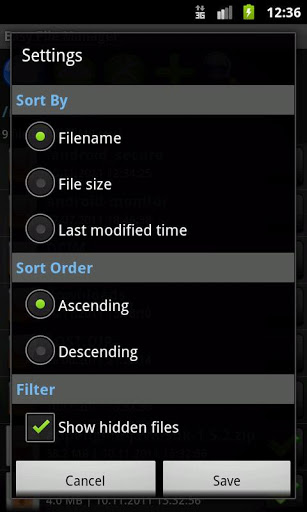
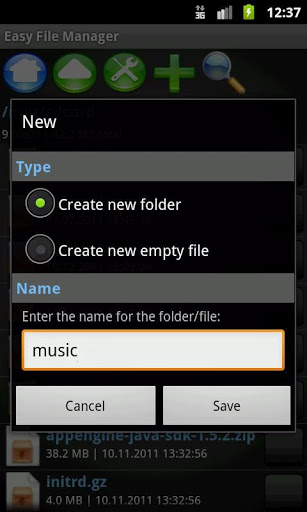
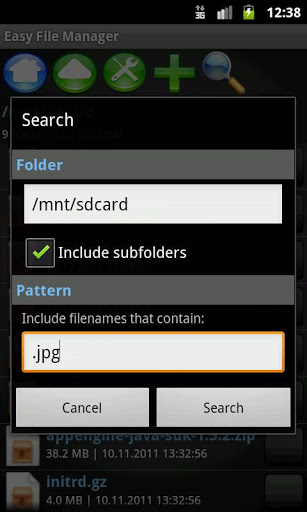
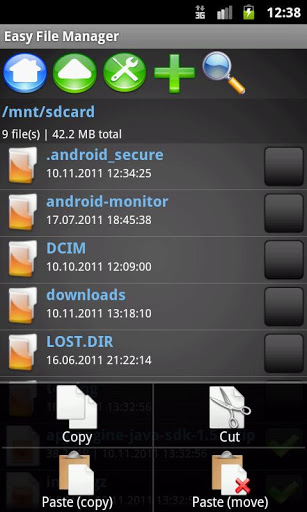
Nice, clean and easy to use file manager application for Android. Includes basic functionality, such as file exploring, searching, renaming, as well as cutcopypaste operations with simple and efficient multiselection of files.Note This is the free version, which has ads internet permission. There will be also a donation version to remove the ads.Instructions: Toolbar icons from left to right: jump to SD card, go up one directory, change settings, add new filedirectory, search and invert selection File list short tap: open file and change directory File list long press: cut, rename and view details of single files File selection checkbox on the right side of file list: check to selectunselect filesdirectories Multiselection menu button: copy to clipboard for pasting, delete and pasteTo delete multiple files, just select them and press menu button gt; cut no need to copy to cliboard. To copy multiple files, select them first, then press menu button gt; copy, and finally change to target directory and press menu button gt; paste.Known Issues: Copying and moving nonempty directories is not yet possible, but will be implemented in an update Deleting nonempty directories is not yet possible, but will be implemented in an updatePlanned Updates: Dropboxstyle network share using HTTP Favorites section for most used filesfolders Copymove nonempty directories Delete nonempty directories Autorename duplicate files for copymove Different themes Donation version to remove adsCredits: Icons: http:commons.wikimedia.orgwikiCrystalClear

9Apps 4.9