

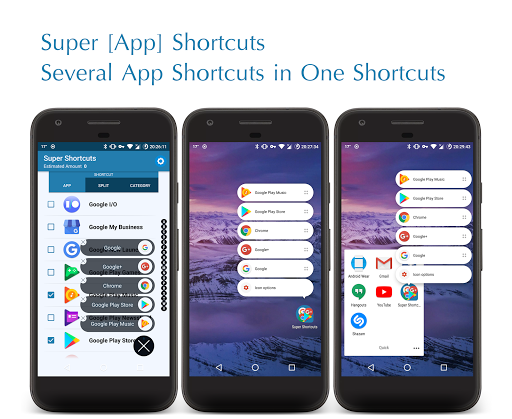

Replace Several Applications Shortcut & Folders with One Super Shortcut
🦸 🦸♂️
It helps you to
Open your Favorite Apps Quickly
(
Separately Or Simultaneously
) &
Empty your Home Screen
to
Enjoy your Wallpaper
... 😉 👍
Note
: Please, Check If your Default Home Launcher Support Popup AppShortcuts
Note
: This App Doesn't Suppose to Replace Classic Folders. It creates Shortcuts with Extra Features, Hence the Name, Super Shortcuts
[
Promoted By
]
🌟
Sony Xperia
on 'What's New' | 3 / 8 - 10 / 2018
🌟
myAppFree.com
as 'App Of Day' | 3 / 8 - 10 / 2018
[
In The News
]
🌟
Xda-Developers.com
Super Shortcut uses Android 7.1.1’s App Shortcuts to Declutter the Homescreen
🌟
PhoneArena.com
App shortcuts not enough? Make your wallpaper shine through with Super Shortcuts
🌟
AndroidHeadlines.com
Super Shortcut Is A Unique Way To Clear Screen Clutter
🌟
PhoneDog.com
Top 10 Android Apps of July 2017!
|
1
. Super Shortcut
🌟
AndroidWorld.nl
Super Shortcut verzamelt apps op een plek op je homescreen
🌟
TuttoAndroid.net
Super Shortcut Pro permette di eseguire le app più utilizzate con un unico pulsante
🌟
Mobiflip.de
Super Shortcut ermöglicht schnellen Zugriff auf Favoriten-Apps
🌟
TudoCelular.com
Conheça o Super Shortcut, app que tira todo o potencial do Android 7.1.1
Simply Click on Apps to Select & then
Click on Confirm Button
✔️ to Create the Super Shortcut, then Move It to Wherever you Like...
&
Swipe Up on Confirm Button
✔️ to See Selected Apps
.
Features
🔵
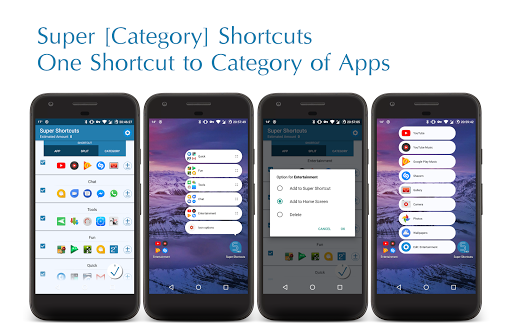
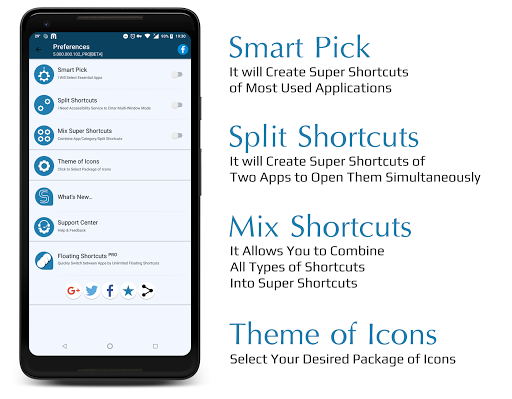
Category Shortcuts
: Select Multiple Apps for Each Popup Shortcut (Press & Hold to Add it on Home Screen)
🔵
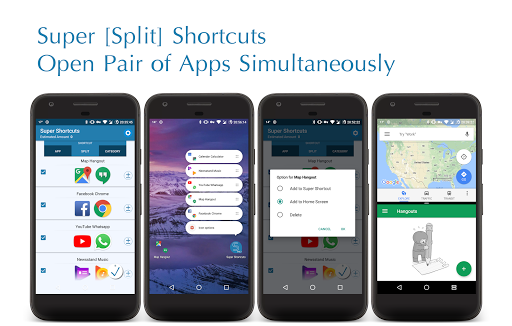
Split Shortcuts
: Create Pair of Apps to Open them Simultaneously in Multi-Window (Press & Hold to Add it on Home Screen)
🔵
Smart Pick
: App Shortcut of Most Used Apps
🔵
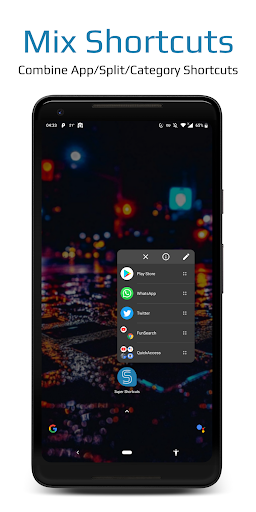
Mix Shortcuts
: Select all Type Shortcuts together
🔵
Theme of Icons (Package of Icons)
▫️ Go to Preference ⚙ to Select your Preferred Package of Icons
🔵
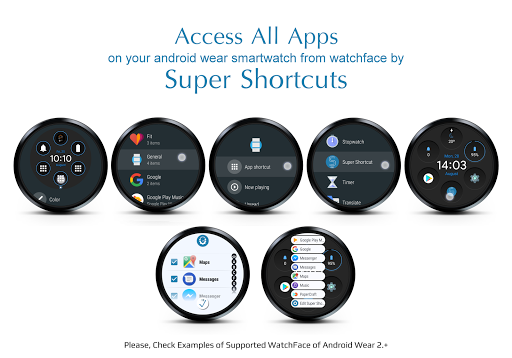
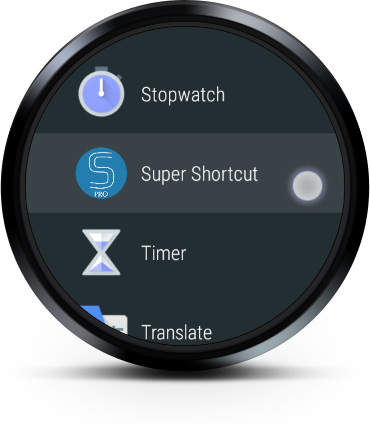
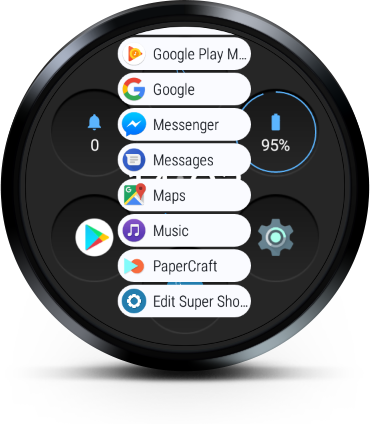
Android Wear 2.+ Support
(Please, See Screenshots)
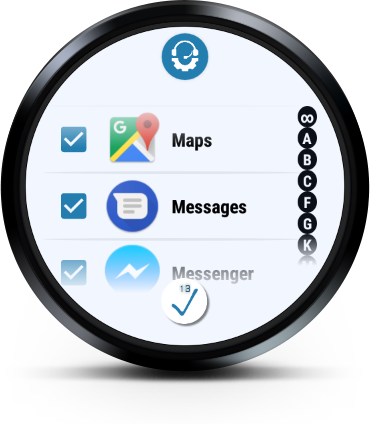
▫️ Select Apps from List & press 'Confirm Button' ✔️
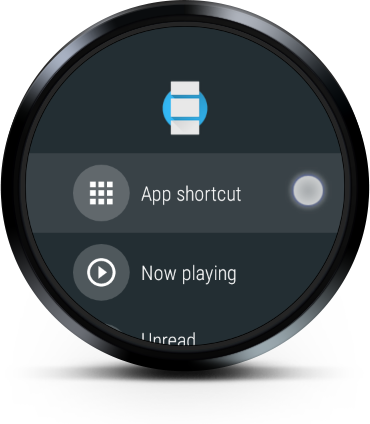
▫️ Go to WatchFace Setting & Select shortcut of 'Super Shortcut'
▫️ Press on 'Super Shortcut' Icon & Enjoy!
▫️ Check out List of Compatible Android Wear 2.+ WatchFaces | https://goo.gl/WXp9m8
Tip
: Press & Hold on Checkbox of Split/Category Shortcuts to see more options.
Tip
: Press & Hold on Item of Categories to open them as Split Shortcut.
Note
: Android System allows Only Default Home Launchers to show Popup AppShortcuts.
/*
* ℹ️
Accessibility Service Permission Notice
* This App Uses Accessibility Services...
* To Create Multi-Window & Open Apps in Split Screen Simultaneously.
*/
/*
* 🇺🇸 American Made Software 🇺🇸
*
*
Super Shortcuts
|
Facebook
👍
* https://www.facebook.com/SuperShortcuts/
*
*
*
⚠️ Please,
Do Not Use Pirated Websites
🏴☠️ to Download Android App .APK File.
*
*
* Please, Don't forget to Rate & Share ⭐
* Always, Appreciate your Feedbacks 🙂 👍
*/
🌎🌍🌏 Translated With 💖 By...
🇩🇪 phillipp.hutterer@erichweber.com







9Apps 4.9