Cam & Camera Scanner
is a powerful application for scanning documents. Anywhere and anytime, scan, save and archive. Managing and searching has never been so easy.
Cam Scanner is a must-have application for business travelers, being available to send scans to customers even when you are out of the office:
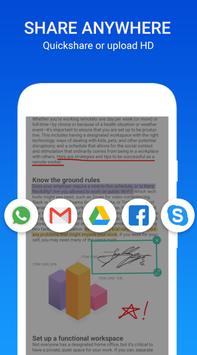
* Share PDF/JPEG Files
Cam & PDF Scanner Easily share documents in PDF or JPEG format with friends via various ways: post on social media, send attachment or document download link through email.
* Cam Scanner Air Print & Fax Documents>/b>
Instantly print out any documents in Cam Scanner with nearby printer via AirPrint; directly select document and fax to over 30 countries from the app.
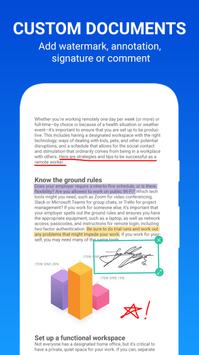
* Advanced Document Editing
Make annotations on documents with a full set of editing tools. Also adding customized watermarks are made available to mark your own documents.
* Cam scanner quick Search
When you have plenty of documents, you can use Tags to categorize and easily find them. In addition, OCR for Search helps you find texts inside image and notes. Just enter one keyword, you can quickly find the document you want. (Registrants only)
*Secure Important Documents
Cam scanner If you want to protect confidential contents, you can set pass code for viewing important documents; also, while sending document download link, you can set password to protect others from seeing it.
* Cam scanner Optimize Scan Quality
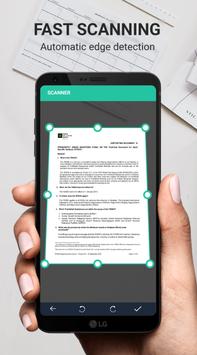
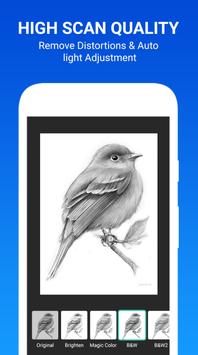
Smart cropping and auto enhancing ensures the texts and graphics in scanned documents are clear and sharp with premium colors and resolutions.
* Extract Texts from Image
Cam scanner OCR (optical character recognition) feature recognizes texts in document images and extract them from images for later searching, editing or sharing. (Premium only)
✔ CamScanner auto enhancing makes the PDF look clear and sharp.
✔ Cam scanner PDF generation is completely offline and requires no internet connection.
✔ PDF & Cam Scanner saves your PDF file in history and in the list of recently used documents.
✔ The documents scanned in Cam Scanner are not uploaded to any server for any processing.
✔ Cam Scanner document recognition in the photos after scanning is done on the device.
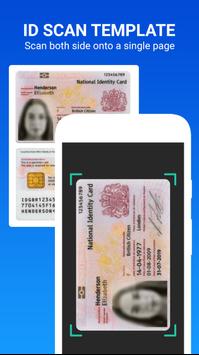
✔ Using Cam scanner you can scan almost anything, be it documents, invoices, notes, or business cards, all into PDFs.
✔ Cam Scanner Indeed Cam Scanner simplifies your Life.
Cam Scanner is a dead simple app to use, capable of beautiful scan quality. Best of all, it’s totally free.
So what are you waiting for?? Download Cam Scanner for free today and simplify your life!!
How to Use Cam Scanner ?
✔ Use options in the top bar to scan, click or choose photos from gallery.
✔ Cam Scanner the “Create PDF” tab shows the documents/scans that will be included in the PDF.
✔ The “Recent Files” tab shows the recently used documents/scans.
✔ The “History” tab shows recently generated PDF files.
✔ CamScanner in the “Create PDF” tab, use the options button for additional options.
“Generate PDF” button generates PDF file using the files in the first tab
Cam Scanner Features:
✔ No subscription charges - unlimited scans, shares and document creation, absolutely free!
✔ Camscanner Choose documents from your gallery or scan/click photos from camera.
✔ Works completely offline - no online servers.
✔ Convert multiple images into single PDF.
✔ Cam Scanner maintains file history.
✔ Open the PDF with any PDF viewer.
✔ Enhance the visibility of your documents after scanning using built in effects
✔ Camscanner easily share your PDF file via email.
✔ Saves your document in process, so you can start over from where you left.
Feel free to review your experience with the Cam Scanner app. Do leave your thoughts on the CamScanner app.pinions and improve - whenever needed - in future versions!



9Apps 4.9