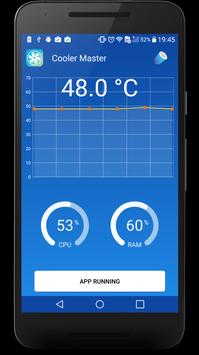
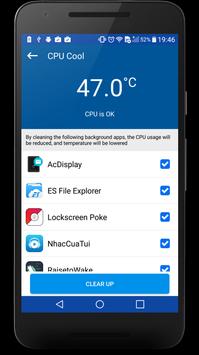
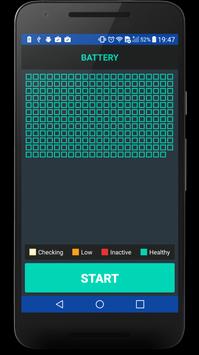
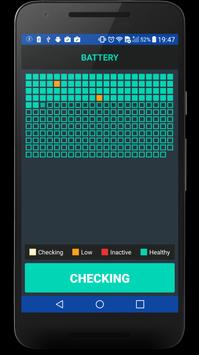
Phone Cooler Master 🚀 is highly effective in increasing batter life in heavy usage and battery performance in multimedia and gaming . CPU Cooler temperature monitoring and controlling app that detects and closes heavy resource consuming apps to reduce CPU usage and lower phone temperature.
Do not worry about your device speed and performance during multitasking and experience the real time optimized performance. Best CPU cooler cool down the phone temperature. It allows you to close all overhaeting apps on single tap.
With CPU Cooler 🚀 smart pre-set battery power management modes, one-touch controls and healthy battery charger stage features, you can solve battery problems and extend your battery life.
Why CPU Cooler - Phone Cooler Master 🚀 is a MUST-HAVE app?
♥ One-Click Optimization & Battery Saver 5x 🏅
♥ Real time device temperature monitoring
♥ One-Tap To Cool Down
♥ Optimize Max Speed and Performance
♥ Dynamic overheat apps detection
♥ Overheat protection
♥ Overheating App Analysis
♥ Temperature Unit
♥ Different Color Scheme
♥ Ignore List added
♥ Auto Detect Temperature
♥ Material Design user interface
♥ Smart Charge
The features listed above are available for free.
So, the whole idea with Cooler Master is to detect which apps are CPU intensive thus pushing the temperature up and then to kill these processes to cool your device down. While I’m sure that over a short period of time, killing apps that demand a lot of resources will reduce the temperature, I can’t say that I personally have much need for an app like Cooler Master. I know when my phone gets hots, mostly when I’m watching HD videos or playing 3D games. While it’s nice that Cooler Master tells me which apps are making my phone run hotter than normal, and gives me the option to close them, it all seems like a placebo to me. After all, leaving my phone alone for say 10 minutes is likely to have the desired effect without one more app installed on my phone. For those interested on how games and videos have an effect on the temperature of their phones though, this is a good choice.
Ratings
- Speed (4/5) – CPU Cooler is a quick app, and nothing really takes too long to happen onscreen, either.
- Features (3.5/5) – Essentially, Cooler Master is yet another task manager that just so happens to show you temperature instead of how much memory you have free and such.
- Theme (4/5) – Cooler Master is a good-looking app, and the UI is super-easy to use as well.
- Overall (4/5) – While Cooler Master might not be an app for everyone, it can educate users and help them see which apps that make their phones and tablets feel worryingly-warm to the touch, and it can apparently solve the problem, too.
If you have any questions about CPU Cooler , please email us !

9Apps 4.9