

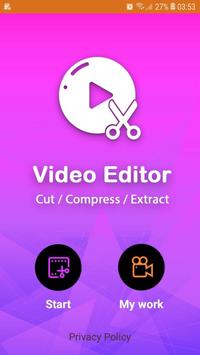
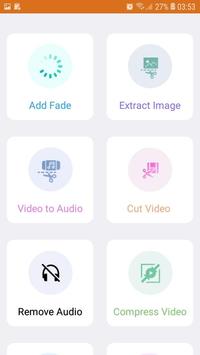
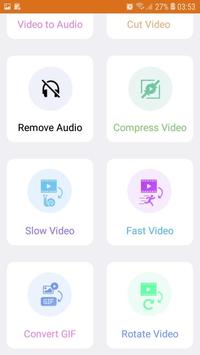
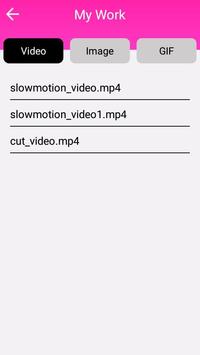
With Video Editor Collage , you can edit multiple videos and photos , and you can add music/audio from video, add GIF and stickers. Create a collage video Share 4K or HD videos directly on YouTube, Facebook, Instagram, or whats app.
Video Editor Collage features:
*) Edit full HD footage on your phone, tablet & Chromebook.
*) Extract photo fro videos .
*) Mix videos and photos together.
*) Extract music from the video , or choose the audio from one of the video.
*) Preview the individual video.
*) Adjust the speed of your videos with the slow-motion editor.
*) Crop and create HD videos with ease
*) convert the video anime photo GIF.
*) After done the video, save it to the gallery by default.
*) The output video's length is the longest input video's length, for other short videos, they will repeat by default.
SAVE VIDEO & SHARE
*) Save videos to your phone or upload to YouTube, Facebook, Vine & more
*) Share your final cut with friends on social media
*) Export video in 720p, Full HD and 4K*
[SYSTEM REQUIREMENTS]
Android 4.3 (Jellybean) & above, including 9.0 (Pie)
Chrome OS (Chromebook)
Works best with:
Qualcomm Snapdragon 800 or higher
Samsung Exynos 7420 or higher
Nvidia Tegra K1 or higher
MediaTek P10 or higher
[SUPPORTED FORMATS]
Image: JPEG, GIF(still & animated), PNG, BMP, WebP
Video:H.263 (.3GP, .MP4 ), H.264 AVC (.3GP, .MP4, .MKV), MPEG-4 SP (.3GP, MP4, MKV) , H.265 (.MP4, .MKV ), VP8 (.MKV, Webm), VP9 (.MKV, Webm)
Audio:WAV, MP3, MP4, M4A, AAC



9Apps 4.9













