

Following is the introduction of a wonderful App. 30,000+ users downloaded Auto Cut Paste Photo latest version on 9Apps for free every week! It is simply to learn how to use it. This hot app was released on 2018-12-10. Enjoy playing with new, amazing features!
Auto Cut paste Photo : Background Changer
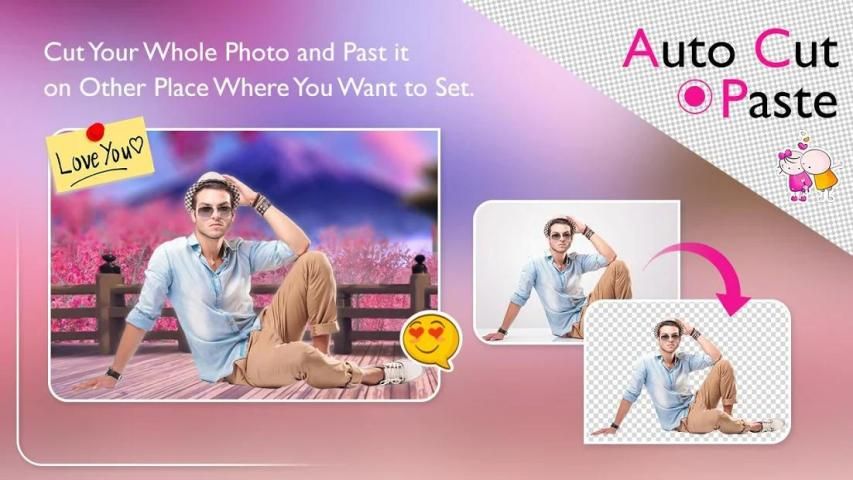
Auto Photo Cut Paste is a NextGen Cut Paste Photo Editor app by which you can cut out any part of image automatically with Auto Selection tool and paste it on another image or background.
Auto Photo Cut Paste provides a fast and easy way to create amazing custom pictures. Just touch the area of picture which you want to erase and Auto Cut Paste will automatically detect the entire area through color detection AI and it will erase that area for you so that you can paste that image on any other picture or on our existing 30+ HD backgrounds.
Auto Cut Out is one of the smooth Photo Cut Paste Background Removal tools, which user can create photo by pasting multiple photo over others as sticker. Cut the people out and put them on another background. Want to Remove People from Photos? This is the auto cut out photo editor for you. Photo Cut Paste Background Removal copy any face or photo portion of one cut photo and paste it on another photo.
By Photo Cut Paste, lets you can easily change faces in photos. Change your face, friends or change face in any image.
By Auto Cut Out Photo Cut Paste Background Removal, lets you create unique collages by letting you copy and paste photos from gallery onto different collage backgrounds. You can add text and sticker to make beautiful collages.
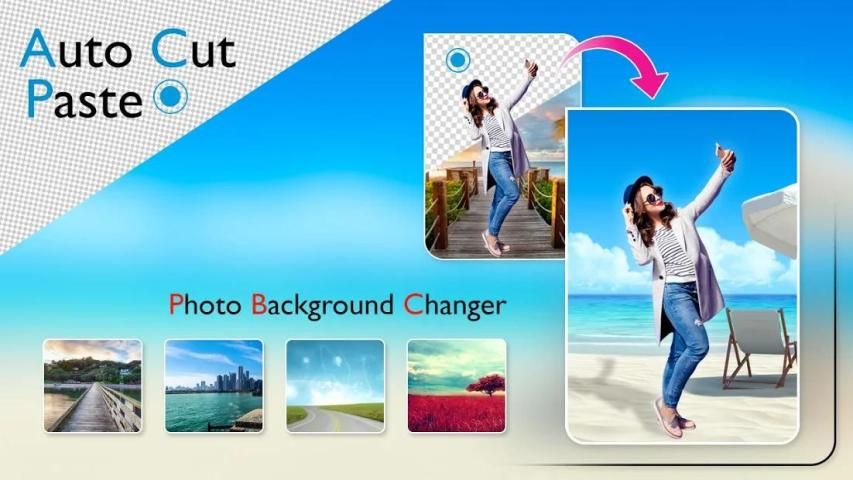
Cut out is the best background remover, background changer app / photo background editor with HD quality background (bg) collections .
Background remover is best photo background remover / eraser, cut paste app with lots of collection of backgrounds which you won’t find in any other background eraser app.
The core part is Background Changer. After an image is edited you just tap on a button and the background becomes transparent, ready to accept another image as a background one.
You can apply various effects to the image by adjusting its brightness, contrast, hue, saturation and other attributes. You can also erase parts of the image or use brush to color it.
Photo Auto Cut Paste, Auto Photo Cut Paste, Photo Auto Cut Paste Background Eraser - Changer - Photo cut paste, auto photo cut paste, photo cut out, cut paste photo, cut and paste app, cut photo, photo cut, photo cut and paste, cut pictures, cut paste photo editor, cut photo app, photo cutting app, cut and paste photo editor, cut paste, photo cutter, cut image, photo paste, cut and paste pictures, paste photo. face cutter, cut photo paste, copy and paste photo editor, copy paste photo editor, cut and edit photos.
Auto Photo Cut Paste comes with many professional photo editing tools like:
- Auto Erase: for one touch background removal
- Manual Erase: for finger rub (traditional) background removal
- Lasso Erase: for area selection background erase
- Restore: for finger rub background retrieval
- Undo, Redo & Zoom: for accurate result
Feature :-
- Select photo from gallery or take a picture.
- Cut the main photo out using the numerous Photo shop like tools.
- You could also use the reset option or undo/redo your changes while creating a cool photo.
- Select your own background or choose from the beautiful collection of 8 HD Wallpapers.
- Pinch Zoom and rotate to re-size and adjust the photo to the background.
- Add retro effect to the created Image.
- Adjust Opacity, Contrast and Brightness to the created Image.
- Choose from Multiple effects to make your photo look realistic.
- Photo background changer does not require internet connection.
- Photo background changer Makes you a celebrity.
- Photo background changer is completely free download.
This is best cut paste App for Photos, with which you can create your wonderful custom photo by cutting the image from one image and pasting it to the other custom image. You can cutting a section or whole object and paste it to the other images.
Thanks & Enjoy...
Foto Auto Cut paste: Background Changer
Auto Photo Cut Paste adalah aplikasi NextGen Cut Paste Photo Editor dimana Anda dapat memotong bagian gambar apa pun secara otomatis dengan tool Auto Selection dan menempelkannya pada gambar atau latar belakang lain.
Photo Cut Paste otomatis menyediakan cara cepat dan mudah untuk membuat gambar kustom yang menakjubkan. Cukup sentuh area gambar yang ingin Anda hapus dan Auto Cut Paste akan secara otomatis mendeteksi seluruh area melalui deteksi warna AI dan itu akan menghapus area itu untuk Anda sehingga Anda dapat menempelkan gambar tersebut pada gambar lain atau di 30+ yang ada. Latar belakang HD.
Auto Cut Out adalah salah satu alat Photo Cut Paste Background Removal yang halus, yang pengguna dapat membuat foto dengan menempelkan beberapa foto di atas yang lain sebagai stiker. Potong orang-orang keluar dan letakkan mereka di latar belakang lain. Ingin Menghapus Orang dari Foto? Ini adalah editor foto otomatis untuk Anda. Photo Cut Paste Background Removal menyalin setiap bagian wajah atau foto dari satu foto potongan dan menempelkannya pada foto lain.
Dengan Photo Cut Paste, memungkinkan Anda dengan mudah mengubah wajah di foto. Ubah wajah, teman, atau ubah wajah di gambar mana pun.
Oleh Penghapusan Potongan Foto Potong Kertas Potong Otomatis, Anda dapat membuat kolase unik dengan memungkinkan Anda menyalin dan menempelkan foto dari galeri ke latar belakang kolase yang berbeda. Anda dapat menambahkan teks dan stiker untuk membuat kolase yang indah.
Cut out adalah remover latar belakang terbaik, latar belakang aplikasi / latar belakang editor foto latar belakang dengan koleksi latar belakang kualitas HD (bg).
Pengabuh latar belakang adalah remover / penghapus latar belakang foto terbaik, potong aplikasi pasta dengan banyak koleksi latar belakang yang tidak akan Anda temukan di aplikasi penghapus latar belakang lainnya.
Bagian intinya adalah Background Changer. Setelah gambar diedit, Anda cukup menekan tombol dan latar belakang menjadi transparan, siap menerima gambar lain sebagai latar belakang.
Anda dapat menerapkan berbagai efek pada gambar dengan menyesuaikan kecerahan, kontras, warna, saturasi, dan atribut lainnya. Anda juga dapat menghapus bagian-bagian gambar atau menggunakan kuas untuk mewarnainya.
Foto Auto Cut Paste, Auto Photo Cut Paste, Foto Auto Cut Paste Background Eraser - Changer - Photo cut paste, pasta potong foto otomatis, foto cut out, potong foto pasta, potong dan sisipkan aplikasi, potong foto, potong foto, potong foto dan sisipkan, potong foto, potong-tempelkan editor foto, potong aplikasi foto, aplikasi pemotongan foto, potong dan tempelkan editor foto, potong tempel, pemotong foto, potong gambar, tempel foto, potong dan tempel gambar, tempel foto. pemotong wajah, potong foto tempel, salin dan tempelkan editor foto, salin tempelkan editor foto, potong dan edit foto.
Auto Photo Cut Paste hadir dengan banyak alat pengeditan foto profesional seperti:
- Auto Erase: untuk penghapusan latar belakang satu sentuhan
- Penghapusan Manual: untuk penghapusan latar belakang jari-jari (tradisional)
- Lasso Erase: untuk menghapus latar belakang area seleksi
- Kembalikan: untuk pengambilan latar belakang gosok jari
- Undo, Redo & Zoom: untuk hasil yang akurat
Fitur: -
- Pilih foto dari galeri atau ambil gambar.
- Potong foto utama menggunakan banyak toko Photo seperti alat.
- Anda juga bisa menggunakan opsi atur ulang atau membatalkan / mengulang perubahan Anda saat membuat foto keren.
- Pilih latar belakang Anda sendiri atau pilih dari koleksi indah 8 HD Wallpaper.
- Pinch Zoom dan putar untuk kembali ukuran dan menyesuaikan foto ke latar belakang.
- Tambahkan efek retro ke Gambar yang dibuat.
- Sesuaikan Opasitas, Kontras dan Kecerahan ke Gambar yang dibuat.
- Pilih dari Beberapa efek untuk membuat foto Anda terlihat realistis.
- Pengubah latar belakang foto tidak memerlukan koneksi internet.
- Pengubah latar belakang foto Membuat Anda menjadi selebritas.
- Pengubah latar belakang foto benar-benar unduhan gratis.
Ini adalah aplikasi pasta potong terbaik untuk Foto, dengan mana Anda dapat membuat foto khusus Anda yang indah dengan memotong gambar dari satu gambar dan menempelkannya ke gambar kustom lainnya. Anda dapat memotong bagian atau seluruh objek dan menempelkannya ke gambar lainnya.
Terima kasih & Selamat menikmati ...

9Apps 4.9











