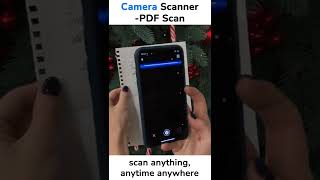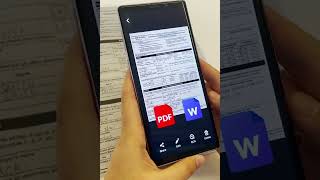
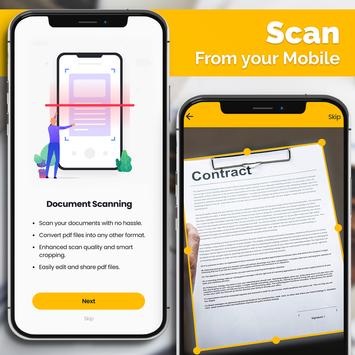
If you are looking for the best mobile PDF scanner with multiple functions for scanning documents, text and photos, this is your app. Thanks to Free and Fast Scanner you can use your mobile phone as a scanner to
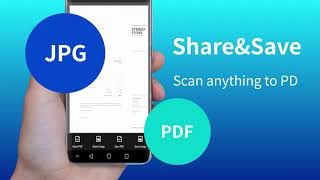
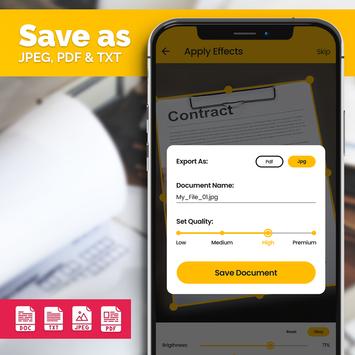
Save and share any document in JPEG, TXT, PDF, DOC and ODT format with just one click.
Improve your productivity and forget about buying an office scanner, now you can take it integrated into your Smartphone for free.
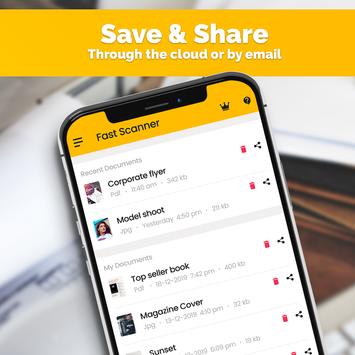
This application is ideal for entrepreneurs, workers such as accountants, agents, administrators, lawyers and even students looking to move a document from their notes to the mobile easily and quickly. In addition, all the documents scanned 📂 will be stored in the cloud 🌐 , so you can retrieve or share them at any time.
⭐
What other features does this Scanner application have?
⭐
We wanted to create a complete suite that not only allows you to scan documents, photos and text, but also allows you to digitally sign documents, create QR codes, barcodes as well as read them.
📲
QR Code Creator and Reader
With this App you will be able to scan the QR codes of the menus of your favorite restaurants, taking advantage of the fact that in these times we are living the restaurants do not offer physical menus. With the Quick Scan QR tool you can read the QR codes, visit the websites, see the menus, etc. Best of all?
Our application also allows you to easily create your own QR code
, ideal for those businesses that do not know how to create this type of code because of the technology they use.
📄
Scan Documents of all types
With Camscanner you can use your mobile camera to scan documents, images, artwork, books, jobs, magazines, business cards, whiteboards, bills, invoices, certificates, contracts, ID cards, passports, study notes and everything else you can imagine.
🖋 ️
Sign Your Own Documents
If you are one of those people who works with official and/or commercial documents, you should know that our powerful scanning application also enjoys the digital signature function, which will save a lot of time and headaches. All you have to do is scan your document, sign it and send it to your clients or partners. That's how easy it is to have a document scanned, in PDF and digitally signed.
📂
Scanned File Manager
As we have already mentioned, you will be able to store your documents and photos scanned in PDF, ODT, DOC, PNG or JPEG directly on your phone or in the cloud, which will allow you to have your documents centralized and accessible at all times, even from other devices such as tablets or work phones.
⭐
PRO Features
(Free)
The application was developed from the beginning to be free for all publics, so also the functionalities of
Advanced PDF Scanner
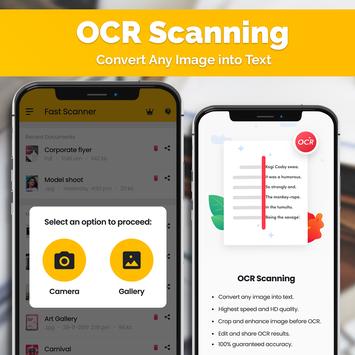
are included for all users. Scan a document through your phone's camera, save it, recognize the texts in the images, edit it and recognize the edges of the documents thanks to the automatic shutter detection. Plus, enjoy automatic brightness correction, ideal for when scanning documents in low light.
✉ ️
Export your Scanned PDFs easily
The application makes it easy at all times to share scanned files over your home network or using WiFi to email them to your colleagues, partners or school or university mates. In addition, you can export your documents in PDF or any other format by choosing the quality of the export. If you do not have a good Internet connection but it is urgent that you send a document via camscanner, you can do so by reducing the quality.
Finally, note that with this free portable PDF scanner, all your documents will be safe on your Android phone and no one, not even the technical team, will read or share your documents, not even those shared in the cloud.

9Apps 4.9