
Well, PDFs serves as one of the most secure ways to share documents online. The file format is now widely used by businesses and individuals all over the world. The great thing about PDF is that it doesn’t let you modify the data stored in it.
Most of the file-sharing websites that you use today support PDF; however, they often have PDF file size restriction that doesn’t allow users to upload a PDF with a file size more than a specific limit. Since the PDF files can’t be edited without proper tools, there’s only one option left – to compress the PDF file.
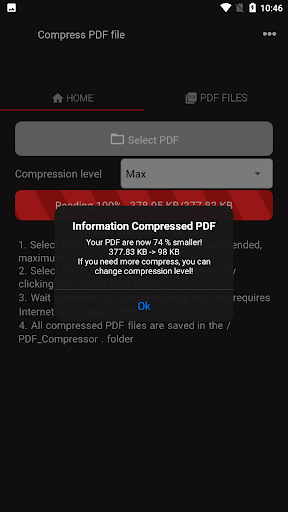
Use this Compress PDF app to reduce the size of your PDF file. The size of the file is optimized by removing embedded fonts, compressing images, and removing items from the file that are no longer needed.
This tool do a pretty good job at converting smaller documents and, depending on the type of your PDF, you can even get more than 30% compression.
How to Compress PDF tool for reducing PDF size?
Easily shrink the size of your large PDFs by using PDF Compressor. Compress large PDFs using predefined profiles to suit your purpose.
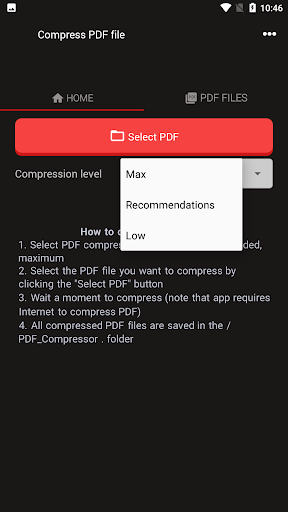
Compress your documents in 3 different flavors:
Low compression - Smallest reduction in quality
Default - Moderate compression - Normal reduction in quality
Max - Compressed to the maximum possible - Reduced quality
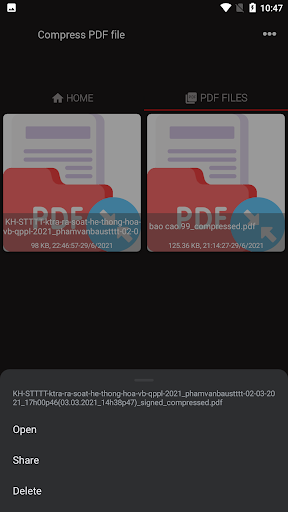
All PDF Files after compressing are saved on folder PDF_Compressor on your phone!



9Apps 4.9














