
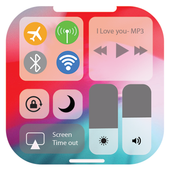
You are looking to change the control center Phone X right on your Android device? This is a smart application that helps you change control centre i.OS 11 -12
iNoty more OS control panel device X with the notice and notification centre group i.OS 12. This app provides the Center controls i. OS 12 best free and on your device. With this application iNoty stle os 12 get you cool OS12 Message Center to make your Android phone has a message center will have theme Phone X OS12.
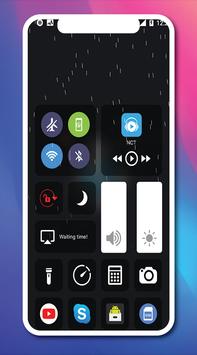
i.Controls applications control center control for android, smart control panel, best of the best. Help tweak for your phone. Just simple operation and quick access to your settings. application Control OS12 is currently the best applications available today that allows you to easily change the settings for Wi-Fi, Bluetooth, adjust the brightness, the display timeout, Internet data, or simply open the tools like camera , alarm management, flashlight, music player, computer, Instagram, Facebook, ...
Bring your applications handy for your device. It's really smart you just need simple claw manipulators can access and the information needed for your Android device. Free simple applications easy to use soy and like most Android devices.
Download this application to experience the smart features and free application instruction.
The feature Control Center i.OS 12 Style Phone X:
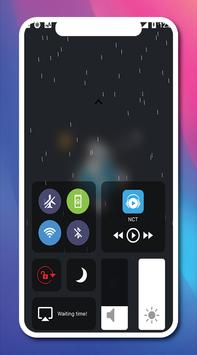
- Featured design interface: You can open the iControl i.OS 12 like iControl i.OS 11 by paws up, paws or claws to right to left from the edge of the screen.
- Close the iControl: slide down, touching the top of the screen, or press the Back button, Home, Recent.
-The control center offers you can easily install and access: the flight mode, lighting, control center, control brightness adjustment iCamera, music, clock, Table settings, basic intelligent gesture IMusic, message conversion, i.OS control orientation Course, 12, .... And more.
- This application show control everything and show all iNoty i.OS 12 in your Android phone with your new phone, style theme.
- Control flashlight: press to turn on and turn off the flash: flash SOS, small flashlight, flashlight, brightest Flashlight, LED flash.
- Adjust the brightness: adjust the brightness of your screen from any screen. Change the brightness by using the search bar as on the telephone.
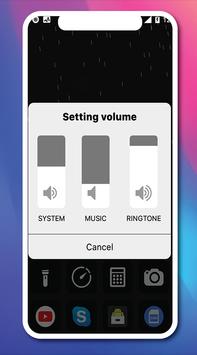
-Sound control: From here, you can quickly play, pause and control volume of favorite songs, podcasts, and more.
- Wifi: easy to turn on and off wifi to browse the web, play music, download movies, and more.
- Adjust the brightness: adjust the brightness of the screen from any screen.
- iCalculator: access to convenient calculations.
- Do not disturb: WiFi/Blutooth will be turned off, the brightness of the screen and the sound of the app will drop to the lowest level to help you feel comfortable and relaxed.
- Portrait orientation Lock: keep your screen not turning when you move your device.
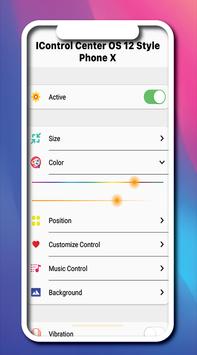
- With the Control Center application, you can customize many more styles, such as size, color, position, vibration.
- Applications: easily open any application with your favorite applications.
- Phone number the message, the time you receive the missed call.
- Many threads in the Center phone control X: you can easily change the image, the display theme of iControl i.OS 2.
- iControl is the best smart controls.
- iControl is the best control panel.
- Turn the iPanel to support the data connection such as the installation of the operating system.
- Compatible with most Android devices.
Note: this application is completely free and contains advertising.
Thank you for using our application.
Share applications and reviews 5 stars for us.
Leave your comments for us.
We will update the application regularly change was good for the user.
Thank you!!!





9Apps 4.9













