

It’s time to update your mobile application. 20,000+ users downloaded Call Timer latest version on 9Apps for free every week! It is simply to learn how to use it. This hot app was released on 2017-09-27. Download in official websites like 9apps and you'll never miss it!
Call Timer can hangup automatically your outgoing calls when they reach a configurable predefined time.
Why it is needed? Many network carriers or telecom services offer free calls for first 5, 10, 20, xx minutes. If you don’t want to monitoring the elapsed time and manually hang-up the call while talking, then you can have this application do it for you.
MAIN FEATURES:
Periodic Alert
is useful for people who are charged per minute.
Auto Redial
is useful when network operators offer free calls for first xx minutes.
How to use
✔ In
SETUP
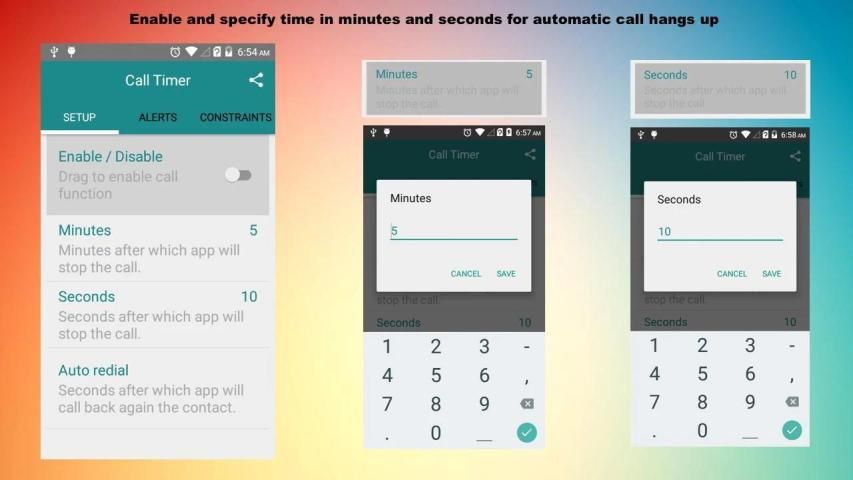
Tab enable the switch and specify the minutes/seconds after which you want to calls hangup.
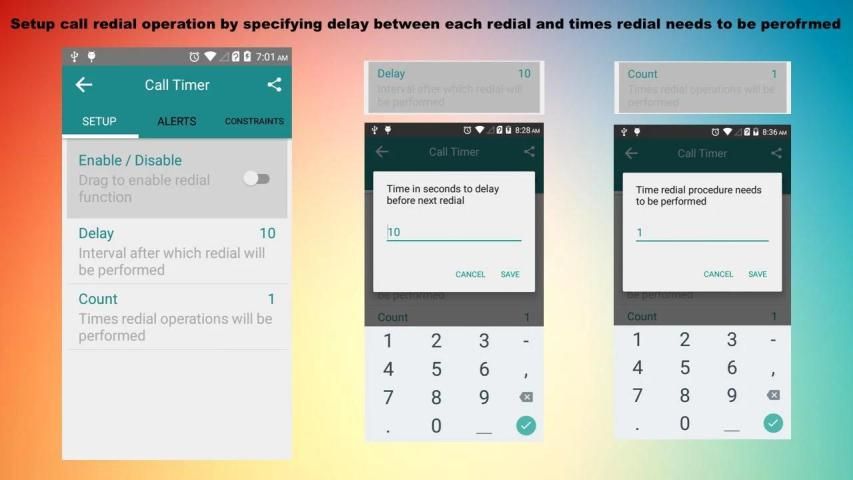
✔ In
SETUP
Tab specify
Auto Redial
settings to redial call automatically after timer ends the call.
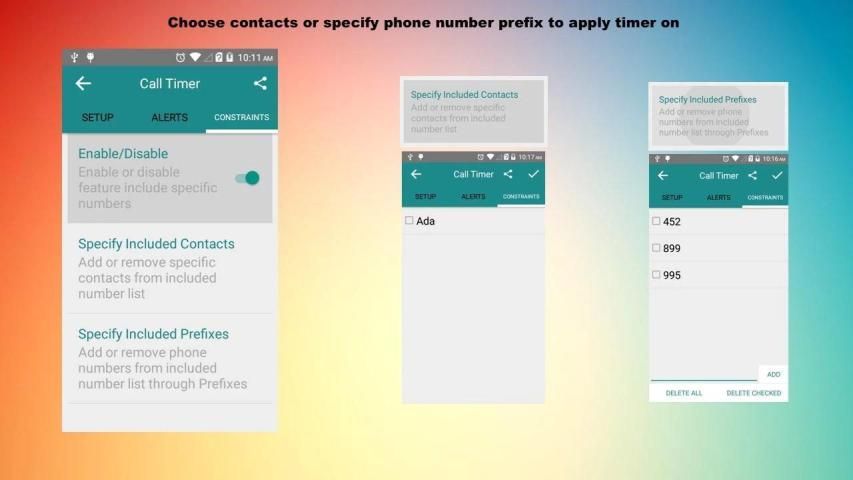
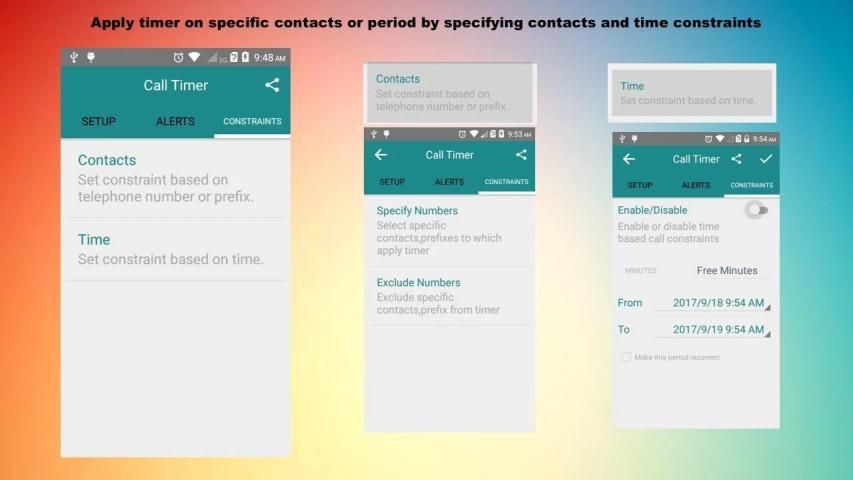
✔ If you only want to apply or exclude timer on specific contacts or contacts starting with specific prefix then use the Contacts settings under.
CONSTRAINTS
tab.
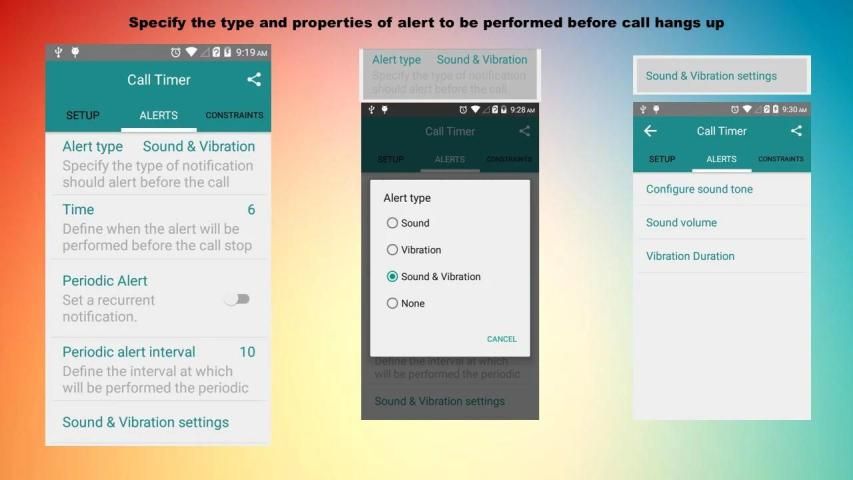
✔If you want to hear alert notification before call is about to be hangup then use settings under
ALERT
tab.
✔You can specify free minutes settings under
CONSTRAINTS
tab and you will be notified of free minutes remaining after and before call.
FAQS
Call timer does not work
Please check Enable/Disable switch in SETUP Tab and that you has granted all required permission( Settings-> Apps -> Call Timer -> Permissions) that are required for proper working of this app.
What 'Make this period recurrent' option do in time constraints
When specified From/To time period expires and this option is enabled then From/To dates are updated automatically.
Timer Starts before call is picked/connected
In android it is not possible to know when call is connected , so timer starts as soon as call is started , we will fix this as soon as android add any function for this purpose.
Clicking Redial/Seconds/Minutes section do nothing
If Enable/Disable switch is off in SETUP TAB then these tabs will not work
Why this app requires Read Call Log permission
This permission is not necessary and is used to determine the duration of last outgoing call to calculate remaining free time.
I specified Contacts constraints but they are not working
Please check if you press the TICK button on top right corner after doing your changes for contacts constraints, because in other case pressing back back button will discard your changes.
How to stop auto redial process
If you manually hangup the call(before app do this) or receive any incoming call then this procedure will aborted.
What happen when I press the TICK button in Time Constraints screen with out changing anything
This will RESET you available free time value with the value specified in MINUTES/SECONDS fields.
I specified Time constraints but they are not working
Please check if you press the TICK button on top right corner after doing your changes for time constraints, because in other case pressing back back button will discard your changes.
I see 'Please enable switch in setup tab' message when I press Tick button to save changes.
Without Setup tab switch turned on no settings will be applied on the outgoing call.
Fixed call not being disconnected issue in some devices





9Apps 4.9















