

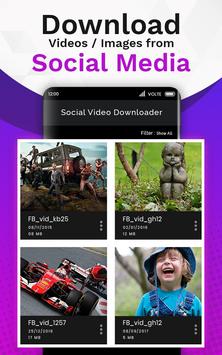
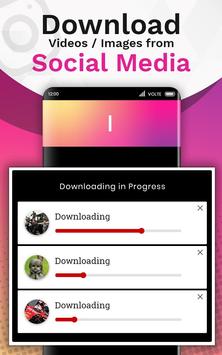
The
Free Video Downloader
app allows you to easily download videos, images and social media clips from social webs apps automatically as well as manually in
HD quality
.
You just need to tap on
Copy Link
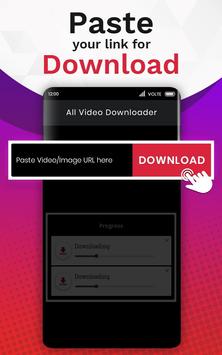
of respective video/image you want to download and it will automatically start downloading the video. To manually download just copy the link and paste it in the app and click on the DOWNLOAD VIDEO button & the video will get downloaded in a few seconds.
All Video Downloader 2019 is a mobile video downloading app through which users can easily download videos & images from social media apps with ease.
The
powerful download manager
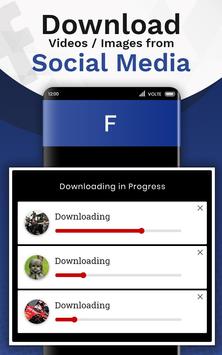
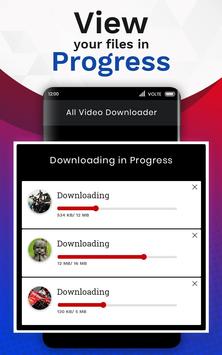
allows you to pause and resume downloads, download in the background and download several files at the same time. Play them offline with the built-in video player.
Features of the Free Video Downloader App:
• Easily download videos and images in
HD quality
.
• Share your downloaded images and videos via social media apps.
• Watch downloaded videos & images
offline without mobile data or Wi-Fi
.
•
No buffering
while watching videos on video downloader.
• Easy to use as it downloads any image & video automatically.
• Downloads videos and images from social media webs
@lightning fast speeds
.
• View downloaded images and videos without launching the app.
• Customize settings for auto download.
• With this app you will able to filter images, videos and images & videos from particular social media.
💎 Works Automatically:💎
Step 1:
First, install and launch the The All Video Downloader 2019 App.
Step 2:
Go to social media apps, tap on Copy link of a video you would want to download (Image & Video).
Step 3:
Download will start automatically.
Step 4:
During downloading, The app icon will appear on the screen if you click on it, you will land on the App screen meanwhile downloading is in progress or complete.
Step 5:
After completion of downloads, a prompt will appear on the screen with Play and Cancel buttons.
Step 6:
You can easily disable this prompt if you Go into the settings and Disable Complete Downloading Notification.
Note:
If you repost or share videos & images without the allowance of the belonging possessor, we are not responsible for any intellectual property violation that results from an unauthorized repost of a video. The All Video Downloader App is not associated with any social media(Instagram, Facebook, Like, Tumblr, Pinterest) apps. It is only a tool which helps you to download videos and images.
Fixed App Crash



9Apps 4.9














