
❧❧
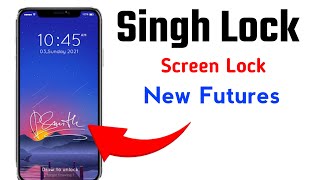
Gesture Lock Screen set secure password on my phone lock screen by draw signature to lock & unlock my phone.
Gesture Lock Screen - Draw Signature lock screen you get more security because nobody can use your phone without your signature. The gesture lock screen is the best way to secure your data and your phone with gesture or password.
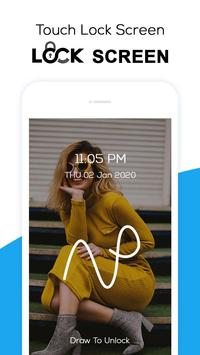
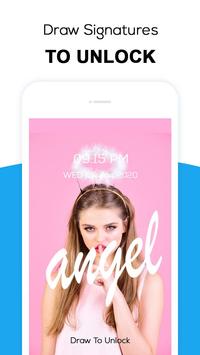
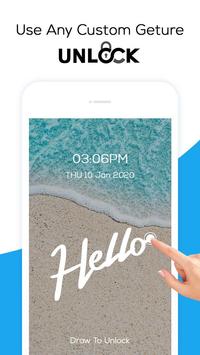
Touch lock screen & draw signatures, draw letters, numbers, shapes and draw contextual gesture to unlock.
The gesture lock screen is wonderful lock screen app & using Set favourite picture in lock screen with HD backgrounds & signature in my phone.
Tired of the old patterns and password lock to lock your mobile gesture lock screen is the solution. The Gesture lock screen has
show the date or time on the lock screen.
Gesture lock screen - draw signature & letter lock this is gesture lock screen pro for gesture lock screen and app lock with gesture lock screen draw off screen.
☂
Features of Gesture Lock Screen - Draw Signature
☂
✰
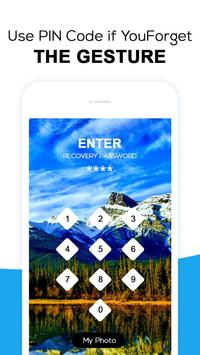
Customise the recovery password
or backup pass code to unlock in the gesture lock screen
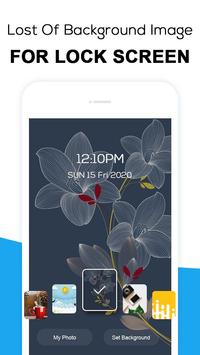
✰ In Gesture Lock Screen Set Lock screen wallpaper from the app or from gallery
✰
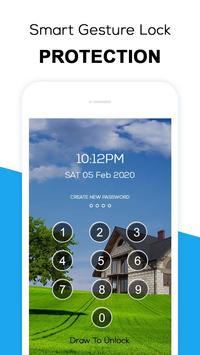
Use PIN Code if you forget the gesture lock
✰ Set your
own text with font and color adjustment
on Gesture Lock Screen
✰ Gesture Lock Screen app
show notifications on lock screen
: messages, music player, alarm, missed calls etc.
✰ Gesture Lock Screen supports
both single stroke and multiple strokes
✰ Password (Letters lock screen) create any letters, shape, numbers, signature, etc. provided that. In single stroke without picking up your finger or stylus in application letters lock screen
✰
Set Lock Screen background from variety of HD Wallpapers
in Gesture Lock Screen
✰ Live Wallpaper Support-Use your system wallpaper as Gesture lock screen Wallpaper
✰ Gesture Lock Screen also available Random keyboard lock for harder to guess by prying eyes
✰ Gesture Lock Screen -
Invisible gesture drawing lock screen
✰ Here you get more security because nobody can use your phone without your signature
✰ Free to write any symbol, alphanumeric, letters, signature, etc. & dedicate it to your Gesture Lock Screen- Draw Signature app
✰ Hide your
gesture draw by stealth mode feature
in Gesture Lock Screen - Draw Signature app
✰ Change your signature draw color of your own choice or that suits of your wallpaper
✰ Set Gesture matching accuracy with your choice into three option like Easy, Medium, and Hard
✰
Swap option to swipe up - left and swipe right to make more shortcut way
to handle options
✰ Now customize & Set your favorite photo in lock screen with HD backgrounds & your signature
☂
How to use Gesture Lock Screen App?
☂
Open Gesture Lock Screen ➳Draw Signature application ➳Click to enable 'draw lock screen to unlock' ➳ Enter your pattern with real finger on screen ➳Allow permission for gestures unlock and turn on/ turn off your system lock screen ➳Select favorite gesture lock screen wallpaper & background ➳Draw a unique trace in gestures screen lock app ➳Adjust touch sensitivity input ➳Show/hide notifications on lock screen
۞ Make unique your screen lock with our
Gesture Lock Screen - Draw Signature
application. In Gesture Lock Screen - Draw Signature application have all smart User-interface to understand and use this application. It is amazing signature lock screen app and easy to use.
Download & enjoy this gesture screen lock - draw signature & also share this gesture lock screen with your friends. Detect nosy people with intruder photos - this gesture lock screen app is here to protect your privacy! With real
Gesture Lock Screen App you will be able to use your secret codes or secret lock screen shapes!
Download now for free!
Thank You for choosing Gesture Lock Screen - Draw Signature application.


9Apps 4.9















