

As we all know, 20,000+ users downloaded PPT Remote Control latest version on 9Apps for free every week! You will feel better when you start playing This hot app was released on 2016-06-09. You can find more interesting apps at 9Apps!
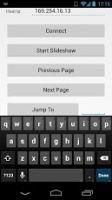
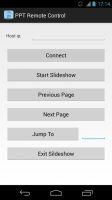
PPT Remote Control Totally FREE NO wireless router needed NO LIMIT of maximum number of pages This utility enable you to control the Powerpoint in your laptop wirelessly. Currently, it supports Powerpoint 2007 or above on Windows 7. And your android version should be higher than 2.2 (2.2 included). You need to download the PPT Remote Control server first. You can download it here: http://www.shunix.com/ppt-remote-control First, you should start the program named "PPT Server Setup.exe", you can find it in the program directory or in the start menu (named PPT Remote Control). Then click the "Select" button, choose a ppt file you wanna show. Now click "Start" button. The text above the buttons will show you the IP address of the host laptop. You need to input the Host ip manually to the Android client. Then click "Connect" button, when the wifi icon show up in your task bar. Congratulations, you can control the Powerpoint through your phone now. If you have any difficulty in using this utility, feel free to contact me. And if you report bugs to me, I'll be appreciated.




9Apps 4.9















