
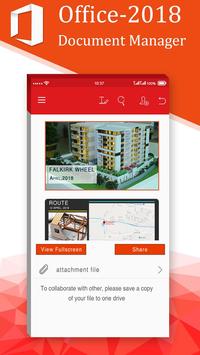
Office 2018 app manage PDF, Text, Soft Word, Soft Excel and Soft PowerPoint documents at one place. This is very simple and user-friendly app. Get list of all documents available in your smart phone at single place.
Office 2018 is help you find a document for a special categories like office document, pdf, images, apk and video.
POWERPOINT
- Comprehensive text, paragraph, content formatting
- Shapes, images, textbox editing
- Insert images, shapes, and graphics
- Slide management and reordering
- Slide transition support
- Slideshow: present directly from mobile device or through a projector
SPREADSHEETS
- Cell formatting options: cell size and alignments, cell/column/row inserts and removal
- Multiple cell types: numeric, date, time, currency, fraction, percentage, scientific & more
- Multiple worksheet support; add/delete sheets
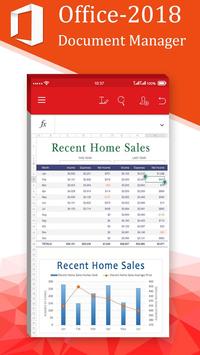
- Chart display and wide range of formulae
PDF, IMAGE FILES & PRINTING
- View, annotate, highlight and share PDF documents
- Convert, export, save Office documents to PDF format
- View and insert major image types (JPG, PNG, GIF)
- Wireless printing supports thousands of printers
Features:-
- Supported File Formats : DOC, DOCX,PPTX, PPS, PPSX, TXT, XLS, XLSX, PPT, HWP, ODT , PDF and Many More Formated file.
- Free Available and include all functionality of File Manager.
- Supprted all file format and edit only office files.
- Open, view document direct
- Search, filter documents by type
- Sort documents by name, date, size
- Rename, delete, share document
- Manager favorite documents
- View, Edit, Create, Share, Save MS Office documents swiftly and securely.
- Editing: copy, cut, paste, undo and redo.
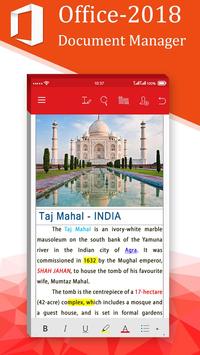
- Character formatting: bold, italics, underline; font style, size, color & highlight.
- Documents may be saved in original file format or converted to PDFs.
- Screen display adapts to fit smartphone or tablet screen and supports multi-touch gestures.
- All file formats include templates to aid new document creation.
- Password Protection support (Office files) – Open, view, edit and re-save encrypted Office documents on your device.
- Cloud support – Open and save documents to the cloud with effortless synchronization with Box, Dropbox and Google Drive.
Office 2018 lets you easily view and access Word, Excel, and PowerPoint documents, and perform advanced PDF operations. Complete with our integrated file manager, this is the most feature-rich mobile office solution available on Android. My Office Star 2018 is help you find a document for a special category like office document, pdf, images, apk and video.
Features of Office 2018 :
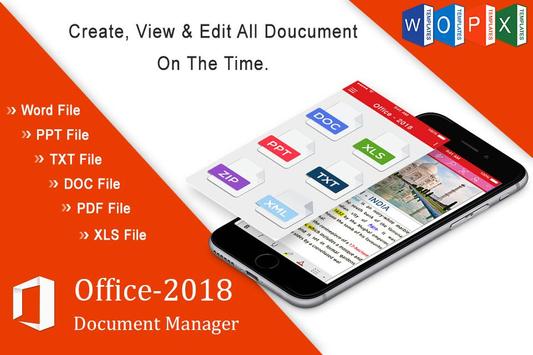
- List PDF, XLS, PPT, DOC, TXT Files
- Open files direct
- Filter by File Type
- Short files by Name, Date, and Size
- Search file, rename and delete
- Share Files
COMMON FEATURES ACROSS ALL FORMATS OF OFFICE 2018
• View, Edit, Create, Share, Save MS Office documents swiftly and securely.
• Editing: copy, cut, paste, undo and redo.
• Character formatting: bold, italics, underline; font style, size, color & highlight.
• Documents may be saved in original file format or converted to PDFs.
• Screen display adapts to fit smartphone or tablet screen and supports multi-touch gestures.
• All file formats include templates to aid new document creation.
• Password Protection support (Office files) – Open, view, edit and re-save encrypted Office documents on your device.
Disclaimer:
This is an unofficial app. This app and its content are not officially endorsed or produced by, nor associated with or affiliated with the music artist(s) or any associated entities of the artist(s), such as management or record label. All trademarks and copyrights are property of their respective owners. This application has ads that comply with Google Play Policy and Please support the artists and their companies
please keep your app updated to the latest version. In case of any problems & suggestion please email us.
Thank You…





9Apps 4.9















