
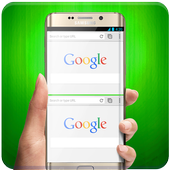
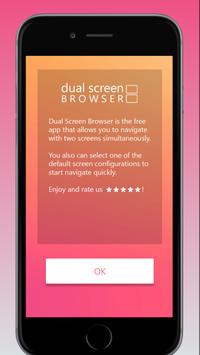
Dual screen browser 2018 - V3 is a free app that allows you to navigate with two screens simultaneosly.
Do you want to use the browser to browse all types of information at the same time? If you are the kind of person who wants do two things at the same time, this app is for you!
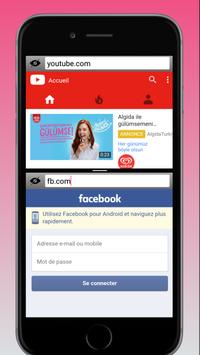
Play videos on the first tab while you visit your social media account on the second one. Play online games while reading news or watch movies while shopping online.
You can have two separate websites open and displayed simultaneously on the screen. Play videos on the first tab while reading news on the second one, visit your social media account or play online game while reading a book or whatever.
Play videos on the first tab while you visit your social media account on the second. Play online games by reading news or watching movies while shopping online.
A lite web browser with two tabs in one display. You can have two separate websites open and displayed simultaneously on the screen. Play videos on the first tab while reading news on the second one, visit your social media account or play online game while reading a book or whatever.
Basically, you can browse the web twice as much.
You can also have two separate websites open and displayed simultaneously on the screen.
Dual screen browser 2018 features are supported.
- Homepage, Bookmark.
- Back, Forward and Reload.
- Search (Google, Bing and Twitter).
- (Experimental) Play HTML5/FLASH videos.
Translate web pages
You can view the foreign sites you visit in English.
Text-only Mode (Load no pictures)
You can use the Text-only Mode if you do not want the images to be loaded automatically. With this feature, you save money when mobile data network is on.
Turn the first tab upside down
One of the most different and perhaps best features of the application is that it allows two people to use the device at the same time.
Desktop mode
You can switch to Desktop Mode to use the features that are not available in mobile versions of websites.
Maximise the use of your Phone/Tablet. Easily do multi-tasking. Do two screens at the same time. This browser is built for productivity from ground up, to make your life easier.
Features:
* Night mode
* Translate web pages
* Text-only Mode (Load no pictures)
* Turn the first tab upside down
* Desktop mode
Also you can listen videos & musics in the background while on another website. Just open it and then make the other tab full screen, it will continue playing
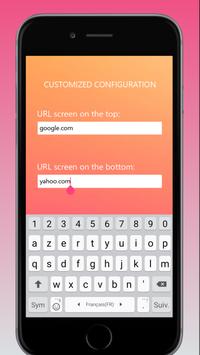
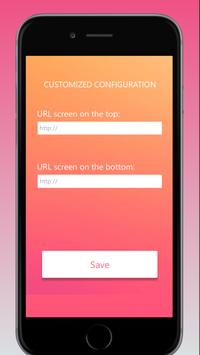
You can select one of the default dual screen configurations to start navigate quickly or custom your dual screen.
Also you can listen videos & musics in the background while on another website. Just open it and then make the other tab full screen, it will continue playing.
If the app gives you a good experience, rate us 5 star!
Thank fo use Dual Screen Browser – Split Browser
Enjoy!




9Apps 4.9














