

Enjoy the most popular apps here! 20,000+ users downloaded iCloner latest version on 9Apps for free every week! This indicates many people like this application. This hot app was released on 2018-05-25. It get a lot of recognition after release.
iClone to create a copy of apps and games so you have two choices one for secure use and another for the public. We are providing the secure storage of your data so no one can view that data from directly
⚮Feature
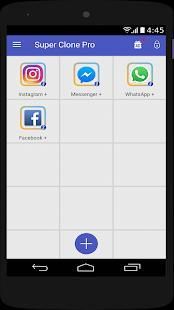
• Create two account of social media apps and access parallel by easily swiping from original and cloned app.
• Some apps required notification permission so allow the notification permission for the cloned app.
• We are supporting two languages English, Hindi so Indian people can manage easily
• Supports almost every app so you can create a clone of any app and access parallelly both.
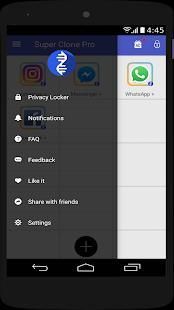
• Locker for private apps,photos,videos so store the data in secure location which are providing by this app
• Tap on add button and create clone of app. than for access the cloned app you find the list of apps in cloned apps tab.
• To remove cloned app tap and hold on that and drag to the remove icon which is visible at the bottom.
• To create shortcut of the cloned app tap and hold the app and drag to the shortcut icon after that your shortcut icon will be created on the home screen.
• iCloner create parallel apps with one tap in just seconds and you are able to access that app in just seconds sp very easy to create and access the clone of apps.
• Using private album you can store your private videos, album and other data inside the secure location which is created by AppClone and to access that location required the pattern or pin.
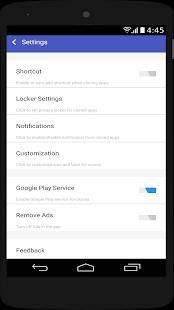
• Set the notification and cover page setting from the Switch setting.
• For Cover page and notification setting you have to allow the appclone to access some special permission so please grant that permission to use this functionality.
• By granting the permission for cover page setting when you open the original app at that time you have the choice to open the original app or cloned app.
⚮How it Works :
• We create the parallel space and the access to space granted by the appclone so no other apps will access this parallel space.
• When you create a dual app at that time the parallel space will utilize and install apps in that space so it's easy to create dual apps.
• we add functionality to store images/video to this space so no one can see that image and videos.
⚮Notes :
• iClone does not require any special permission but inside the AppClone which app is cloned by you needed that permission.
• We are not accessing any kind of your personal information in the background but we are just creating some parallel space to store some secure data.
• All the background process and data consumes depend on the cloned apps not depend on the ClonedApp.
Replace notification sound & icon

9Apps 4.9










