
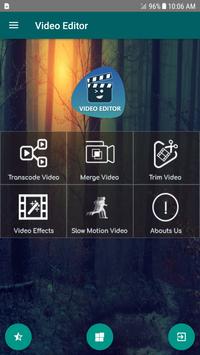
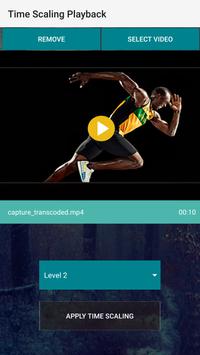
The video editor is free, quick and easy movie maker software for Android lets you create a high-quality video. You can enjoy multiple features of video editing in one single app. In this user-friendly video editor app creating high-quality videos with music and special effects is easily possible. You can edit, trim and compress videos more easily and quickly.
Video editor & movie maker for Android is free video editing software, it has a unique user interface making it easy for the user to quickly edit and beautify his videos.
Let’s have a quick look at all its features:
1-Video Transcoder or video encoder:
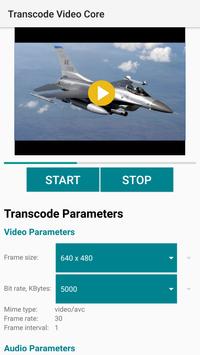
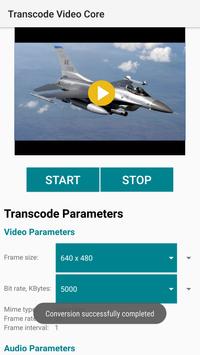
Video Editor – Edit Video & Movie Maker can transcode your videos and make them viewable on different kind of platforms and devices.
Video transcoder will quickly convert your videos to a format which can be viewable on different sort of devices.
How to Transcode video using video transcoder – video editor
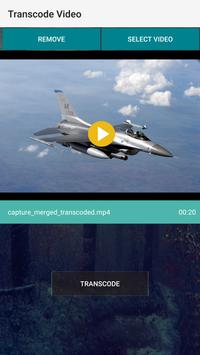
- After installing video editor tap on video transcoder button
- Upload a video to transcode
- Tap on the transcode button below
- Now you can quickly transcode your video with video transcoder
2- Video merger or video jointer online:
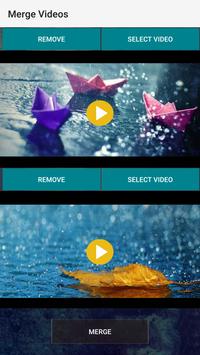
You can merge videos using video merger-movie maker app. You can quickly. A video editor can be used to merge your favorite videos into a single video and you can add background music as well. Video merger app supports different options to merge your videos.
How to merge videos using video merger app:
You can quickly merge your video using video merger app. You have to quickly launch video editor app after installing and the tap on video merger button. Select your videos to merge and click on the button below to start combining them, so now merge your favorite video into a single video and save it to your smartphone using this video jointer-video merger app.
3-Video trimmer or Video cutter:
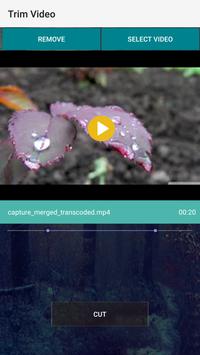
Video editor has another cool feature of video trimmer or video cutter, so now trim your videos quickly using this video cutter or video trimmer app.You can use this video cutter app or video trimmer app to cut videos in few simple steps and then save the file to your smartphone.
How to trim a video using video cutter or video trimmer
Launch video editor –movie maker app to edit video and tap on the video cutter or video trimmer button. Quickly select your video from the gallery and select its start and end point to trim video using video cutter or video trimmer app and then tap on trim video button.
4- Slow motion video or fast motion video
Be a magician and create hundreds of slow-motion videos and fast motion videos with this video editor- movie maker app. You can share your slow-motion video or fast motion video on social media and get more likes and shares from your friends. Slow motion camera is the best app for this purpose to quickly create fast motion video or slow-motion video and share with your friends.
5- Video effects:
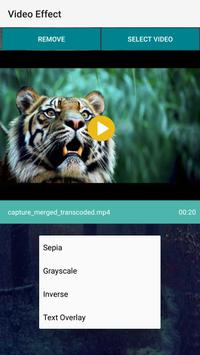
Video editor app is the best option to apply amazing effects to your videos. Apply awesome video effects and share them with your friends. Video effects app has various video filters options so that you can make your videos more amazing using video effects app.
How to apply video effects to your videos using video editor – movie maker
It is easy to apply different video effects to using video editor- video effects. Firstly you have to select your video from the gallery and then you can quickly apply different video effects or video filters in it.
Video editor – edit video & movie maker is the best every video editor for Android smartphones to easily edit, transcode, trim, scale and merge videos. Try this video editor-movie maker software now easily edit your videos using your smartphone. Please provide your feedback so that we can improve it.

9Apps 4.9











