Video Transcoder иконка

Video Transcoder

0.14 for Android
3.8 | 100,000+ Количество установок | ОТЗЫВЫ

Protect

Описание для Video Transcoder

Do you want to encode videos on your phone into different formats, trim videos, or extract audio? Are you looking for a free solution which will not take your information?
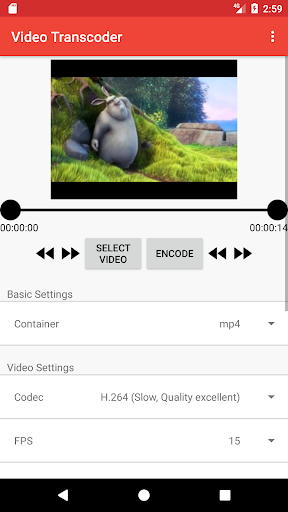
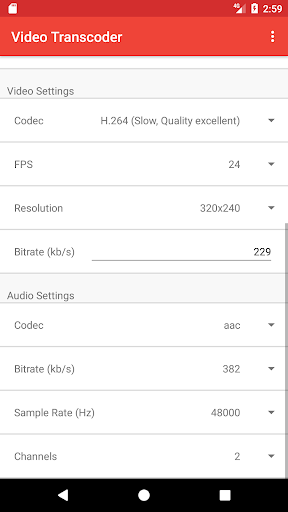
Video Transcoder is an application which uses the open source program FFmpeg to transcode video files from one format to another. By selecting the video to process, details for the video are provided and the desired settings can be configured.
The following media containers are supported: Avi, Flv, Gif, Matroska, Mp3, Mp4, Ogg, Opus, WebM. Additionally, these are the supported video codecs: H.264, MPEG-1, MPEG-2, MPEG-4, VP8, VP9, Xvid.
The application requires very few permissions, and never attempts to access the Internet.
This application is open source, and can be found at:
https://github.com/brarcher/video-transcoder
Feel free to send an email with feedback or direct feature requests, bug reports, or other contributions to the GitHub page.

Обновить Video Transcoder 0.14

Changes:
- Better identification of selected media formats and codecs
- Displays length of selected GIF files
- Supports receiving GIF files from other apps
- No longer attempts to preview unsupported video files over and over

Информация

  • Категории:
    Инструменты
  • Последняя версия:
    0.14
  • Обновлено:
    2019-01-06
  • Размер файла:
    37.7MB
  • Требования:
    Android 4.4 или более поздняя
  • Обновлено:
    Protect
  • ID:
    protect.videoeditor
  • Available on:
ОТЗЫВЫ
  • avatar
    Не 5 только потому что самая низкая частота кадров в секунду - 12, а я хотел создать видео с частотой 1 кадр в секунду, по тому что моё видео состоит из фотографий и весит 1 gb с плюсом, такая частота требуется для уменьшения битрейта при том что на смену фото она не влияет негативно, просмотр не становится потом хуже.
    2020-08-03 05:21
  • avatar
    Нк работает из mp4 в mp 3
    2020-05-17 11:09
  • avatar
    Не находит папку с нужными видео
    2020-05-06 09:29
  • avatar
    Удобное и понятное приложение, спасибо
    2020-04-23 09:46
  • avatar
    Отлично! Не хватает отображения времени положения маркеров. Спасибо за оупенсорс
    2020-02-10 07:51
  • avatar
    Отличное приложение 👍 Конвертировал фильм (102 минуты) с формата webm в mp4 – Всё прошло без проблем. Сжимает тоже хорошо, и без видимой потери качества. Разработчикам спасибо!
    2019-12-05 02:47