
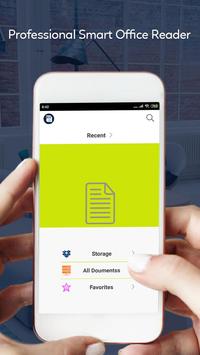
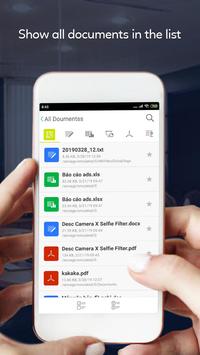
Smart Office All Office File Manager View & Edit is an office application that allows you to read and view documents easily on multiple mobile devices. We are supported read all file documents type like doc, docx, ppt, pptx, xls, xlsx, txt and pdf.
Smart Office All Office File Manager View & Edit as your default office viewer and directly open document file from file manager, email or web in this document reader without having to open the app.
This Smart Office All Office File Manager View & Edit is definitely the most efficient office reader and productivity tool for reading all files.
Document Viewer Word, Excel, Docs, Slide & Sheet is the smallest size (less than 18MB) and all in one complete free office on Android mobile and tablets,in which integrates all office features.
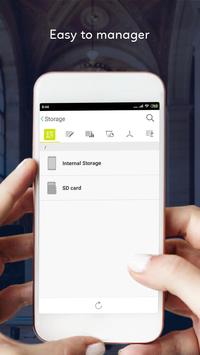
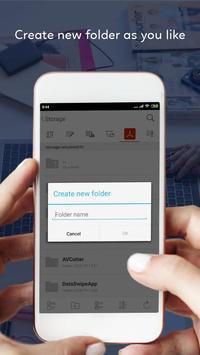
In device file store in different location like as internal and external storage and all file has a store in a different path. Now, we are giving all file easy indexing by folder structure. The folder is last of the file folder. You can easily find, open by a few clicks
Many feature of Smart Office All Office File Manager View & Edit app
► Powerful Functions for Smart Office All Office File Manager View & Edit
Free PDF Converter, PDF Reader and PDF Editor
Write directly on a PDF, highlight and underline text, and more
PDF Editor: edit pdf file with all function
Annotate PDFs with others in real time
PDF Reader, PDF Viewer
Fastest PDF viewing engine and smooth navigation
Fill PDF forms and sign documents
► Office for Android with function for Word, documents viewer
Read all formats files for docx viewer
Edit documents fastest and full option Document Editor
Edit documents like edit word docx file, edit excel files, txt editor
Copy and edit document as like ms word with docx
Create document (docx files)
Share your documents
► PPT Viewer is an great tool to find your all PPT from SD card and collect them at one place and view them
Support Offline mode to use easily.
Easy to use and very simple UI.
View PPT with high quality. Edit PPT easily from this app.
Support Various PPT features to make this tool more useable for you.
You can also add text in existing PPT File with custom font and styles.
Show PPT page in separate Mode to see in full screen.
Use App anywhere anytime on the GO.
Delete PPT easily from your device.
Get All PPT File at one place to perform various operation.ith single touch
Easy to share on single click.
Go to particular page on page click in horizontal view in bottom of screen.
Add Image To PPT File and adjust according to your requirement.
Jump Specific Page During reading now.
Change orientation view of PPT
Fast Scroll with zoom in and Zoom out animation.
You can Print PPT easily by single Click.
View PPT horizontally or vertically according to your choice.
Shows your reading page number in sliding bar
► Smart Office All Office File Manager View & Edit with Create spreadsheets.
Edit spreadsheets files from OpenOffice, LibreOffice that creates and edits XLS spreadsheets,
Cell styles management.
Search for texts.
Insert columns / rows.
Delete rows / columns.
Find & replace text for
Smart Office All Office File Manager View & Edit is a free office app with all in one feature to view, edit, share, memo and archive all types of documents anytime and anywhere.
Customize your document, letter, resume, or notes your way with robust tools that enable you to accomplish your best writing with the best format options.
Thanks for using Smart Office All Office File Manager View & Edit. If you have questions or suggestions, please send the email support.









9Apps 4.9










