




Odia Voice Typing Keyboard that makes typing Odia faster than ever before.
Odia Voice Typing Keyboard
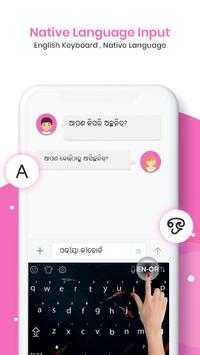
Chat with your friends and family in your native language - use
Odia Voice Typing Keyboard
on any chatting or social media on your mobile like a routine keyboard.
# Key Features of Odia Voice Typing Keyboard
Enjoy default keyboard and type in Odia.
Control Vibrations, sounds and many more settings.
English to Odia AND Odia To English converter.
Fancy Art & Fancy Text.
Spelling Checking, word prediction swipe to type & more.
Toggle Odia or Odia for Odia voice typing keyboard.
Odia To Odia Translator.
Odia SMS.
Many More.
How to Use Odia Voice Typing Keyboard:
Step 1:
To Set Enable Odia Keyboard with single touch windows.
Step 2:
After enabling the Odia keyboard set the input method between the Odia keyboard and
device default keyboard.
Step 3:
Using Images option you can set your image or photo in keyboard background when its open
for type in Odia
Step 4:
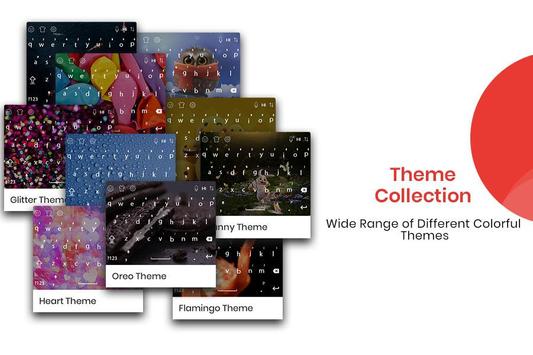
Theme option used for select best keyboard theme whatever you like, simple choose out of theme.
Step 5:
Font option used for set font style according to your selection in font keyboard.
Step 6:
Now Support Phonetic features in Odia keyboard type in Odia indic.
Step 7:
now just type in Odia and you will see the magic your Odia latter will be converted in Odia language.
Step 8:
Odia Voice Typing Keyboard is also implemented now just speech in Odia and Odia and you will get it in written.
Download Odia Voice Typing Keyboard Now.




9Apps 4.9










