

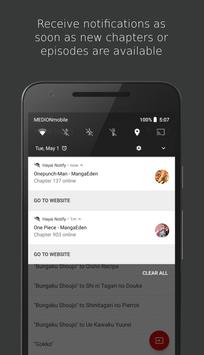
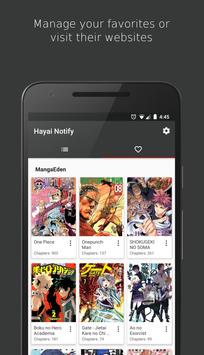
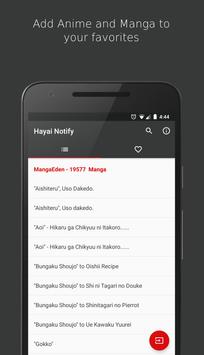
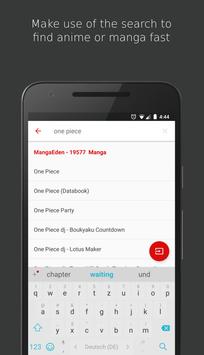
It can be quite annoying to constantly check for new chapter and episode releases of your favorites like one piece , naruto , attack on titan et cetera. Hayai Notify is a simple app which
deals with that problem.
Get notifications as soon as new episodes and chapters of your tracked anime and manga get released.
Relax and let Hayai Notify do the work.
###Troubleshooting###
Push notifications not working/stop working after some time
Some manufacturers like Oppo, Xiaomi, Samsung and Huawai restrict background services, causing broken push notifications. Make sure notifications for Hayai Notify are enabled and follow the appropriate steps below. Afterwards, open up Hayai Notify to restart the notification service. It might be necessary to reboot the device for the changes to come into effect.
Oppo:
Open security center app -> Privacy permissions -> Startup manager -> Select Hayai Notify and choose "allow"
OnePlus:
Open settings -> Apps -> Gear icon -> Apps auto-launch -> Enable auto-launch for Hayai Notify
Vivo:
Open i Manager -> App manager -> Autostart manager -> Choose Hayai Notify and enable autostart
Lenovo:
Open settings -> Power manager -> Background app management -> Enable autostart for Hayai Notify
Samsung:
1. Open settings -> Apps -> Three dots in the upper right corner -> Special access -> Optimize battery usage -> Tap on the dropdown menu that says "Apps not optimized", then switch it to all apps and turn off battery optimization for Hayai Notify
2. Open settings -> Battery -> Turn off battery optimization for Hayai Notify and make sure the "Restrict background data" setting is disabled
Huawai/Honor:
1.1 Open phone manager app -> Launch -> Select Hayai Notify and choose "Manage manually" (Make sure "Auto-launch", "Secondary launch" and "Run in background" are enabled)
1.2 Open system settings -> Advanced settings -> Battery manager -> Protected apps -> Make sure Hayai Notify is protected
2. (Notifications still not working) Open settings -> Apps & notifications -> Apps -> Settings -> Special access -> Ignore battery optimization -> Choose "all apps" tab then select Hayai Notify and choose "allow"
3. (Optional) If you open up the recent apps list and swipe the app away the background process might still be killed. To prevent this either don't swipe the app away or click the lock symbol of the app in the recent apps list.
Xiaomi:
1. Open security app -> Permissions -> Auto-start -> Enable autostart for the app
2. (Notifications still not working) Go to settings -> Battery -> Manage apps battery usage -> Choose Hayai Notify and select "no restrictions"
###Supported sources###
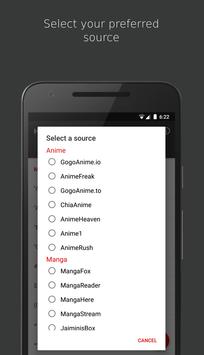
Anime:
gogo anime io : https://www1.gogoanime.se/
chia anime : http://ww2.chia-anime.tv/
anime rush : http://www.animerush.tv/
gogo anime to : http://www.gogoanime.to/
anime freak : http://animefreak.tv/
anime heaven http://animeheaven.eu/
anime1 : http://www.anime1.com/
Manga:
manga here : https://www.mangahere.cc/
manga reader : https://www.mangareader.net/
manga panda : https://www.mangapanda.com/
manga eden : https://www.mangaeden.com/eng/
manga fox : https://fanfox.net/
manga stream : https://readms.net/
jaiminis box : https://jaiminisbox.com/
Credit for the one piece artwork goes to Saeed Jalabi
https://www.artstation.com/saeedjalabi
- Support for 9Anime was cancelled due to site changes which made episode notifications impossible
- Support for new source: Anime1

9Apps 4.9










