THIS APP WORKS ONLY ON "GALAXY NOTE EDGE".
Add an Edge Navigation Panel to your Galaxy Note Edge that has a notification / recent apps / home / back / lock button on it!
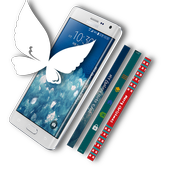
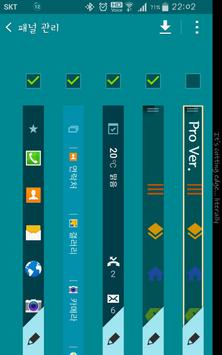
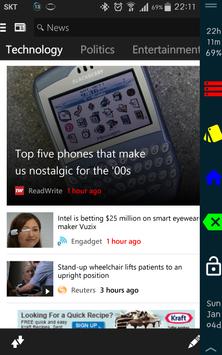
The panel shown in the first image, is panel 1.
Panel 1 has 5 buttons: 1.Red Stripe, 2.Yellow Layer, 3.Blue Home, 4.Green Backspace, 5.White Lock.
1.Red Stripe: shows Notification Bar (double clicking will show Quick Settings)
2.Yellow Layer: calls Recent Apps
3.Blue Home: functions as Home Button
4.Green Backspace: functions as Back Button
5.White Lock: flips the panel (double clicking will lock the device)
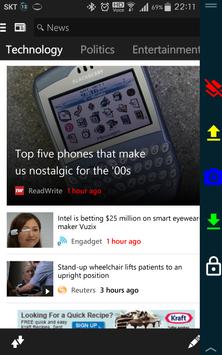
If flipped from panel 1, panel 2 is shown.
Panel 2 has 5 buttons: 1.Red Layer with Slash, 2.Yellow Up Arrow, 3.Blue Camera, 4.Green Down Arrow, 5.White Lock.
1.Red Layer with Slash: kills background apps, clear memory cache
2.Yellow Up Arrow: volume up
3.Blue Camera: execute stock camera app
4.Green Down Arrow: volume down
5.White Lock: flips the panel (double clicking will lock the device)
If flipped again from panel 2, panel 1 will be shown.
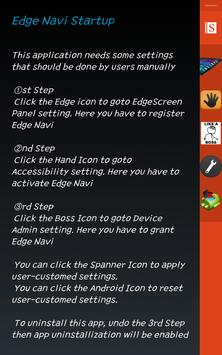
To uninstall this app, you have to undo the 3rd Step.
This app was tested on Samsung Galaxy Note Edge SKT (SM-N915S)
Any attempt to install and run this app on any devices other than Note Edge will cause CTD
-Application launcher icon is renewed
-Crash while showing a notice message about the device admin privilege is fixed





9Apps 4.9