"Não Cortar Imagem" oferece o cenário imagem do perfil ou whatsapp ou massenger blackberry sem croping e peças descarga Substancialismo dele usuário. Sem Imagem do aplicativo Colheita (Quadrado) faz com que o quadrado imagem sem croping ou alterar dimensões. A imagem será remainning normal depois mudado para casa, porque, se fundiu com fundo quadrado.
se você é um dos usuários addecting ou redes sociais e comunicação e aplicativos conversando então você vai encontrar "NO CROP IMAGE" muito útil. Se você gosta de usar whatsapp, BB massenger, Line and Instagram você vai modificar sua imagem de praça sem cortes.
As principais características do app:
imagem Praça
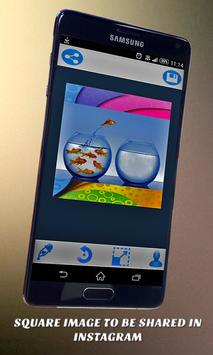
Definir imagem de perfil como quadrados e quadrados compartilhar imagens no Instagram.
Fundos Opções
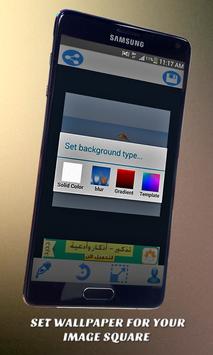
Sem Cortar Imagem / aplicação Praça Imagem providência o usuário com quatro opções para definir a cor de fundo quadrado:
- Cor sólida
- Gradiant Cor
- Desfocagem de imagem
- Imagem de Fundo
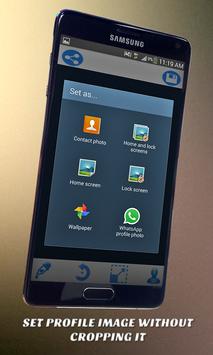
Definir como perfil
De dentro Cortar Imagem Nenhum aplicativo você vai encontrar definir comando eixo para mudar foto do perfil ou app alvejado.
Save & Share
Você pode salvar e compartilhar a imagem instagram sem cortar. Além disso, você pode compartilhá-lo com qualquer outro aplicativo.
Como usar o app
Se você quer Utilize o próprio app irá:
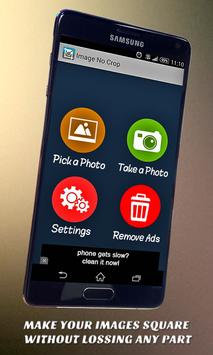
- Tire uma foto pela câmera ou buscá-lo a partir da Galeria.
- Cortar ou pular croping imagem original.
- Selecione cor sólida, gradiant, borrão bg, ou o fundo da imagem para a imagem quadrada atrás de sua foto.
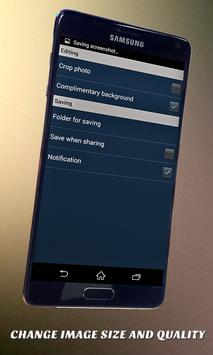
- Girar ou redimensionar a sua imagem dentro do fundo.
- Use Definir como ... comando para definir o perfil ou whatsapp, linha bb massenger e aplicativos conversando outr.
- Salvar ou compartilhar para compartilhar a foto de instagram, facebook, twitter ou google Usuário.
Se você tiver qualquer problema usando o aplicativo, comentários ou sugestões de melhoria, não hesite em entrar em contato com eixo pelo e-mail no rodapé deste pacote.
English Description:
"Image No Crop" provides the user setting profile image of whatsapp or blackberry massenger without croping and lossing substantial parts of it. Image No Crop application (Square Image) makes the image square without croping or changing dimensions. The image will remain normal after changed to square because it is merged with square background.
if you are one of the addecting users of social networks and communication and chatting apps then you will find "IMAGE NO CROP" very useful. If you like using whatsapp, BB massenger, Line and Instagram you will modify your image to square without cropping.
The main features of the app:
Square image
Setting profile image as square and sharing square images in instagram.
Backgrounds Options
Image No Crop/Square Image application provide the user with 4 options to set the square background color:
- Solid Color
- Gradiant Color
- Blur Image
- Image Background
Set as Profile
From inside Image No Crop application you will find set as command to change profile photo of targeted app.
Save & Share
You can save and share the image by instagram without cropping. Also you can share it using any other application.
How to use the app
If you want to utilize the app very will:
- Take a photo by camera or Pick it from Gallery.
- Crop it or skip croping original image.
- Select solid color, gradiant color, blur bg, or image background for the square image behind your photo.
- Rotate or resize your image inside the background.
- Use set as... command to set profile of whatsapp, line, bb massenger and othe chatting apps.
- User save or share to share the photo by instagram, facebook, twitter or google .
If you have any problems using the app, comments, or suggestions for improvement, don't hesitate to contact as by the email in the footer of this package.
Bug fixing




9Apps 4.9