AppLocker
Protect Your Privacy app does exactly what its title says.
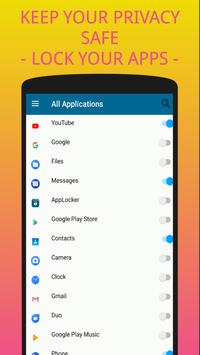
It’s a security app that locks your phone with your fingerprint, a password or a pattern. In today’s world, our social media accounts, bank, credit card – almost every crucial thing is operated from our phones, and most of the time we stay logged in, because it’s quite a hassle putting in different passwords each time we enter an account. That’s why good and effective security apps are needed, so we can be safe even if we don’t log out. It provides an extra layer of security that keeps away unwanted entrance.
Although many Android phones today have a fingerprint app lock system, along with the pattern and password lock by default, most of the time they are not enough.They don’t feature an option to lock individual apps. And that’s why the default security system is not enough, and that’s why you need good App locks for apps. And that’s where we come in.
Take a look at the key features of our applock security app:
1)
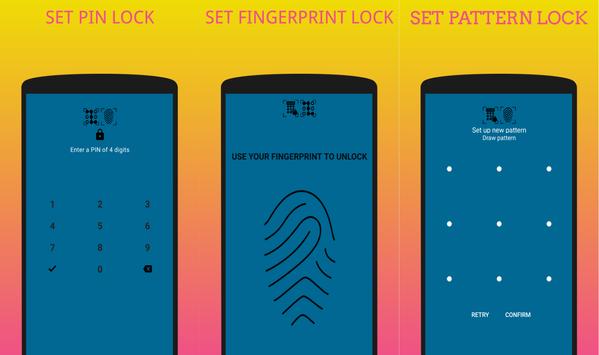
PIN LOCK :
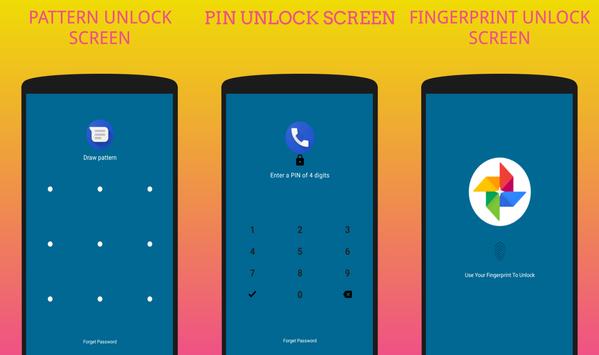
You can set a 4-digit secret security code for each of your apps using this feature. Whenever you want to enter an app, you would need to type this password and apps will be unlocked.
2)
PATTERN LOCK:
Many people don’t like to type passwords, if you are one of them, this app won’t disappoint you. It will protect your privacy through a pattern lock if you prefer that over a password lock. The pattern lock app lock feature will allow you to set a pattern of your choice for all the apps you want secure.
3)
FINGERPRINT LOCK
Lock Your Apps using your fingerprint
4)
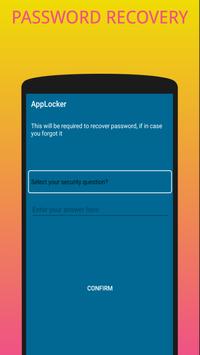
PASSWORD RECOVERY:
More often than not, people forget their passwords or even patterns. In this app, you can set a simple recovery question and answer. Write it down somewhere else and whenever you forget the details just enter the answer and reset the password or pattern.
5)
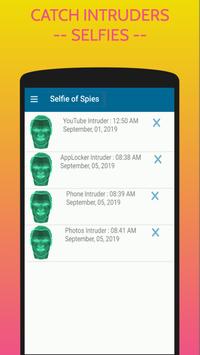
CATCH INTRUDERS SELFIES :
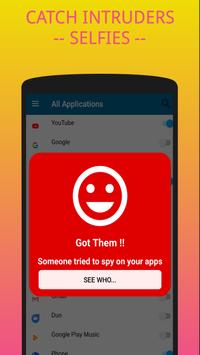
This feature will work like a security camera for your phone. It’s an advanced protection applock feature that allows you to see who wanted to breach your security. If anyone tries to break into your secured apps by putting in wrong password or pattern – the app will automatically take a selfie of the intruder and show it to you when you’d enter the app the right way. It’s a pro level feature which is found in the paid app lockers; however, you’ll get it free in this one.
We had the aim to make the best Privacy lock app of 2019 – and we are very confident we have succeeded. Now it’s your turn to find out.
In order to do that download AppLocker – Protect Your Privacy app for free and shield your phone from all the unwanted entries.
We believe it will provide you with great security and safety. Please let us know how the app is serving you, and don’t forget to share it with others. Stay safe.
Lock Your Apps & Protect Your Privacy



9Apps 4.9