
Private Browser is a private browsing app,
with a video downloader that lets you easily save videos and photos from your favorite media sites to your Android. Private Browser, a fast and light secret browser, enabling you easy access to plenty of interesting online information.
Private Browsing save all of your downloads in a secure folder,
and play back your favorite videos offline with the in-app player. Browse the Internet securely with the full-featured multi-tab secure private browser.
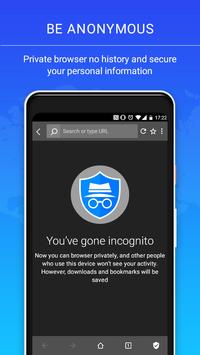
Private Browser enables you to have a private and anonymous web experience.
The incognito mode ensures your browsing history is not recorded. The Private Browser incognito mode and a built-in adblock prevent advertisers from tracking your behavior and keep you anonymous browser.
These features of Private Browser for Android:
✔ Private browsing and anonymous browser by default. No need to switch on a separate incognito tab.
✔ In Private Browser, an incognito window opens from the start. Thanks to an incognito mode, all the browsing history, search history, and cookies won’t be saved in secure private browsing.
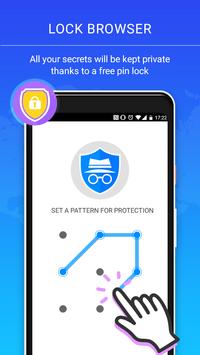
✔ Incognito mode lock your secret browser with a pin. In this incognito fast browser, all your secrets will be kept private thanks to a free pin lock.
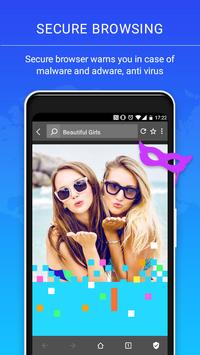
✔ Secure private browsing. Incognito mode our secure browser warns you in case of malware and adware. It also helps you avoid viruses, phishing, and other scams and assures secure browsing.
✔ Private Browser blocks tracking so you can be sure no websites or advertisers track your online activities.
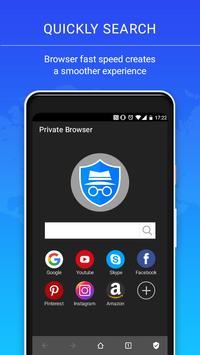
✔ Browser fast. Loading web pages requires less data thanks to an adblock, so you can browse fast and incognito with secure private browser staying completely anonymous browser.
Smart Download
•The smart detection function of Secure Private Browser can automatically detect downloadable videos while you browse through the web.
• Allowing you to download and save online videos from almost every website.
• With a download icon at the address bar, Private Browser will inform the user, whether there are online videos that the user can download or not.
Adblock
• The Ad blocker is a powerful tool integrated in incognito.
• Secure Private Browser can effectively block annoying ads, pop-ups, banners,to give you a comfortable browsing experience.
• Furthermore, the Ad block of Private Browser can not only make the page loading speed faster, but also reduce the internet data usage for users.
Malicious prevention
• Want to go to some privacy sensitive websites but do not want anyone else to know? Warns you when private browsing potentially fraudulent or malicious websites.
• Incognito will inform users before they click on links on websites that may lead to malware-infected pages.
• As the security browser will check a list of pages against private browsing lists of suspected phishing, malware and unwanted software pages in real time.
Incognito Mode
• Want to go to some privacy sensitive websites but do not want anyone else to know? Browsing without leaving any history, cookies, cache etc.
• Incognito mode makes your browsing experience perfectly private browsing and secret.
No trace behind
• All history data will be deleted automatically when you exit the app.
• Secure Private Browser can clean your trace to protect privacy data from leaking out.
Browsing speed acceleration
• Private Browser preload mechanism to speed up private browsing.
Speed dial
• Navigation websites make your surfing ease.
• Your can add websites via a recommend list or by input a customized url.
Page Translator
• The page Translator function offers more than 40 languages which is powered by Google Translate.
• This function will make your browsing simple and easy while visiting foreign websites for private browsing.



9Apps 4.9