
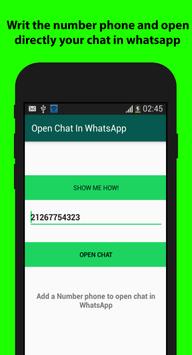

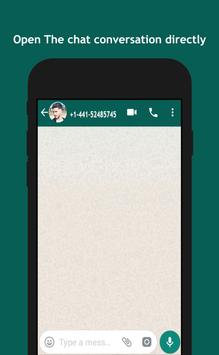
"What,when,how you can use this app?" All this questions can be answered in this description of open in whatsapp app,open your mind:with this app you can open a chat or conversation directly to official Whatsapp app quikly by number of your contact who will be start a chat with him,This app using a methode of whatsapp to open a direct chat just with writing the number phone of the contact,this is the principal feature,just open the chat in whatsapp,this will not have any feature like'hide your number","Spy another conversation of your friends" ,"hiden blue ticks", "hide last seen", "Ghost Mode".This is like a door ,you have a number phone,and you want to start a conversation with it,you use this app to start chat without save the number in your phone.
-------------------------------------------------------------------
Why i adviced you to use this app,of course you have the choice to download or no,but let me tell you why you need my app to install it in your phone.The first thing you want to start a conversation in whatsapp,but you dont save the number in your phone,now i tell you,uou can use this app to start your chat,just writ the number phone,after that,click the open chat button,to open the convesrsation directly in whatsapp,this not a magic,but a tool to quikly save your time,his is simple but it's important for you.The second thing,open in whatsapp just a litle app with few capacite,without permission,free,and simple,so now im sure you want to install it in your phone and start your chat all time.
------------------------------------------------------------------------------------------------------------------
- App service
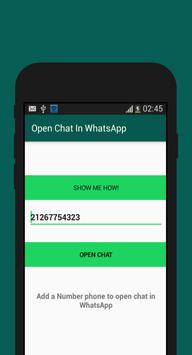
Tis app is a tool for whatsapp app,and if you have a bussines whatsapp you can us it,it's compatible with the both app,so by click to chat you can open your convesrsation quikly,by number phone.Now you are not sure if are saving the number phone in you phone or no,don't worry ,open in whatsapp have a system to notify you if the number is not save in your phone,so,if the number between your contact phone,the app directly open the chat without any error.so open the app,enter the number phone,click the green open button(you find it in the app),and the conversation chat start.
----------------------------------------------------------------------------------------------------------
When you can use Open in whatsapp app,
- if you have an incoming call,and you want to chat or cantact it by whatsapp,so,you have the number,just copy it,and paste in the app,and click open the chat,it's easy!
- if you need to chat with someone but you dont want to save his number in your phone.
-------------------------------------------------------------------------------------------------------------
Astuce to write the number:
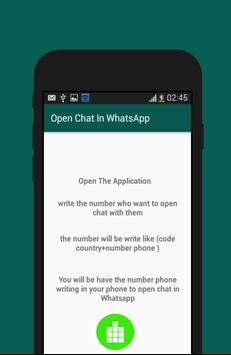
To correctly use open in whatsapp,you will be entre the number phone,but with the prefix of your country,some countr have a prfix for number,us it,this is the only way to open in whatsapp accept your number without any error.
-----------------------------------------------------------------------------
This app just open the chat in whatsapp,and not will save the number,but don't worry the chat still saved in whatsapp,if you are not delete it.
contact us:if you need any question related'open in wahtsapp','how to use',just contact us in marstore0@gmail.com
Disclamer: This app is not affiliated with
WhatsApp Inc.

9Apps 4.9