
How to use Offline Browser.
OfflineBrowser is easy to use. Please find the following steps to use the best OfflineBrowser app.
To search webpage by selecting any one of the following options
- Selecting "Add webpage" option in slide menu
- Clicking the Floating Action Button with search icon in the bottom of the screen.
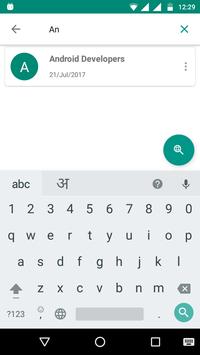
- Once you select any one of these option it navigates to "Add webpage" screen here search webpage by entering query in Google search box or by tapping the search icon in the top of the screen.
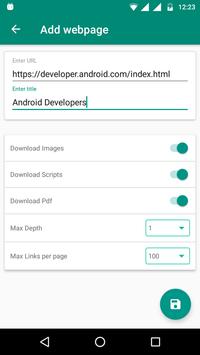
- To save the searched webpage by clicking the save button in the bottom of the screen. After clicking the save button it navigate to download setting options screen. This screen contains following options to select download options.
1. Url field
- it populate the selected webpage url in the url field.
2. Title
- It allows to enter title of the webpage.
3. Download Images
- It enable or disable to download images in webpage.
4. Download Scripts
- It enable or disable to download scripts in webpage.
5. Download pdf
- It enable or disable to download pdf files in webpage.
6. Max Depth
- it allows to select maximum pages to download.
7. Max links per page - It allows to select maxim links per page to download.
After selecting all the download options, start download webpage by clicking save button in bottom of the screen.
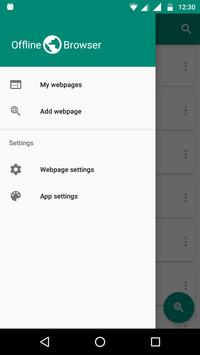
Slide menu options:
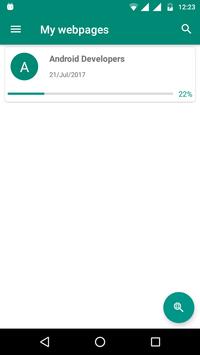
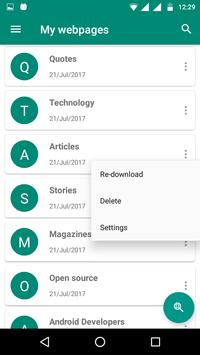
1. My webpages
- Navigate to all the saved webpages screen.
2. Add webpage
- Navigate to search and save webpage screen.
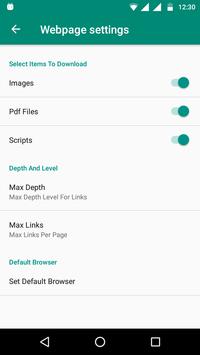
3. Webpage Settings - It allows to selecting the webpage download options like
mages,Scrips,pdf,max depth,max links per page and set default browser
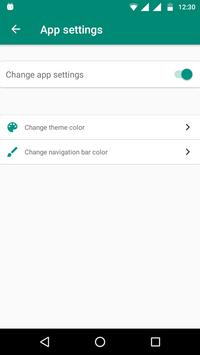
4. App setting
- This is the addition option for personalizing app colours like
changing the theme colour and changing the navigation bar colour by enabling the
change app settings option.
These are the features of Offline Browser app. Save the webpage and read it anytime and anywhere by using OfflineBrowser app.
This is the first version of OfflineBrowser app. Let us know any improvements need to be done in this app by giving your valuable feedback. We will make improvements in future releases based on your feedbacks.
Save webpage and read it in offline at anytime and anywhere



9Apps 4.9