
◆ Advance Customization of Assistive Touch:Protect phone,assistive touch,quick touch,easy touch,assistive touch,home button.
- You can change icon of Assistive Touch with many pretty icons. And if you want others icons, please let us know.
- Funny with more themes and new themes are updated regularly, you can change color of background with your favorite color.
- Intuitive touch assistive touch addicting games phone protect phone quick touch easytouch accessibility home button 3d touch quick touch assistive touch 2017 protect phone assistive touch.
► intuitive touch
► assistive touch
► addicting games phone
► protect phone
► quick touch
► easytouch
► accessibility
► home button
► 3d touch
► quick touch
► assistive touch 2017
► protect phone
► assistive touch
◆ Assistive Touch ◆
You can use Assistive Touch to control your device quickly.
Intuitive touch,assistive touch,addicting games phone,quick touch,home button.
-Assistive Touch is also an ideal app to protect the physical buttons for Android device!
It's fast, it’s smooth, and it’s totally FREE,home button,3d touch,quick touch,assistive touch 2017,protect phone,assistive touch.
-Assistive Touch
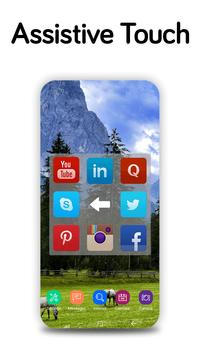
comes with a floating panel on the screen, you can easily use your Android smart phone. More conveniently, you can quickly access to all your favorite apps, games, settings and quick toggle.
-Assistive,Easy,quick,smarttouch.Access settings,Speed boost,Clean ram,Protect.
-Easy touch,assistive touch,smart touch,access all setting
-Change icon,Everything,Ram booster,intuitive touch,assistive touch,addicting games phone,protect phone,quick touch,easytouch.
◆ Quick button settings:
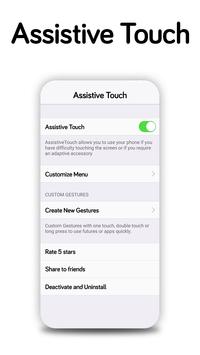
◆ EasyTouch switch or turn on/off
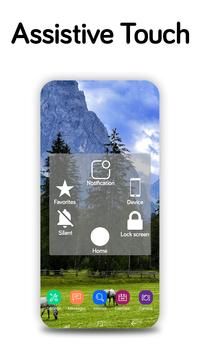
Assistive Touch provides the easiest ways with one touch to:
- Virtual Home button
- Virtual back button
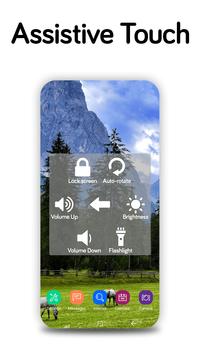
- Volume up & down
- Location (GPS)
- Flashlight bright
- Easy touch to lock screen
- Open recent task
- Virtual volume key, quick touch to change volume key and change sound mode
- Go to all settings very quick with a touch
- Clear ram, boost speed, one touch boost,quick touch,easytouch,accessibility,home button,3d touch,quick touch,assistive touch 2017.
◆Other settings:
- Wi-Fi
- Bluetooth
- Airplane mode
- Open Notification
- Power popup
- Brightness
- Ringer mode (normal, vibrate, silent)
- Screen rotation
- All application on your device
Note:
-Screenshot Capture only available on Android 5.0 or higher.


![*How to Add Home Button on iPhone | Easy Assistive Touch Guide* [ Sinhala ] 2025 screenshot 3](https://i.ytimg.com/vi/JyD9liEOXq0/mqdefault.jpg)


9Apps 4.9