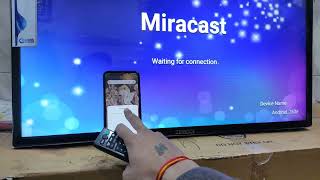
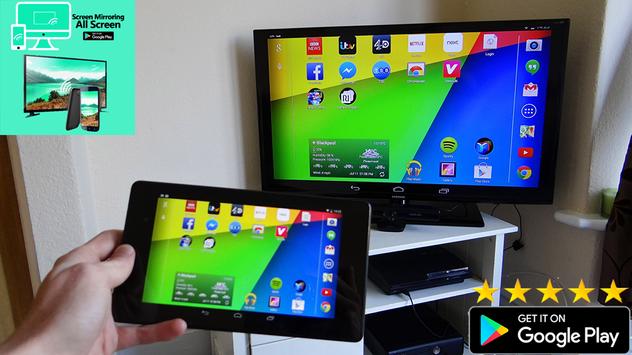
Mira Cast Screen Mirroring will helps you to display and mirror your phone or tab's screen on smart TV. Scan/Display (Mira cast enabled) or Wireless dongles or adapters.
This Screen Mirroring app has been tested and found works on most of android devices with android version 4.0 and above.
As we explain; Mira Cast Screen Mirroring lets you view/cast your phone’s screen (Like :
images, video, audio ) on you TV connected to various streaming devices. This Streaming app is 100% free and has no restrictions.
Easy to use it, just connect your smart tv
and press display to share your media on the TV‘s screen - enjoy life with your friends and family - with this TV Assist on your phone, you can view your favorite videos and music as you like.
This TV Assist app was designed for presentations of android apps in mind, featuring low latency, high framerate streaming of your devices
* The TV App allows banner at the bottom of the screen.
Please follow this steps to mirror your phone’s screen to smart TV.
1) Your television should support Wireless Display (WD) or any sort of Display Dongles.
2) The television must be connected to wifi network same as your android device (tab or phone).
3) The android device version must be android 4.0 and above.
4) Download and run Miracast Screen Mirroring Assistant TV.
5) Enjoy with your Mirroring :).
Following devices are supported
*** All Smart TVs
***Chromecast
***Fire TV/Stick (Install companion app)
***Apple TV
***Roku (Install companion app)
***Kodi aka XBMC
***Android TV
***Smart TV's with DLNA / UPNP capability(All devices are not supported yet, Some feature might not work)
Note :
In order for Mira cast mirroring Screen to work, your Smart TV and Android device must be connected to the same Wi-Fi network
If you have enjoyed your experience with this Mirroring TV , rate us on play store.

9Apps 4.9