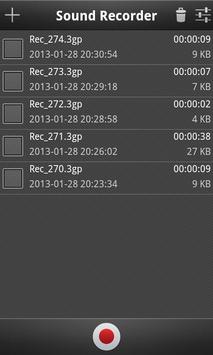
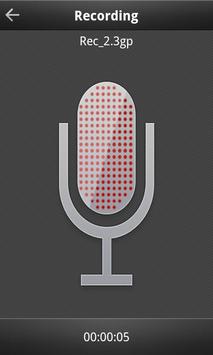
The Sound Recorder application is the most easy, intuitive, usefull and simple to use. You can use Sound Recorder to record audio, notes, talks, business mettings, songs, music, concerts, school classes, sermons, etc...
Features:
- Simple and clean interface.
- Configure output format (3GPP, MPEG4, AMR-NB, AMR-WB, AAC, WAVE)
- Configure audio encoder (AMR-NB, AMR-WB, AAC-LC, HE-AAC, AAC-ELD, PCM)
- Configure WAVE Audio Format (8-bits, 16-bits)
- Configure channels (Mono, Stereo)
- Configure sampling rate (Depends on configured audio enconder. Ex: PCM supports 8000Hz, 11025Hz, 16000Hz, 22050Hz, 44100Hz)
- Configure bitrate (Depends on configured audio enconder. Ex: AMR-NB supports 4750Bps, 5150Bps, 5900Bps, 6700Bps, 7400Bps, 7950Bps, 10200Bps, 12200Bps)
- Configure recordings folder (By default is stored in Sd-Card folder Recordings)
- Configure file name prefix
- Internal player
- Records in background
- Recordings doesn't have any time limit
- Support rename files
- Support delete files
- Support share files
- Support send files
- Support set as a ringtone
- High quality recording in WAVE format
- Stereo support (depends on the device)
- Control recording using status bar
Note:
The Sound Recorder application depends on the device. This means that depending on the device some options might not be available or even work. If you encounter an option that doesn't work on your phone, try a different configuration.
Support for bigger screens



9Apps 4.9