


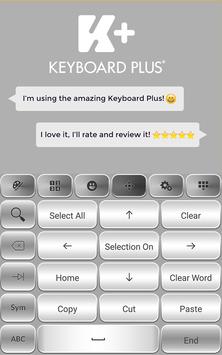


Silver represents a balance between black and white.
Choose to be different by customizing your gadgets with Silver Keyboard Theme.
Silver is a versatile, shiny and a modern color associated with prestige and wealth.
This Silver Keyboard will make you feel confident and glamorous.
Change your dull default theme with this sophisticated Silver Keyboard and experience a cool way of texting.
Download this Silver Keyboard and you won't regret it!
How to install a Keyboard Plus theme?
Just follow these easy steps:
1.
Download Silver Keyboard from Google Play Store
2.
Open the Silver Keyboard theme
3.
Apply the theme by pressing the - Activate - button from the Keyboard Plus Theme Manager
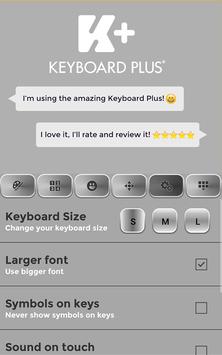
If you want to change your font size just go to the Quick Settings Tab and choose from one of the 3 available sizes: small, medium or large.
We are looking forward for your feedback so don't hesitate to contact us for any suggestions or other issues that you may have at the following address: androidthemes6@gmail.com

9Apps 4.9

![[Cozy ASMR] soft typing on 8 different Keyboards | for sleep, relaxation and focus ☁️ screenshot 1](https://i.ytimg.com/vi/wrvVQMRjfpc/mqdefault.jpg)