OS12 is Released , you'd be the first to experience right on your phone X - OS12 my android phone? Lock Screen IOS 12 - PhoneX will help you do it!
Lock Screen IOS 12 - ị Phone X with PhônX and OS11 launcher will help your phone lunh spiritual beauty as a i phone X.
Lock screen OS12 Phone X
Features LockScreen OS11 - Phone X:
★ Press home to unlock style OS11
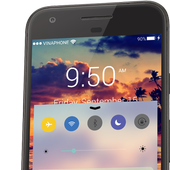
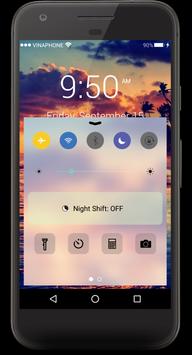
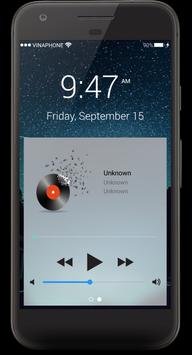
★ iControl with two tab style OS 11
★ Control center style with the latest Iphone 10
★ Control tab Control center setting wifi bluetooth audio screen rotation
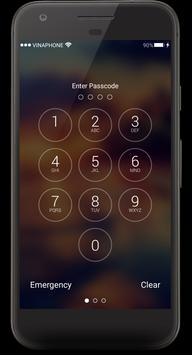
★ Locker Screen Security OS 12 security your phone with password, passcode, keyboard OS 12, Keypad iLocker
★ Control Center style OS 11, iNoty style OS 11,OS12
★ Slide to unlock
★ Change text the “Press Home To UnLock”
★ You turn on/off iCamera
★ You can slide left to activate the widget
★ iControl tab Control center start flash light, iAlarm, iCalculator, iCamera
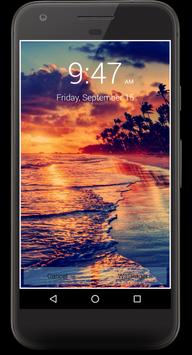
★ Many beautiful wallpapers full HD from íỎS11 wallpaper and ìÓS 12 custom yourself your lock screen with style 11 completely free
★ Change text slide to unlock, example: "I love you" or "Sunshine" or " I Love ịPhọnẻ x Lock Screen – phone X Security "
★ You can fully customize your iLock screen or use the our style iphonè 6, 6s and iPhonè 8
★ Enter your 4 -digit password, keypad, passcode, password to unlock the screen
★ You can slide to activate the iCamera
★ You can set your own personalized image from iGallery
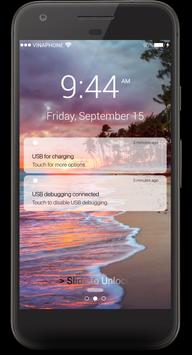
★ Read message and iNoty from Lock Screen
★ Working fine with iLock Screen Notification OS11
★ Enable/Disable iCamera
★ Support time format 12-Hour or 24-Hour
★ Smart Control support setting wifi, mobile data, bluetooth.
★ iControl panel support setting flash light, orientation
★Notification Support(Android 4.4 Later)
★Control Center Support
★Low Memory
★Optimized Battery Usage
How to Use:
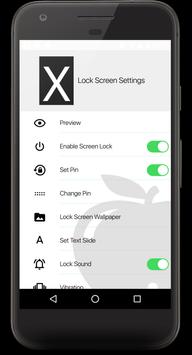
1. Open the app settings, and tick the "Enable Screen" checkbox to enable it.
2. Click the "Disable Lockscreen System" in case you use the system lock.
3. Click the "Change Wallpaper" to switch to different beautiful backgrounds.
4. No the "Passcode" Required to unlock Lock Screen.
Nex Update :
- New theme with two tabs control center style íỌs 11 and íỌs 12
- iControl panel tab Control center start flash light, iAlarm, iCalculator, iCamera
- Control center setting for Airplane Mode, Silent mode.
- Control center setting for Vibration Modem, Data Connection.
- Control center setting for Orientation, Wi-FI.
- Control center setting for Bluetooth, System settings.
Lock Screen is tested and works: Galaxy S6 Edge, Galaxy S8 Plus,Galaxy S9, Plus Note 5, LG G3, G4, Sony Xperia Z4, Note 5, Nexus 5, HTC One, and Xperia S, Galaxy S7…
Now download and enjoy this excellent with Lock Screen OS 11 for Phone X plus!
If you show it to your friends, they must be surprised with you.
Now download and enjoy this excellent with High Powerful Keypad Lock Screen!
- Fix all bugs crash we have ^^!





9Apps 4.9