1. This Taxi Meter App is based on GPS Technology, therefore it is essential that your Android device contains GPS Technology in order to use the App. The GPS will be automatically made active when you start to operate this App and if not you need to get it activated.
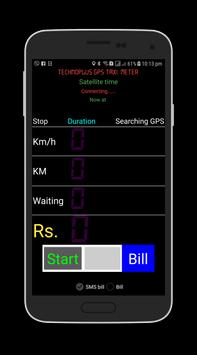
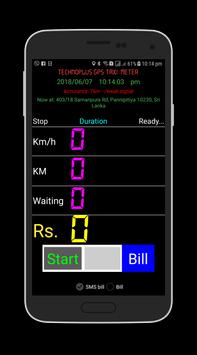
2. When you start this app it will take some time to process the G.P.S connection. This time duration is depending on your Android device performance and Satellite signal strength. After activating the G.P.S connection, the top right of the screen displays "Ready" and increases the screen brightness.
3. If you are only using this app as a taximeter, a Data connection is not necessary to run this app. however you need a Data connection to start the application until you register with "Technoplus".
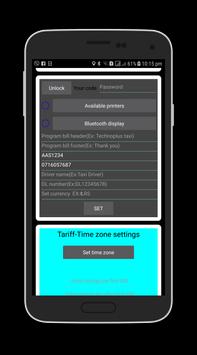
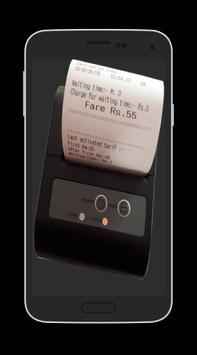
4. You can connect a printer to your Android device with this software. If you are connecting a printer, first you may pair the Bluetooth printer with your Android device. Then click on the available printers button in the "Taxi Meter" app and select your Bluetooth printer. next mark the printer enable checkbox. After the printer is paired for the first time, Thereafter the printer will be connected automatically with your Android device, but ask you whether you need the printer. If you need to buy a new Bluetooth printer, You can buy it by contacting our institution.
5. Before using this app, you must enter some information correctly in the places where your details are entered into the software.if not app will not function. Examples: your phone number and vehicle registration number.
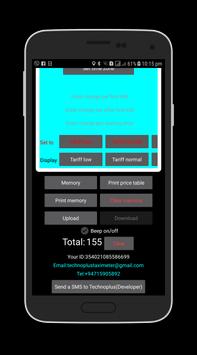
6. This Taxi Meter App Functions under 03 tariffs such as Tariff low, Tariff normal, Tariff High, and can be programmed individually for 24 hours each day. To program, press the "Set time zone" button. Then select the number of hours of the day you want to program. Next enter the relevant charges for the first kilometer, after first kilometer, and parking time. Finally, tap the correct Tariff button in the "Set to" bar to apply your changes. Click the relevant tariff button in the Display Bar to see the programmed tariffs. Press the "Print Price Table" button to print the programmed tariffs.
7. Clicking on the "Memory" button will allow you to browse the past hires details and Long press the "Print Memory" button will allow you to print past hires details. Long pressing "Clear memory" button will delete the all previous data.
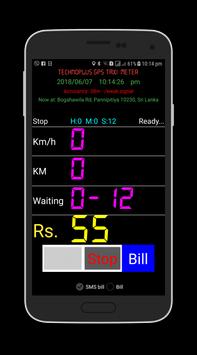
8. "Total" will show the total amount which you earn. by Long pressing "Clear" button will clear the total.
9. You can issue a bill to passenger via SMS & by printing. These options can be activated by selecting the options below the Bill button. After pressing the "Bill" button, you can insert the passenger's phone number at the location and press "OK" to send the bill via SMS. If you provide a printed bill, mark the "Available Printers" checkbox and mark the "Bill" Checkbox in the app.
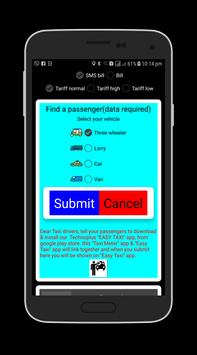
10. When you need a hire, first select your taxi type & Long press the "Submit" button in your app. When you did it, you will link with our "TAXI FINDER" app & your contact details will appear on "TAXI FINDER" app. Then a passenger who uses the "TAXI FINDER" app, need your service passenger will contact you by a telephone call. Whenever you do not need a hire be sure to leave from "TAXI FINDER" service by Long pressing Cancel button. Keep in mind at the point you click "Start" button, automatically you will disconnect from "TAXI FINDER" app. Data connection is essential for using this feature.
11. This app is a free issue from Technoplus with some conditions. You must obey to the government rules & regulations if you use this app, and we take no responsibility, in the case of violation of those rules & regulations. Also, we deliberately ask you, not to harass anyone by using this app.
12. This app is a property of Technoplus and All rights reserved. Technoplus has rights to develop this app without a notice.

9Apps 4.9