
Don’t touch my phone is a new app that takes a selfie of any intruder trying to unlock your phone without your permission. When a wrong password is detected the front camera takes automatically the intruder selfie.
We all asked ourselves this question one day. The answer is finally here with our anti-theft security app. Friends, family, children or a suspicious wife/girlfriend with this app you and i will be able to say do not touch my phone! to everyone who unlocked my phone without my permission.
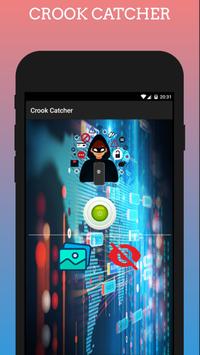
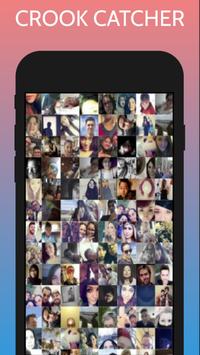
You may have let your phone one day at the office or in a friend’s house and then coming back you asked yourself who touch my phone? now our anti-theft security app you will have the crook’s or intruder selfie on your hidden gallery section. Giving you all the rights to say don’t touch my phone to every intruder caught with the selfie catcher camera.
Don’t touch my phone app is a powerful mobile security. You will be able to catch crooks and intruders trying to unlock your phone secretly and tell them finally Don’t touch my phone.
I want to know who unlocked my phone you say! You want an anti furto app! No problem now as an intruder selfie catcher our app will take a selfie of everyone who unlocked my phone without my know.
This app is a wrong password photo capture that takes a selfie of any intruder or crook trying to unlock your phone secretly. It works as an anti-theft security to increase your mobile security.
To use Don’t touch my phone:
• Download and Install our intruder catcher to your phone.
• Agree all the needed permissions.
• Enable the Anti-Theft security anti furto.
• By checking the gallery from time to time you will find the intruder’s selfies.
Warning!
To know who touched my phone this app uses the Device Administrator permission to monitor screen unlock attempts.
Don’t touch my phone IS YOUR:
• Anti-theft security
• Alarm anti furto
• Mobile security
• Don't touch phone mobile security
• intruder catcher
• Wrong password photo capture takes a picture
• Wrong password alarm screen lock
• Crooks selfie catcher
• Mobile touch security
• Don't touch phone
• Mobile security
• Who touch my phone
• Wrong password photo capture
• Crooks catcher
• Intruder selfie catcher
• Mobile alarm touch
• Intruder selfie
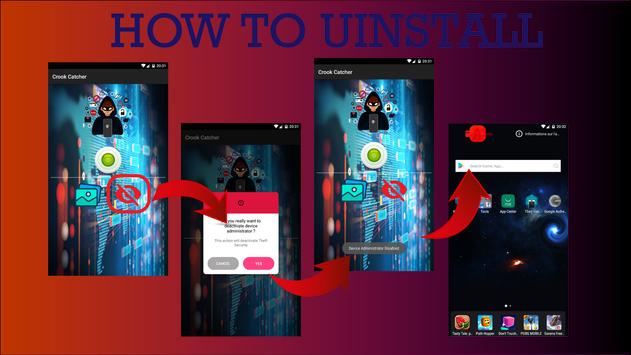
HOW TO UNINSTALL:
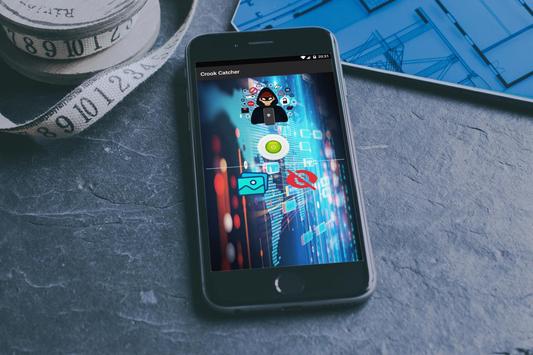
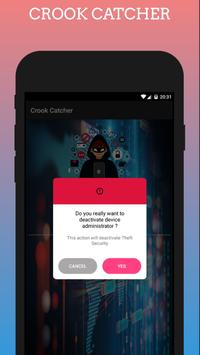
• Open theft security app> Press the red eye button > Press YES, that will deactivate Device Administrator.
• Now you can go back and uninstall the app normally (you can follow the steps presented in screen shots).
By using our mobile security intruder catcher app you will say "
Don’t touch my phone
" to all the intruders listed in your gallery section. Don’t forget to rate our Anti-Theft security and Intruder Selfie Catcher on google play and send us feedback via email we will make updates according to your suggestions.

9Apps 4.9













![국세청 홈택스 [손택스] on 9Apps](https://go.getnew.app/sg/res/jpg/f7/df/69cc2f90120ec331db2630e0f5b6-6dh.jpg?x-oss-process=style/jmq200)


