
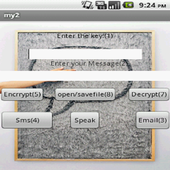
Encrypt your message using advanced message crypter,you can use several feature like-
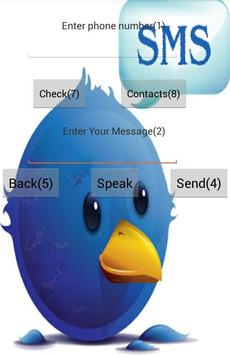
1.you can directly send sms after encrypting your message
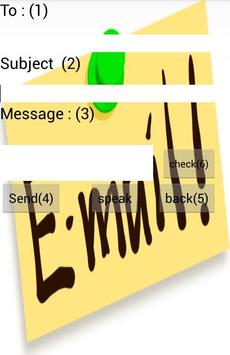
2.you can directly send email after encrypting your message
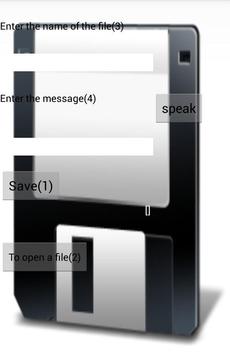
3.you can save your personal information by encrypting the message
4.it has 99999 keys,so it is very
diffcult to crack without knowing the key
5.The main feature is you can control most of the app feature with your voice
Instruction for voice control-
a)If
you want to control the whole app with your voice then you have to say"9"or "control"
b)If you want to speak the key then you have say "key" or corresponding number i.e,"1"
c)f you want to speak the message then you have say "message" or corresponding number i.e,"2"
d)If
you want to encrypt your your data then you have to say "encrypt" or "5"
e)If
you want to encrypt your your data then you have to say "decrypt" or "6"
d)If
you want to send sms then you have to say
"sms" or "4"
e)If
you want to send email then you have to say
"email" or "3"
f)If
you want to save or open any previous file then you have to say "Opensave" or "8"
In sms page
a)If you want to write phone number then you have to say "Phone Number" or "1"
b)If you want to message then you have to say "Message" or "2"
c)for back-"back" or "5"
d)for sending="send" or "4"
e)for checking="check" or "7"
f)for
contact="contact" or "8"
In email
You have to just say the code written in the bracket or the text
In open
You have to just say the code written in the bracket or the text
In saving
You have to just say the code written in the bracket or the text
a seprate instruction button is added to dierct how to control the app with your voice

9Apps 4.9
















![국세청 홈택스 [손택스] on 9Apps](https://go.getnew.app/sg/res/jpg/f7/df/69cc2f90120ec331db2630e0f5b6-6dh.jpg?x-oss-process=style/jmq200)


