

✔✔ An unique lock screen where you back up your mobile with their signature or a gesture ✔✔
✔✔ Tired of the old patterns and Password Lock to lock your android mobile ✔✔
✔✔ Here is a unique gesture lock on my Android ✔✔
☛ Note:
✔ Now draw all the shapes, letters, signatures to unlock your phone
✔ You search for an application to unlock your phone with a password or a finger gesture So use Gesture Lock Screen locker app
✔ Gesture Lock Screen is an amazing application and it’s totally free
✔ The lock screen detects and adjusts everytime the signature and create and store on the lock screen with their signature as your lock screen password
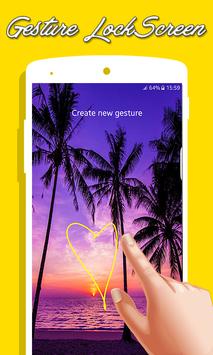
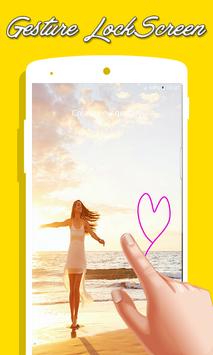
✔ You can draw and save each item as the symbol of the star, heart, triangle, square, circle, etc.,
✔ you can use any numeric number or a signature of her as a password
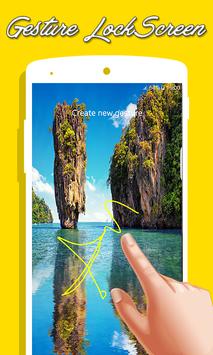
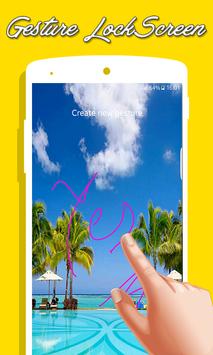
✔ Draw letters, numbers, shapes, signatures and contextual gestures to unlock your phone
✔ If you forget your own gesture you can use your security password.
✦✦ Top features ✦✦
♦ Password create any shape, letters, numbers, signature, etc. provided that. In single stroke without picking up your finger or stylus
♦ Show app notifications on lock screen: unread messages, missed calls, music player, alarm
♦ Double tap app notification to draw gesture to unlock and open app
♦ Use as your lock screen password your stored gestures or signatures.
♦ Lock Set Default or background from mobile gallery on your screen.
♦ 5 HD theme backgrounds
♦ Pick background from gallery
♦ Set lock your own text (name) with font and color adjustment on screen.
♦ Add/change/delete gesture
♦ Custom gesture colors
♦ Stealth/invisible mode: hide gesture strokes when drawing
♦ Supports both single stroke (one touch drawing) and multiple strokes
♦ Display the date and time on lock screen lock with the font and color adjustment on screen.
♦ Add / Edit / delete gesture
♦ individual gesture colors
♦ hide gesture stops when drawing
♦ Supports both single stroke (One Touch) and a plurality of stops
♦ unlock Draw gesture
♦ Enter recovery password or backup password to unlock (key lock)
♦ Enter the password to change gesture
♦ Edit & Draw gesture on password
♦ Display date in local language
♦ Custom date & time color, size and font
♦ Draw gesture or enter recovery password to turn locker
♦ Custom recovery password (4 ~ 8-digit passwords supported)
✦✦ Gesture LockScreen additional features ✦✦
🌟 Add/change/delete gesture lock screen.
🌟 Custom gesture screenlock colors
🌟 Stealth mode: hide gesture strokes when drawing a gesture lockscreen.
🌟 Supports both single stroke (one touch drawing) and multiple strokes......
✦✦ How to use our Gesture Lock Screen application ?? ✦✦
1 - they launch their application in new way by drawing gestures on the screen
2 - Create your own gesture for unlocking the Apps
3 - free to write any symbol, shapes, alphanumeric, signature etc. and dedicate it to your app
4 - Alter or change the dedicated gesture
5 - master password for security purpose
6 - simple and easy to use
✔ This gesture lock screen has all of this amazing functionality free of charge, install it, it’s free.
✔ GESTURE LOCK SCREEN IS FOR FREE AND FOR EVER
✔ THANK YOU FOR DOWNLOADING GESTURE LOCK SCREEN
✔ YOU WILL NEVER REGRET DOWNLOAD GESTURE LOCK SCREEN
So all of these great features easy access by installing the app, for free!!
★ ★ Download Gesture App Lock and try these ★ ★
Thank You,

9Apps 4.9















![국세청 홈택스 [손택스] on 9Apps](https://go.getnew.app/sg/res/jpg/f7/df/69cc2f90120ec331db2630e0f5b6-6dh.jpg?x-oss-process=style/jmq200)


