
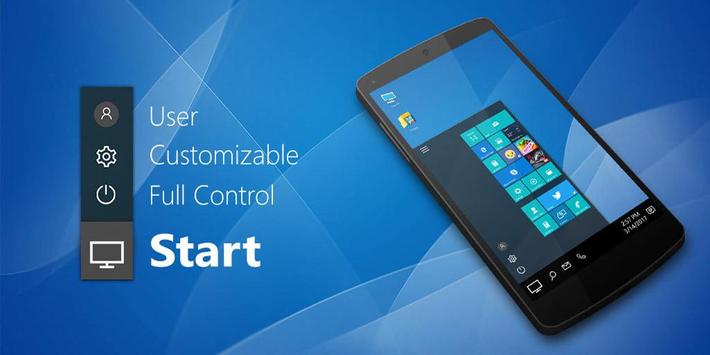
Are you ready to experience desktop computer experience on your mobile phone? This is the most advanced computer style launcher available for your Android (TM) smart phones.
User Friendly Computer Design:
Customize your Android powered smart phone with unique look and feel of computer design with fastest, Battery Booster and Energy Saving Launcher.
Surprise your Friends
Surprise your friends with computer style look of your smart phone.
File Explorer and File Manager Support
No need to install any additional file explorer or any file manager. You you have all the feature of a file explorer and manager like explore your files and folders, cut, copy, paste, delete, zip, rar, share etc in in this launcher. Explore you device in native design of a computer with which you are very familiar.
Share files in your Network and with Friends:
With built-in support of file sharing in your local LAN network, now you can share files with your loved ones easily.
Advance Features:
- Start Menu to see all of your apps - Press and Hold to remove/install or move the app on desktop
-
One Click to find apps - Create Shortcuts of most used apps on Desktop by press and Hold Feature.
- Move the apps on Home/Desktop or remove them from home.
- Change the Background wallpapers by pressing and holding Home Screen.
- File Explorer and File Manager - Create Folders, Cut, Copy, Paste, Move, Share etc.
- See all of your memory storage devices, SD Card, Storage, audio and video files and pictures in Computer style.
- Recycle Bin - put the files into recycle bin before you lost them and delete later
- Zip/UnZip files with Built-in ZIP support. This launcher also allows you to decompress or extract ZIP/RAR files
- Share file on LAN Network and over FTP




9Apps 4.9












![국세청 홈택스 [손택스] on 9Apps](https://go.getnew.app/sg/res/jpg/f7/df/69cc2f90120ec331db2630e0f5b6-6dh.jpg?x-oss-process=style/jmq200)


