Here are some news for you to learn more about one of the best android apps. 10,000+ users downloaded Ultimate EYE-Phone FREE Theme latest version on 9Apps for free every week! You get various free apps from the store. This hot app was released on 2013-04-19. To read more information, you can go to 9Apps.
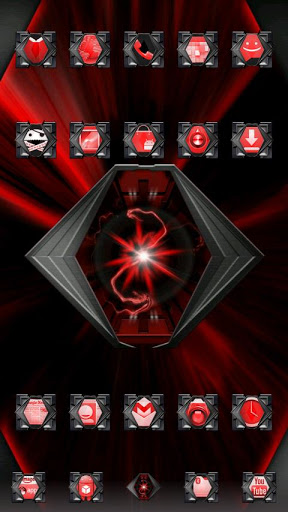
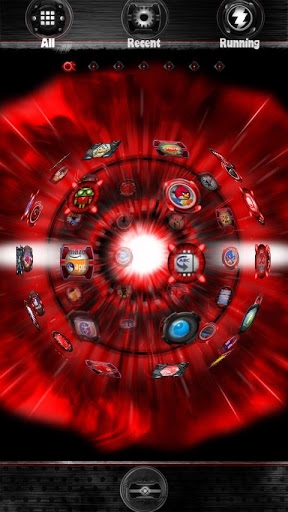
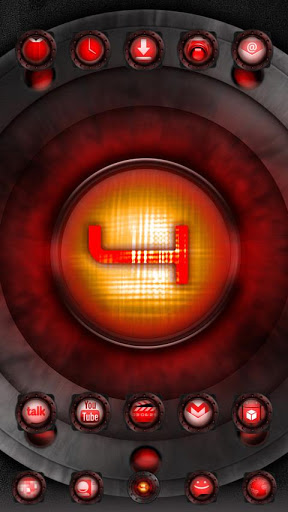
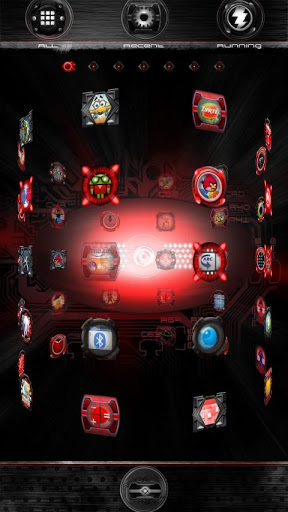
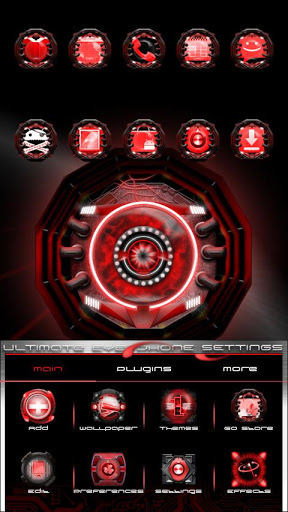
Get the Ultimate EYEPhone with the Ultimate EYEPhone FREE for GO Launcher EXThe Ultimate EYE Phone Theme is a brand new FREE theme for GO Launcher EX.Who needs an iPhone when you can have the Ultimate EYEPhoneUltra clean and flawlessly styled with tons of customization options, the ultimate premium theme for GO Launcher EX.This truly awesome new theme features the iconic DROID style eyes RAZR, DROID 4, Bionic, XYBOARD, Charge, DX DX2, OG DROID, Incredible, amp; DROID 3, completely redesigned 100 from scratch in a brand new ultimate style see support website for comparisons, with stunning backgrounds and amazing effects.This FREE version is supported by LeadBolt and Airpush advertisements icon and notification.The PRO adfree version is also available in the google Play Store.ULTIMATE EYEPHONE FREE GO LAUNCHER THEME FEATURES: Exclusive set of 9 wallpapers includes an 39;Ultimate RAZR Eye39;, 39;Ultimate DROID 4 Eye39; 39;Ultimate Bionic Eye39;, 39;Ultimate Charge Eye39;, 39;Ultimate DX DX2 Eye39;, 39;Ultimate Incredible Eye39;, 39;Ultimate D3 Eye39; and an 39;Ultimate XYBOARD Eye39; wallpaper. PRO version includes 15 newly designed, higher quality wallpapers This theme includes a Wallpaper Picker app for quick and easy wallpaper switching, simply press Menu gt; Wallpapers gt; Ultimate EYEPhone FREE Wallpapers gt; Set Wallpaper. Over 330 custom designed, ultra red 39;Ultimate EYEcons39; featured in the icon pack.Each special themed icon is encapsulated within a custom 39;Ultimate RAZR Eye39;, 39;Ultimate Bionic Eye39;, 39;Ultimate DX DX2 Eye39;, 39;Ultimate D4 Eye39;, 39;Ultimate Incredible Eye39;, 39;Ultimate Charge Eye39;, 39;Ultimate XYBOARD Eye39;, 39;Ultimate D3 Eye39;, and 39;Ultimate Original Droid Eye39; style icons.PRO version includes 550 icons and support for icon requests. All other icons are custom designed to appear flawlessly INSIDE eight custom designed RAZR eye, Charge eye, Bionic eye, DX DX2 eye, Incredible eye, D3 eye, OG DROID, and XYBOARD eye icons. Main icons utilize next generation Android Ice Cream Sandwich OS style in 8 different styles. New sliding Preferences Menu has been completely themed Totally redesigned 39;Ultimate Eye Phone39; app drawer with tabs which glow when pressed with 8 custom designed app drawer backgrounds.PRO version includes 15 newly designed, higher quality app drawer backgrounds Two different custom designed dock bars in multiple styles and colors for ultimate customization.PRO version includes 12 custom dock bar styles Two custom font styles included in theme.PRO version includes 8 custom font styles Designed to match GO SMS themes GO Contacts themes clock widgets live Wallpaper: 39;Ultimate EYEPhone RAZR39;, 39;Ultimate EYEPhone BIONIC39;, 39;Ultimate EYEPhone DXDX239; available in the Android Market, more coming soonDIRECTIONS amp; INSTRUCTIONSThis is a theme like a skin for GO Launcher EX, it will not open on its own. You must install the free home screen app quot;GO Launcher EXquot; and apply it.To apply theme:Open GO LAUNCHER EX gt; Press Menu gt; Themes gt; Ultimate EYEPhone FREE Theme gt; ApplyTo change Wallpaper:Press Menu gt; Wallpaper gt; Ultimate EYEPhone FREE WallpaperTo change Dock Bar:Press Menu gt; Pref gt; Visual settings gt; Backgrounds gt; Dock Background gt; GO Theme BGTo change App Drawer background:Press Menu gt; Pref gt; Visual settings gt; Backgrounds gt; App Drawer Background gt; GO Theme BGTo hideshow the status bar with a swipe:Press Menu gt; Pref gt; Operation Settings gt; Glide updown action gt; ShowHide status barTo create icon effects as seen in screenshots:First, set the scrolling to either horizontal or vertical this changes which effects are available:Press Menu gt; Pref gt; App Drawer settings gt; Scrolling orientation gt; HorizontalVerticalThen, choose an icon effect:Press Menu gt; Pref gt; Effects settings gt; Horizontal scroll effect or Vertical scroll effectTo change font:Press Menu gt; Pref gt; Visual settings gt; Font gt; Scan font gt; Select fontDEVELOPER NOTES:Please email if you have any other suggestions, questions, or concerns.

9Apps 4.9