
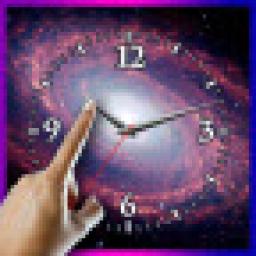
We access you a main official website for app download. 10,000+ users downloaded Choose Your Galaxy Clock LWP latest version on 9Apps for free every week! In addition, the latest version of the app has updated a lot of features. This hot app was released on 2017-01-30. I will tell you how to use this app in the following page.
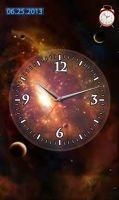
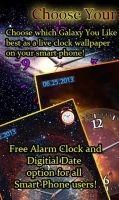
The Galaxy Clock is now available as a live motion wallpaper on your smart phone. Tap the middle of the clock to choose between 6 different cool galaxy theme high resolution images. This comes with Bonus Alarm clock feature as well You don't have to take my word for how awesome this application is, just listen to what some of my other countless thousands of users had to say about our first version "Choose Your Planet Clock LWP" Allison S "Planet rok This is the first planet themed wallpaper that I can choose my planet for each day of the week...nice work" Edward K "beautiful In one word, its beautiful. Live wallpaper and clock both in one. Using it happily." Raissa O "Wow I'm too happy to have it. Incredible live wallpaper. Recommended" And much much more!!! Finally an interactive live high resolution application that combines the use of a digital clock with live images of our most popular galaxies....Pretty impressive don't you think? This application is unique and there simply is no other application that combines that of a live clock and planet themed wallpapers INTO 1 APPLICATION....Best of all its FREE for all Android users! Simply tap your finger in the middle of the Galaxy to choose between 7 different themes based on the Galaxies throughout the cosmos. Of course we have a bonus feature addition as well just for you. Not only do we have 7 different planet themes for you to choose from, but we have added an ALARM CLOCK feature as well. Simple press a finger on the alarm clock icon on the top right above the Galaxy image and you can easily set your alarm clock as well. To set your Live motion alarm clock Galaxy theme wallpaper, simply do the following: SET WALLPAPER HOME SCREEN choose the option: LIVE WALLPAPERS Scroll until you find the app named Choose Your Galaxy Clock LWP Then simply SET WALLPAPER Thats it!!

9Apps 4.9


![Galaxy Watch Ultra: How To Change Watch Face! [Clock Face] screenshot 3](https://i.ytimg.com/vi/B2xQoq8X0Wc/mqdefault.jpg)














