

9Apps provide lots of India android apps. 10,000+ users downloaded HastaLaVista Task Manager Free latest version on 9Apps for free every week! The app has also been given a bit of a visual makeover, too This hot app was released on 2013-04-20. However, has been a fashionable app for a long time.
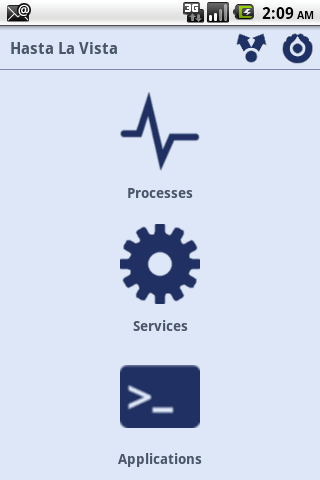
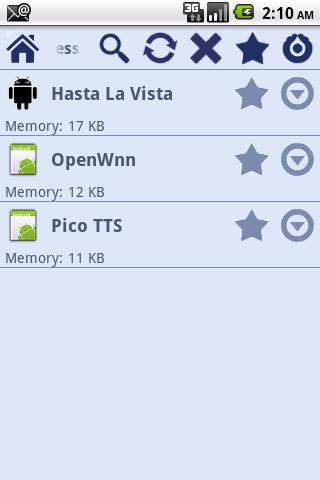
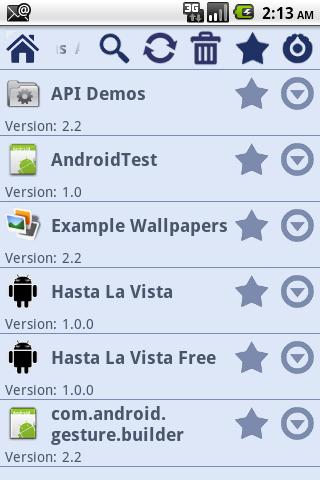
Hasta La Vista it39;s a task killer, application uninstaller and service viewer Hasta La Vista it39;s an all in one app that combines, task killer, application uninstaller and service viewer. With just one app you will:gt; Monitor and kill tasks:gt; Clean and save memory gt; Speed up your phonegt; Save battery.gt; Monitor and uninstall applications:gt; Remove useless applicationsgt; Save spacegt; Monitor running services1. How to use it?When you start Hasta La vista you will have a dashboard where you can choose to see running tasks, running services and installed applications.2. How do I kill tasks?In the dashboard click on the tasks icon and a list of running tasks will be loaded. Select the tasks you want to kill and press in kill button. The selected tasks will be killed.2.1 What is default action for long press?The default action for long press will show a popup with some options that you can perform.2.2 What is default action for press?The default action for press will show task detail.2.3 Can I configure default action for press and long press?Yes, just go to settings.2.4 Why can39;t I kill some tasks?Some tasks requires manual force stop. Enable that feature in settings and when you kill one of those apps you will need to force stop.3. How do I uninstall applications?In the dashboard click on the applications icon and a list of installed applications will be loaded. Select the application you want to uninstall and press in uninstall button. The selected application will be uninstalled.3.1 What is default action for long press?The default action for long press will show a popup with some options that you can perform.3.2 What is default action for press?The default action for press will show application detail3.3 Can I configure default action for press and long press?Yes, just go to settings.4. How do I see running services?In the dashboard click on the services icon and a list of running services will be loaded. 4.1 What is default action for long press?The default action for long press will show a popup with some options that you can perform.4.2 What is default action for press?The default action for press will show application detail4.3 Can I alternate between Hasta La vista running services and android running services?Yes, just go to settings.5. Does Hasta La Vista have an widget to quickly kill apps?Yes, in you home screen add the widget.6. How do I place na icon in notification bar?Yes, just go to settings.Features: simple and clean interface One tap kill tasks widget applications installed application search tasks running task search services running service search multitask kill multiapplication uninstaller shortcut in notification bar start when android starts very easy to configurecustomizeRemeber this is the donate version. Thanks



9Apps 4.9














