
Screen Mirroring pro provides an easy shortcut and widget to use the Miracast external display screen casting feature included in Android
and above!
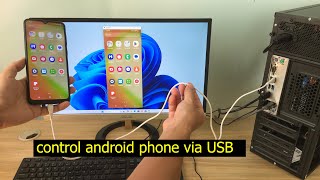
With this app, user will more conveniently be able to mirror own screen or use the cast feature from supported devices.
This application can only play contents but send screen as is such as HDMI, MHL, Miracast and Chromecast.
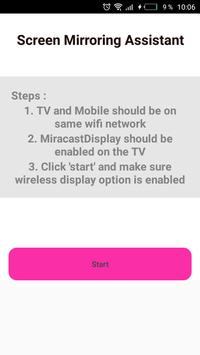
instructions to start Mirroring Android Devices to TV using Wi-Fi:
1) Download and run Screen Mirroring Tv App.
2) presse start mirroring and enable screen mirroring.
3) Make sure TV is connected to wifi network to the same as your phone.
4) Scan for devices to connect to and then just selected to pair them up.
5) The Phone version must be android 4.2 or higher
You can use your finger to draw directly on the surface of the screen. Try it with a calculator, a painting tool or a music control surface.
Simple gestures allow you to use the right mouse button and the scroll wheel. When you rotate the screen, or log out and reconnect.
Your windows are automatically repositioned appropriately, so you do not have to return them to the Android screen !!!
Some great uses for Air Screen include:
- Fill your Duet screen with your utility applications such as mail, file manager and calculator




9Apps 4.9











