
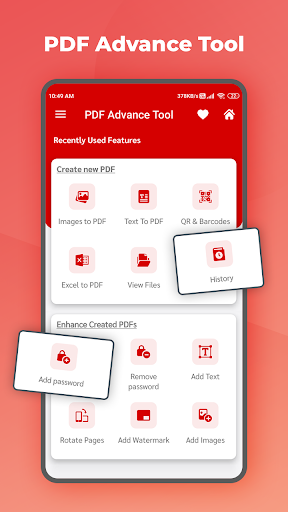
This Image to PDF Maker - JPG to PDF, PDF Converter app also includes all the PREMIUM Features for Free which are normally available as premium features in other PDF Reader and PDF Converter App.
Sometimes in a single day you need your different documents scanned multiple times. In that situation if everything is planned you will definitely not suffer more. But if the need to scan that document arises one by one it will be a disaster for sure.
To rescue you from that situation we brings you a portable Doc Scanner. This Doc scanner you let you scan your documents anytime anywhere.
There are some additional features as well in the app which makes your document after scanning more professional and good to look at.
pdf maker, file viewer allow you to view and read all document files on your mobile.
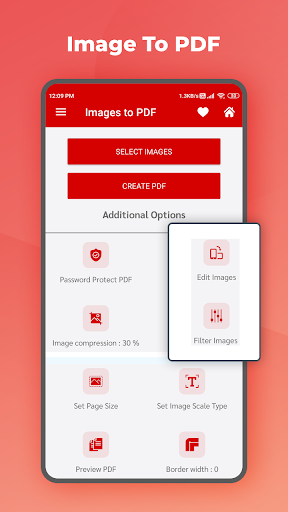
First, you choose any JPG files on your Android phone, select a preset PDF page size or enter page width and height, set PDF page orientation, then tap the "Convert to PDF" button to start conversion.
JPG to PDF Converter uses multithreading to improve conversion speed.
It only takes a few seconds to convert hundreds of image files.
The Image to Pdf Converter easily groups and converts your images into a single PDF file.
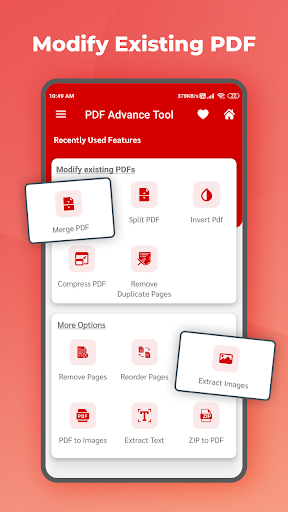
PDF Compressor is a tool to compress PDF documents to reduce PDF file size. Compress PDF file allows you to select heavy PDF files to reduce its size.
PDF compressor will simply reduce pdf file size with a single tap.
📚 All Document Reader: PDF, excel, word, Documents key features:
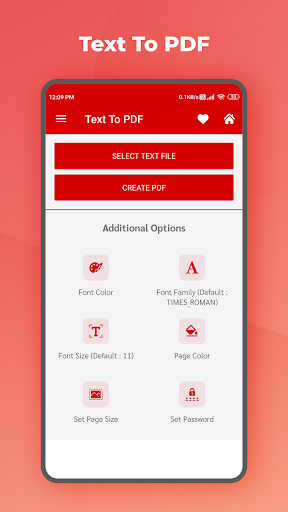
►Convert all kinds of images to PDF
Import images or scan paper files with your camera and convert them to PDFs - notes, receipts, invoices, forms, business cards, certificates, whiteboards, ID cards, etc., all supported in PDF maker.
►Resize images
Resize, crop, doodle, and rotate the images as you like with PDF maker. Optimize images for better PDF output.
►Auto sorting
Automatically sort images and PDF files by name, size, created date, modified date, etc. Of course, you can sort manually if you want.
►Compress PDF files
Support to reduce PDF size through compression. Set the image quality - low, medium, high, and original as needed.
►Set password
You can set passwords to protect your PDF files, and encrypt confidential files to be shared to prevent others from peeking at them.
►Work offline
No need to send data to the cloud, the PDF maker can easily convert your images to PDF offline.
►Share converted PDF files
Easily send and share converted PDF files via social media, Bluetooth, Email, quick share, etc.
►Quick Search
Try the quick search function, and you will find it’s easy to find your target files in this PDF maker app. Just enter the keywords and the results will be displayed automatically.
All the functionality of this documents reader app you can access without internet access. It's best document tools for working with word, sheet, slide, and text, PDF, ZIP and RAR all from a one application.
An access all files in different folders converts them and put into single office screen.
Reading all documents format such as word, excel, ppt, pdf.
Let's use and experience the All Document Reader application
Thank you. Have a nice day!❤️





9Apps 4.9











