

Download the latest application of india here. 10,000+ users downloaded Central Court latest version on 9Apps for free every week! And it was enormous fun This hot app was released on 2017-05-04. Certainly you will love it after play.
Central Court is created by and for tennis players to save players history and help to communicate each other.
Using the application will help players to save their played matches, schedule games, share their achievements, rank against friends, compare profiles and more.
Connect better with your friends and with your tennis.
Enjoy it!
What is Central Court?
Central Court is a social App for tennis players that allows them to connect with friends, save and organize games, know their performance over time through detailed statistics and rank with friends WITH annual rankingS and more. We are continuously working to improve. We have planned new features to be added soon.
What devices can I use with this application?
The application works on any device with an iOS or Android operating system, including phones and tablets.
Where do I start?
1- The first thing after installing the app is creating an account in Central Court. You will need an email address and a password. (If you are already registered you can log in and access your account, you can use the same account for multiple devices.)
2- Once inside the application please take 2 minutes to complete your player profile so you can compare to your friends' profiles and performance. (Not required)
3- Then you can connect with friends by adding them by their e-mail address in "Manage Friends" section or by adding the friends of your friends (see: how to see the contacts of my friends).
4- Now you can register your matches played or organize new ones in "My Matches" using the buttons “Add Match Record” and “Organize a Match”.
5- Validate results of matches. Open the match details by going to “My Matches” and tapping in the match you want to validate. Just validated matches adds classification points.
6- Share a match. Central Court allows players to share the matches in the favorites social networks such as Facebook, Whats App, email, or simple by text message.
7- Also you can compare yourself and your contacts using the "Head2Head" feature.
What is the dashboard?
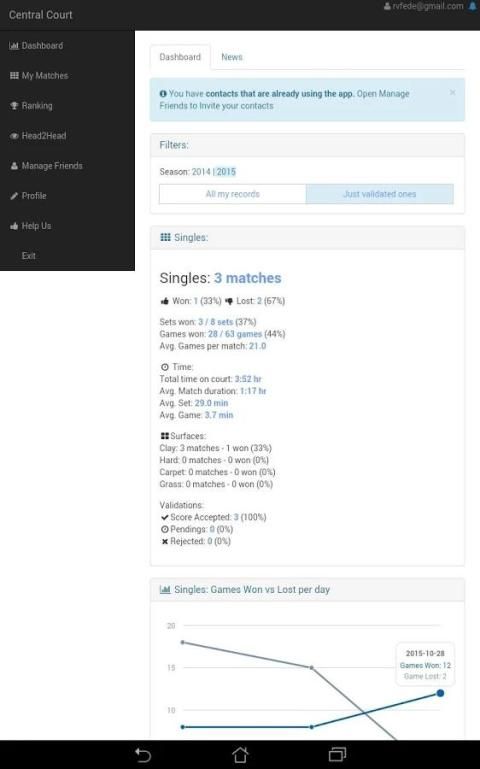
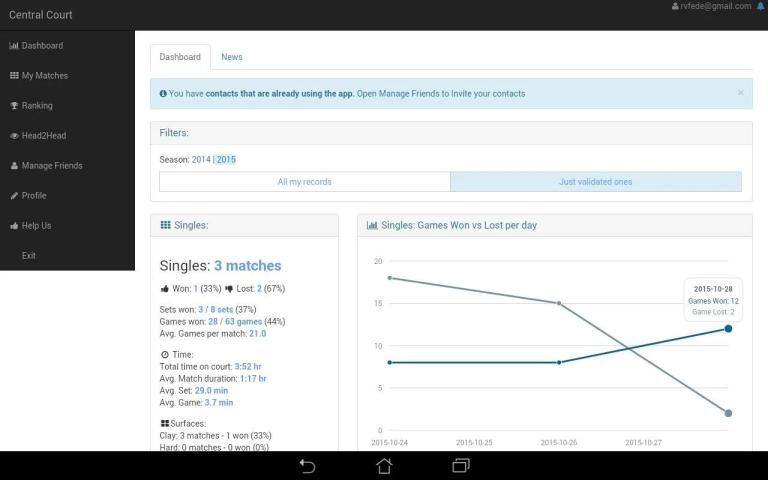
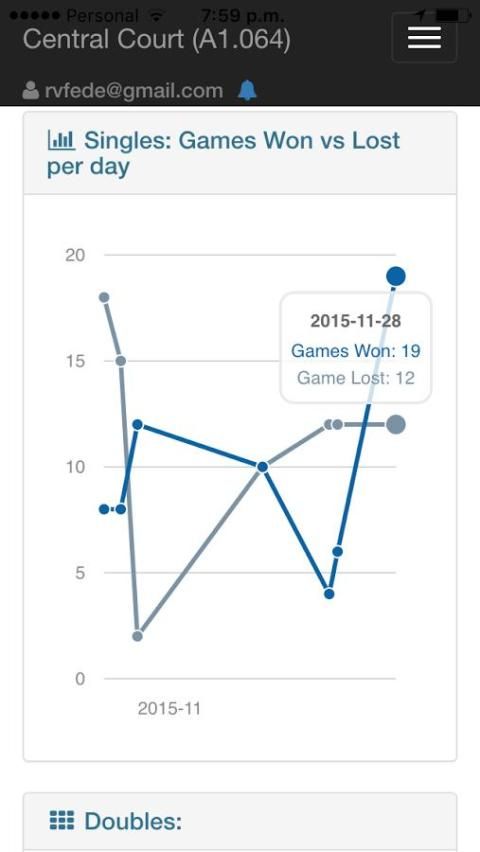
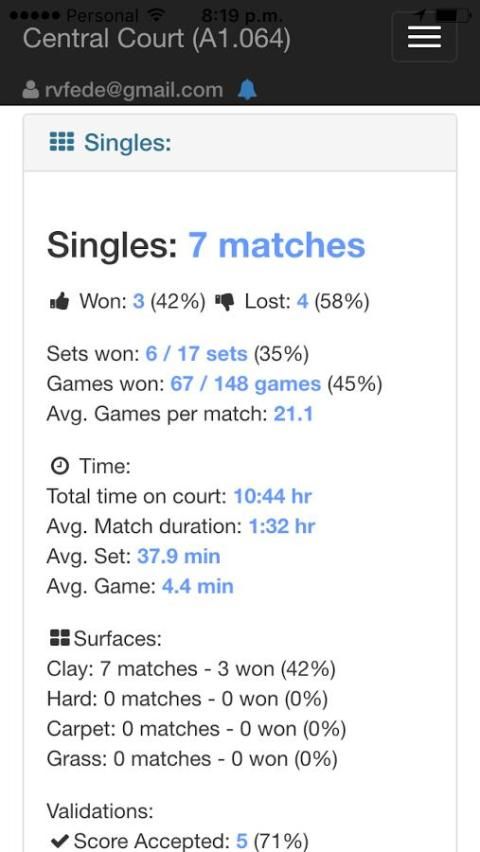
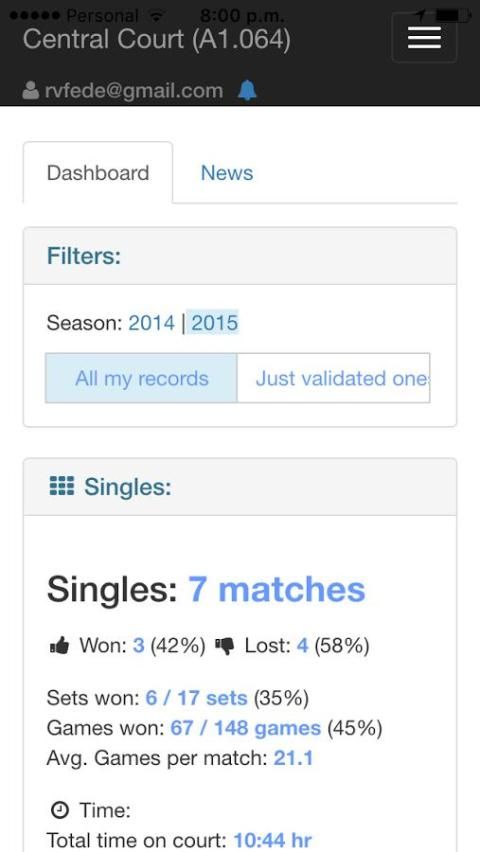
Here, you can view statistics of your tennis based on singles and doubles categories, and the graphical representation of won / lost games per match day. The information displayed is based on the data entered by you and your friends.
You can use the “Filters” to select the data that will be used to generate the stats in your dashboard.
How to see the contacts of your friends?
- Go to menu "Manage Friends".
- Tap the name of the contact you want to see his friends.
- Tap the button "Friends & Matches".
- Tap the Friends tab.
Now you see the list of contacts that your friend has.
If you want to add any of the contacts of your friend:
-Tap the contact name
-Tap the “Invite to connect” button
Viewing a saved game?
You can access all your saved games from the menu button "My Matches"
Adding a photo to my profile?
Access your own profile from the menu button "Profile".
To add a photo just tap the camera icon and the camera in your device is activated to capture the image for your profile.
Adding a photo to a Match?
When adding a new match (“My Matches -> Add Match Record”) you can add a photo just tapping the camera icon. The camera of your device will be activated to capture the image for this match.
How does the ranking work?
Just your contacts with the Connected state are competing in ranking.
The ranking only counts validated score matches. Just won matches add 5 ranking points each. Each year all players start with 0 points.
By default all players participate in the doubles and singles ranking.
How to validate the score of a Match?
The score can only be validated by the player who has lost the match (in the case of double any member of the losing team).
When a player who lost the match opens the match details screen the validation buttons appear below the score.
Who can comment on a Match?
Anyone with access to details of the match can comment. Only your friends with connected state can see your matches.

![[Nintendo 64] Centre Court Tennis OST: Track 14 - Match Complete 1 Music screenshot 2](https://i.ytimg.com/vi/xL_utRzfYN0/mqdefault.jpg)
![[Nintendo 64] Centre Court Tennis OST: Track 21 - Wild West Court Music screenshot 3](https://i.ytimg.com/vi/37sGPJ8H7vs/mqdefault.jpg)
![[Nintendo 64] Centre Court Tennis OST: Track 8 - U.K. Court Music screenshot 4](https://i.ytimg.com/vi/cN1xt7JYrMo/mqdefault.jpg)
![[Nintendo 64] Centre Court Tennis OST: Track 9 - France Court Music screenshot 5](https://i.ytimg.com/vi/bFsITNY6YpA/mqdefault.jpg)

9Apps 4.9









