Keep track of time on a job or task. Useful for calculating billable hours and filling out time sheets.
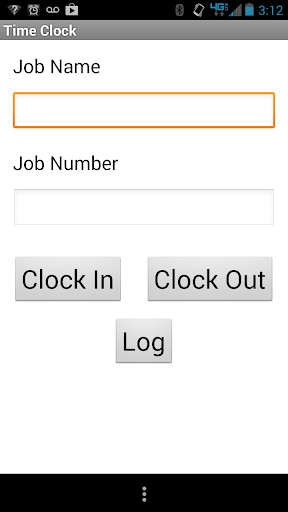
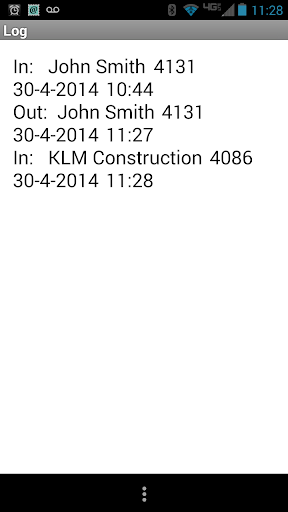
Go to the menu on the main screen and set your date and time format options. Then simply type in the job name and job number and hit clock-in. When you are finished with that job hit clock-out. Press the Log button to view all of the entries. Going to the menu in the log screen will give the option to clear the log.
Also you are restricted from clocking in if your are not clocked out. An alert will pop up and the last clock in information will be filled in. Likewise you cannot clock out if your are not already clocked in.
- Fixed the flaw in the total time of the log. It now displays the correct hours and minutes elapsed between clock in and clock out.


9Apps 4.9