
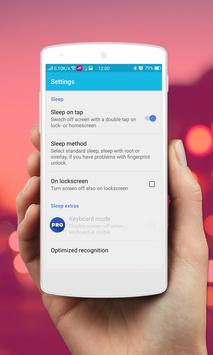
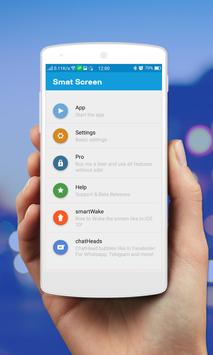
Smart Screen Off not only gives your phone features double tap screen to make it turn on and you can also quickly access the applications by gestures Gestures. You can easily double tap screen to wake up anywhere on the phone screen by Smart Screen On Off.
Smart Screen
help you protect the Power button.
Smart Screen On Off
can on or off screen quickly and esay with a tap touching the home screen.
Smart Screen On Off
is smart application to auto on or off screen using proximity sensor and double tap on home screen.
Smart Screen Off And Lock
have is also provider to quickly turn the screen off.
Smart Screen On Off
sometimes difficult to press the power button, or you want to preserve the physical power button. Smart Screen
OnOff
application and the power head floating can help you minimize the use of the power button anytime, anywhere.
Applications touch screen twice opened off Off On Smart Screen with gestures such diverse activities: Double Tap, Swipe Up, Swipe Down, Swipe Left, Right Swipe, Long Press, Up Arrow, Double Up Arrow, Down Arrow, Double Down Arrow, Arrow Right, ...
With over 30 languages support, Screen Off and Lock is the No.1 screen onoff application in Google Play Store.
Function have in Smart Screen Off And Lock screen auto:
- You can disable the feature when the screen rotates horizontally.
- You can set separate delays when the screen on / off to avoid accidentally enabled.
-
Smart Screen On Off
Support power to quickly head off the screen.
- Support for using the same cover.
- Smart screen on off support many animation to screen OFF
-
Smart Screen On Off
Turn off effects screens
- Shutdown button in launcher
- Create launcher shortcut
- Floating button over all apps! (Double tap to use it) (Donate version)
-
Smart Screen On Off
supports notification : touch in notification for turn off screen and lock
-
Smart Screen On Off
double tap on Home Screen to turn off screen.
- The sensor will automatically detect, and auto power on / off screen to help you.
Other features:
1. Screen off animation
2. Screen lock/unlock sound effect
3. Screen off vibration
How to uninstall app
-
Open my application.
-
Click button uninstall.
-
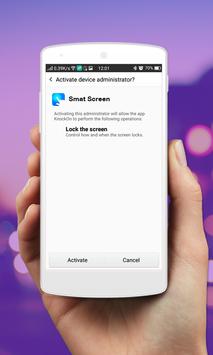
Just click uninstall button to remove app with administrator
Thank for used
Smart Screen On Off
!



9Apps 4.9












