

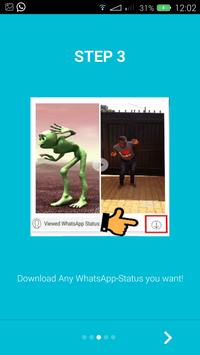
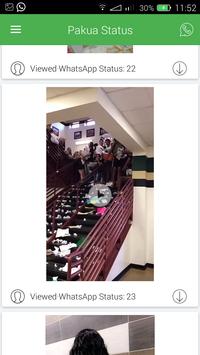



First Step - User has to open the Whats App-Messenger and view the Status Updates posted by their Contacts.
Second Step - All the Status viewed by the user will be displayed in the Pakua Status App.
Third Step - User can opt to Download any of the Status they have viewed.
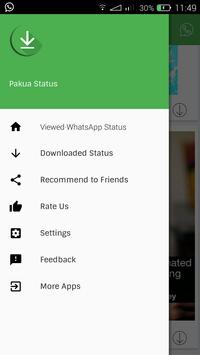
All downloaded status will be stored in a file named 'Pakua Status'
Fourth Step - User can share the Downloaded status to friends, and also reshare/repost and make any Downloaded status as their own status directly through the Pakua Status App.
Download Whatsapp Status.
Share with your Contacts.
Repost Downloaded Status as your own.

9Apps 4.9


![Canon Herring - A Passing Tribe (Song of the Mamuna) [Official Music Video] screenshot 5](https://i.ytimg.com/vi/oAmrzcfDLJc/mqdefault.jpg)









