
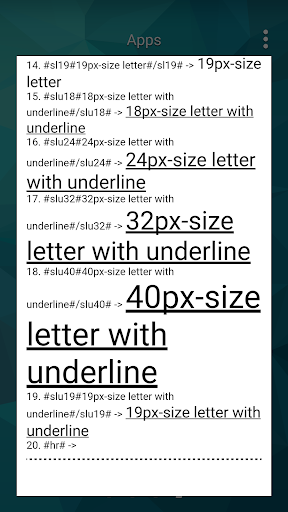
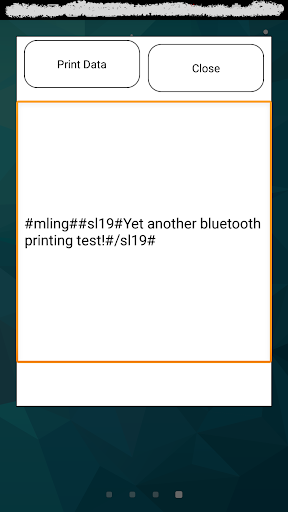
Un utilitaire d'impression ESC / POS pour l'imprimante thermique via une connexion Bluetooth avec votre téléphone Android.Il peut être appelé à partir de Web pour imprimer votre contenu du côté serveur à l'aide des balises codées de Sign-Sign et / ou des codes HTML disponibles.Laissez-vous essayer!
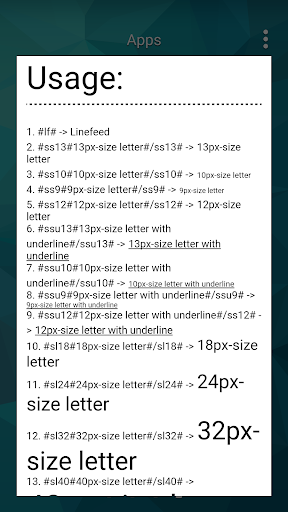
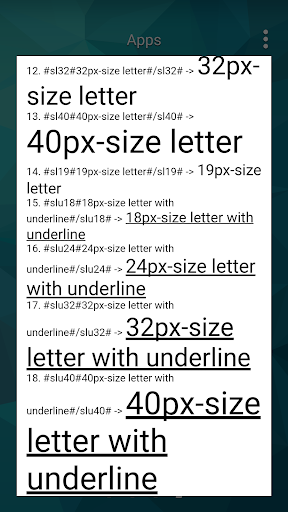
Utilisation:
- Pour appeler sur le Web avec un contenu: com.samathosoft.webprint: // # mling ## sl # Encore un autre test!# / sl #
- Pour imprimer une image: # ImageUrl # https: //your-domain.com/image.png#/imageurl#
- avec une base64-Utf-8 HTML codé ou en texte en clair,Laissez divulgation du contenu lisible !: # deb64 # pgi tgv0j3mgz2l2zsbhihryes4uljwvyj48ynivpg0kpgi u8ozbg8gdw4gcgvxdwxdsw8gdgvzdcaUli48l2i pgjylz4ncjxIpkp1c3rlclclclcgrlcgrlcgrlcgrlcgrlcgrlcgrlcgrlcgrlcgrlclcgrlcgrlcgrlcgrlcgrlug c2ltcgxpzmndqs4uljwvyj48ynivpg0k
- Pour imprimer une ESC / POS pris en charge des lettres: com.samathosoft.webprint: // # ESCPS ## SL # Encore un autre test! # #lf #
Exemple:
-
& lt; a href = & quot; com.samathosoft.webprint: // # mling ## sl # Encore un autre test! # / sl # & quot; & gt; imprimer le texte & lt; / a & gt;
= & gt;
Texte d'impression
-
& lt; a href = & quot; com.samathosoft.webprint: // # imageurl # https: //www.mobileprintutil.com/test.png#/imageurl# & quot; & gt; Imprimer l'image & lt; / a & gt;
= & gt;
Image d'impression
-
& lt; a href = & quot; com.samathosoft.webprint: // # deb64 # pgi tgv0j3mgz2l2zsbhihryes4uljwvyj48ynivpg0kpgi u8ozbg8gdw4gcgvxdwxw8gdgvzdwa Gjylz4ncjxipkp1c3rlihvuihrlc3qgc2ltcgxpzmndqs4uljwvyj48ynivpg0k & quot; & gt; imprimer Base64-utf-8 codé html & lt;/ a & gt;
= & gt;
Imprimer Base64-UTF-8 HTML codé
Ou une fois installé et configuré, essayez à partir de notre web à
https://www.mobileprint>
L'application doit fonctionner avec la plupart des imprimantes thermiques ESC / PO= "http://www.google.com/url?q=http://www.zjiang.com/en/init.php/product/index?id=22&Aovvaw3idSyq1hpgk1s0ji6wt7jf "> pos-5805dd
- UI, bug fixes and performance improvements with new APIs




9Apps 4.9












